

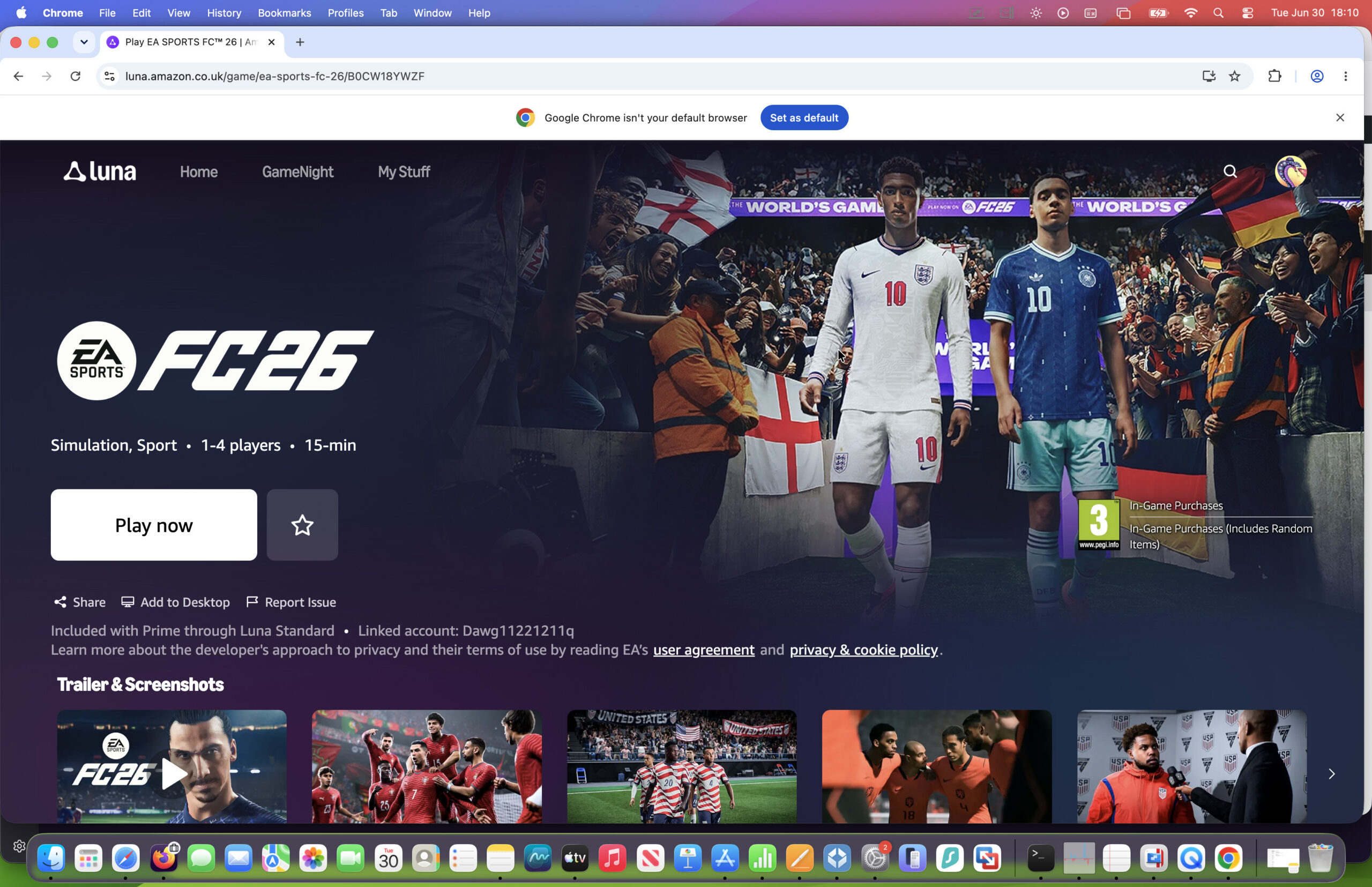
If you’ve been looking for a way to play EA SPORTS FC 26 on a Mac, there’s now a surprisingly easy solution. Thanks to Amazon Luna (which is free if you have an Amazon Prime account), you can stream the game directly from your browser without installing Windows, using Boot Camp, or buying a gaming PC.
September 2026 update: If you want to know whether EA FC 27 can be played on Mac check out our guide on how to play EA FC27 on a Mac.
What You’ll Need To Play EA FC 26 on a Mac
Before you get started, you’ll need:
- A Mac running one of the latest versions of macOS
- An Amazon Prime membership (or compatible Amazon Luna subscription – you can read our full Amazon Luna review for a closer look at what its like.)
- An EA account
- An internet browser – Microsoft Edge is recommended by for Xbox Cloud but Google Chrome and Safari also work well. Mozilla Firefox is not officially supported for Xbox Cloud.
- A stable internet connection (20 Mbps or faster is recommended)
- An optional Bluetooth controller such as a PlayStation DualSense or Xbox Wireless Controller
If you’ve got all this, you can see just how easy it is to play EA FC26 on a Mac in our demo video below or read on for full instructions on how to do it.
How to Play EA FC 26 on Your Mac
- Open Amazon Luna in your web browser and sign in with your Amazon account.
- Launch EA SPORTS FC 26.
- The first time you play, you’ll be prompted to sign in to your EA account and link it with Amazon Luna. This only takes a minute.
- Once your accounts are linked, the game will launch and you’ll be ready to play.
That’s it! There’s nothing to download or install.
Playing Without a Controller
Although a Bluetooth controller provides the best experience, it’s not essential.
When you launch the game, Amazon Luna can display a QR code. Simply press Shift+Tab when playing EA FC26 and you’ll select “Connect a Controller” to reveal the QR code.
Simply scan it with your smartphone to turn your phone into a virtual controller, making it possible to start playing immediately without any additional hardware.
Is The World Cup Included in FC26?
EA doesn’t have the rights to call it the “2026 FIFA World Cup Mode” but there is a mode called “The World’s Game” which is EA’s version of it.
So although it’s not allowed to call it “World Cup” mode, you can play an EA version of the World Cup in it.
Can You Play EA FC27 on a Mac?
EA Sports FC27 was released on September 25th, 2026 for PS4, PS5, XBOX One, XBOX Series, Switch, Switch 2, and PC but there is no Mac version. Some users were able to play eight days early on supported platforms by purchasing the Ultimate edition from September 17th onwards.
EA FC27 is not yet available on Amazon Luna but it may be on there later once EA FC26 has been removed for it.
For more, check our guide to EA FC27 on Mac.
Can You Play EA FC25 on a Mac?
Yes, you can play EA FC 25 on a Mac by using Xbox Cloud. However, Xbox Cloud does not allow you to play EA FC26.
Watch the Full EA FC26 on a Mac Setup Video
If you’d like to see the entire process step-by-step, watch the video below where I show exactly how to:
- Connect a Bluetooth controller
- Use your phone as a controller
- Start playing EA SPORTS FC 26 on a Mac in just a few minutes
Summary
Cloud gaming has become one of the easiest ways to play games that aren’t natively available on macOS, and EA SPORTS FC 26 is a perfect example. As long as you have a decent internet connection, you can enjoy the full game on your Mac without worrying about compatibility, Windows installations, or expensive gaming hardware.
FAQ
Does Xbox Cloud Gaming Support EA FC 26?
No.
While Xbox Cloud Gaming currently allows Mac users to stream EA FC 25 through a web browser, EA FC 26 has not yet been added to the service.
There is a possibility that EA FC 26 may eventually arrive on Xbox Cloud Gaming through EA Play and Xbox Game Pass, but there has been no official announcement.
Until then, Xbox Cloud Gaming is not a viable way to play EA FC 26 on a Mac.
Does GeForce Now Support EA FC 26?
No.
EA FC 26 is not currently available through NVIDIA GeForce Now.
Although GeForce Now supports many EA titles, EA FC 26 has not been added to the platform’s supported games library.
Does Boosteroid Support EA FC 26?
No.
Boosteroid does not currently offer EA FC 26 as a supported title.
Some online guides still list Boosteroid as an option for EA FC games, but these recommendations are often based on older versions of the franchise.
Why Don’t CrossOver, Whisky And Parallels Work?
Historically, Mac gamers relied on compatibility tools such as Crossover and virtual machines like Parallels to run Windows games.
Unfortunately, EA FC 26 is one of the growing number of games that cannot be played this way.
CrossOver and Whisky
CrossOver and Whisky translate Windows game instructions into something macOS can understand.
While this works for many titles, EA FC 26’s anti-cheat protection prevents the game from functioning correctly.
Parallels Desktop
Parallels allows Windows to run inside a virtual machine on your Mac.
However, EA FC 26’s anti-cheat software is not compatible with virtualized Windows environments, preventing the game from launching reliably.
As a result, neither solution currently provides a practical way to play EA FC 26.
What About Ryujinx And Android Emulators?
You may come across YouTube videos and forum posts claiming that EA FC 26 can be played on a Mac using emulators such as Ryujinx or Android emulators like Astris.
While these methods can sometimes launch versions of EA FC 26, they are not practical solutions for most Mac users.
Ryujinx
Ryujinx is a Nintendo Switch emulator that can run some Switch games on macOS.
However, using it to play EA FC 26 requires:
- A legally obtained copy of the Nintendo Switch version of the game
- Nintendo Switch firmware files
- Encryption keys from a Switch console
- Significant emulator configuration
For most users, setting up Ryujinx is considerably more complicated than cloud gaming or Boot Camp.
Performance can also vary significantly depending on your Mac model, and the Nintendo Switch version of EA FC 26 is generally considered less advanced than the PlayStation, Xbox and PC editions of the game.
Android Emulators Such As Astris
Some guides recommend Android emulators to run EA SPORTS FC Mobile on a Mac. However, this is not actually the full console or PC version of EA FC 26.
Instead, you’re playing the mobile version of the game, which is designed primarily for smartphones and tablets and offers a very different experience compared to the full PC and console release.
In addition, Android emulators often require:
- Additional software downloads
- Emulator configuration and setup
- Manual controller mapping
- Performance tweaking
Compatibility can also change frequently with emulator updates and new macOS releases.
Can I Manage My Team on the FC 26 Companion App?
Yes, you can manage your Ultimate Team squad, complete SBCs (Squad Building Challenges), and use the Transfer Market using the Companion App on iPhone and iPad.