

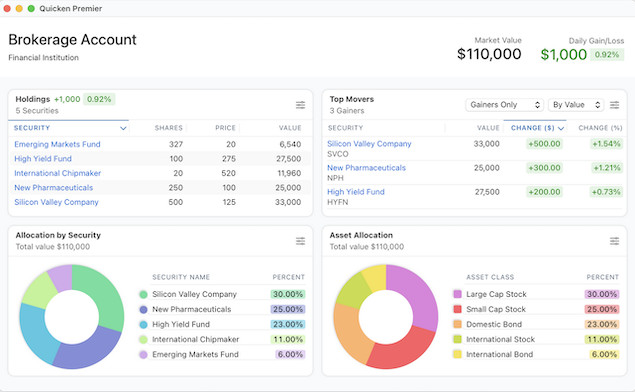
Quicken remains one of the most popular personal finance platforms for Mac users, but choosing between Quicken Classic Deluxe and Quicken Classic Premier can still be surprisingly confusing in 2026.
Part of the confusion comes from Quicken’s branding. What used to simply be called “Quicken Deluxe” and “Quicken Premier” are now officially branded as:
- Quicken Classic Deluxe
- Quicken Classic Premier
The “Classic” branding was introduced to distinguish the desktop software from Quicken Simplifi, Quicken’s newer cloud-based budgeting app.

Things get even more complicated because the Mac versions of Quicken still differ quite a bit from the Windows versions. Some features available in Quicken for Windows are either simplified or still missing entirely on macOS as you can see in our comparison of Quicken for Mac vs Quicken for Windows.
If you’re trying to decide between Quicken Deluxe vs Premier for Mac in 2026, here’s what you actually need to know.
Quicken Deluxe vs Premier for Mac: Quick Summary
At a high level:
- Quicken Classic Deluxe for Mac is best for budgeting, expense tracking, bill monitoring, and general personal finance management. It makes a good desktop alternative to Mint for Mac which is now discontinued or those looking for a simpler checkbook software for Mac.
- Quicken Classic Premier for Mac adds more advanced investing tools, portfolio analysis, tax-related reporting, retirement planning features, and premium support.
For most Mac users, Deluxe is enough. Premier mainly makes sense if you actively manage investments or want deeper portfolio reporting.
Quicken Deluxe vs Premier for Mac: Comparison Table (2026)
| Feature | Quicken Classic Deluxe (Mac) | Quicken Classic Premier (Mac) |
|---|---|---|
| Expense Tracking | Yes | Yes |
| Budgeting Tools | Yes | Yes |
| Bill Tracking & Reminders | Yes | Yes |
| Automatic Transaction Downloads | Yes | Yes |
| Investment Tracking | Basic | Advanced |
| Portfolio Performance Analysis | Limited | Yes |
| Capital Gains Tracking | Basic | Advanced |
| Tax Schedule Reporting | Limited | More advanced |
| Retirement Planning Tools | Basic projections | Enhanced planning |
| Zillow Home Value Tracking | No | No |
| Priority Customer Support | No | Yes |
| Bill Manager Included | Limited monthly usage | Higher included limits |
| Mobile App Sync | Yes | Yes |
| Cloud Sync | Yes | Yes |
| Loan Tracking | Yes | Yes |
| Custom Reports | Moderate | More advanced |
| Multi-Currency Support | No | No |
| Cryptocurrency Tracking | Manual only | Manual only |
| Annual Subscription Price | $6.99/month | $8.99/month |
The Biggest Differences Between Deluxe and Premier
1. Investment Tracking
This is the biggest distinction.
Quicken Deluxe
Deluxe supports:
- Basic investment account tracking
- Portfolio balances
- Transaction downloads
- Simple investment performance monitoring
It’s fine for casual investors with retirement accounts or a few brokerage accounts.
Quicken Premier
Premier adds:
- More advanced portfolio analysis
- Better investment performance reporting
- Portfolio allocation views
- Cost basis and capital gains tools
- Enhanced tax reporting for investments
If you actively trade stocks, ETFs, or mutual funds, Premier is usually worth the extra cost.
2. Tax Reporting Features
Both versions can categorize transactions for taxes, but Premier includes more detailed tax-related reporting.
Premier is especially useful if you:
- Track investment income
- Need capital gains reporting
- Want more detailed Schedule-based tax reports
- Have multiple taxable accounts
That said, Quicken for Mac still isn’t as advanced for tax planning as the Windows version.
3. Bill Manager Limits
Both Deluxe and Premier include access to Quicken’s Bill Manager service, but Premier includes higher monthly limits for:
- Quick Pay payments
- Check Pay transactions
Older articles often state that Bill Manager is “free only in Premier,” but that’s no longer really accurate. Both plans now include Bill Manager access – Premier simply includes more usage.
4. Priority Support
Premier subscribers receive:
- Faster customer support access
- Priority chat and phone queues
This won’t matter to everyone, but it can be useful if you rely heavily on Quicken for financial management.
What’s Still Missing on Mac Compared to Windows?
Although Quicken for Mac has improved substantially over the past few years, the Windows version is still more feature-rich in several areas.
Features Still Better in Windows
Advanced Investment Analysis
The Windows version still has:
- More sophisticated portfolio analysis
- Better benchmarking tools
- Deeper investment performance metrics
Lifetime Planner
Quicken Windows Premier includes the well-known Lifetime Planner retirement forecasting tool.
The Mac version has improved retirement projections, but it still doesn’t fully match the Windows planner.
Multi-Currency Support
This remains one of the biggest missing features on Mac.
Quicken for Mac still does not support true multi-currency account management in 2026, while the Windows version does.
More Powerful Reporting
Windows continues to offer:
- More customizable reports
- Better filtering options
- More advanced business and investment reporting
Property Valuation Integration
The Zillow home valuation integration remains Windows-only.
For a closer look, check out our article on Quicken for Windows vs Quicken for Mac.
Is Quicken for Mac Better Than the Windows Version in Any Way?
Actually, yes.
The Mac version is widely considered:
- Cleaner
- Faster
- Easier to navigate
- More modern-looking
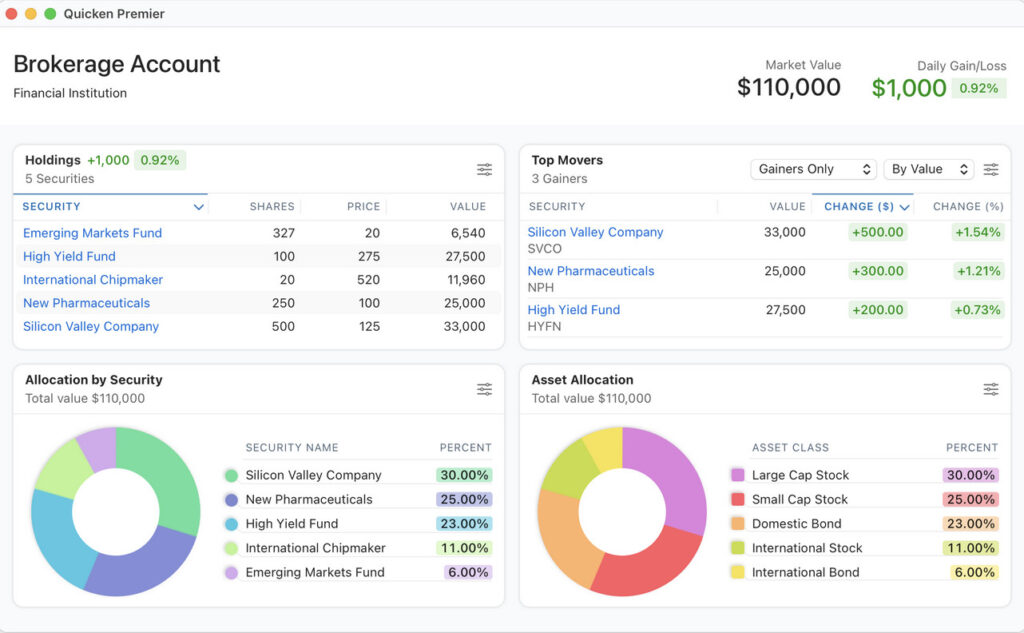
The Windows interface still feels quite dated compared to the native macOS experience.
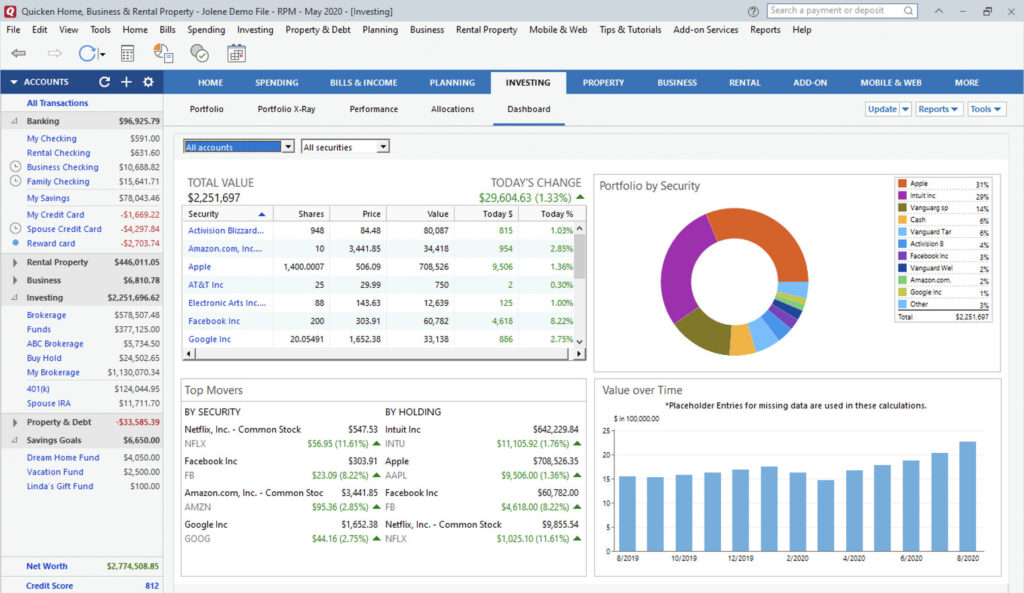
Many Mac users prefer the simpler design even if some advanced features are missing.
Can You Run the Windows Version of Quicken on a Mac?
Yes – although this has changed slightly for Apple Silicon Macs.
If you have an Intel Mac, you can still run Windows versions of Quicken using virtualization software.
On Apple Silicon Macs (M-series Macs), you can run the ARM version of Windows using:
Quicken for Windows generally works well in virtual machines on modern Macs.
One important correction from older advice: modern Apple Silicon Macs can no longer use Boot Camp to run Windows natively.
FAQ
Can I upgrade from Quicken Deluxe to Premier?
Yes. You can upgrade your subscription at any time by paying the prorated difference.
Is Quicken Premier worth it on Mac?
Premier is worth it if you:
- Actively manage investments
- Need deeper portfolio analysis
- Want enhanced tax reporting
- Prefer priority support
If your focus is mainly budgeting and expense tracking, Deluxe is usually enough.
Does Quicken for Mac support multiple currencies?
No. Full multi-currency support is still missing from Quicken for Mac in 2026.
Is there a mobile app?
Yes. The Quicken mobile app syncs with both Deluxe and Premier subscriptions.
Can I use Quicken without a subscription?
No. Quicken now requires an annual subscription for all desktop products.
If your subscription expires:
- Your data remains accessible
- Automatic downloads and online services stop working
- Cloud sync and connected services are disabled
Can one subscription be used for both Mac and Windows?
Yes. One Quicken Classic subscription includes access to both the Mac and Windows desktop apps.
Does Quicken support cryptocurrency?
Not natively.
You can manually track crypto holdings, but Quicken still lacks proper crypto exchange integrations and advanced crypto portfolio tracking.
Is Quicken available outside the US?
Quicken is primarily designed for the US and Canadian markets.
Canadian users should note:
- Feature availability differs slightly
- Some products available in the US may not exist in Canada
- Financial institution connectivity is more limited