

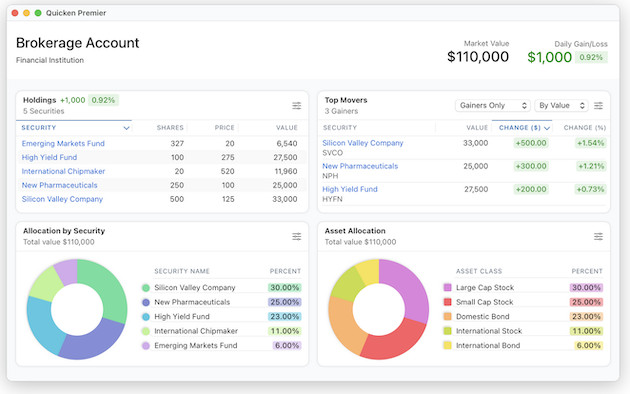
One of the main reasons many people still look for a Quicken alternative on macOS is that the Mac version continues to lag behind the Windows version in several important areas.
The gap is much smaller than it used to be – especially since Quicken rebuilt the Mac version from the ground up several years ago – but in 2026, Quicken for Windows still offers more advanced features for investing, retirement planning, reporting, and business finances.
Part of the confusion now is that Quicken has expanded the Quicken Classic lineup into multiple subscription tiers:
- Quicken Classic Deluxe
- Quicken Classic Premier
- Quicken Classic Business & Personal
These plans are available on both Mac and Windows, but the features are not identical across platforms.
Here’s what you need to know before deciding between Quicken for Mac and Quicken for Windows.
Quicken for Mac vs Windows: Quick Comparison (2026)
| Feature | Quicken Classic for Mac | Quicken Classic for Windows |
|---|---|---|
| User Interface | Modern, native macOS design | More feature-rich but dated |
| Apple Silicon Support | Excellent | N/A |
| Investment Tracking | Good in Premier & Business & Personal | More advanced overall |
| Retirement Planning | Limited | Full Lifetime Planner |
| Tax Planning Tools | Basic | Advanced |
| Budgeting Tools | Streamlined | More customizable |
| Bill Pay & Bill Manager | Supported | Supported |
| Business Features | Limited in Business & Personal | Much more complete |
| Invoicing | Basic | Advanced |
| Rental Property Management | No | Yes |
| Multi-Currency Support | No | Yes |
| Custom Reporting | Moderate | Extensive |
| Zillow Integration | No | Yes |
| Cloud & Mobile Sync | Good but occasionally inconsistent | Slightly more reliable |
| Performance | Fast and stable | Can slow with large files |
| Best For | Simpler personal finance management | Power users & investors |
| Pricing | Starts at $6.99/m | Starts at $6.99/m |
Understanding the Current Quicken Classic Plans
Quicken’s product lineup is now simpler than it used to be, but the naming still causes confusion because the plans differ slightly between Mac and Windows.
Quicken Classic Deluxe
This is the standard, cheapest personal finance plan and includes:
- Budgeting
- Expense tracking
- Bill reminders
- Bank syncing
- Basic investment tracking
For many users, this is enough at $6.99/month.
Quicken Classic Premier
Premier adds:
- More advanced investment tools
- Portfolio analysis
- Better tax reporting
- Priority customer support
- Higher Bill Manager limits
This is the best choice for active investors at $8.99/month.
For a closer look at what’s different between Deluxe and Premier check our article on Quicken Deluxe For Mac vs Premier.
Quicken Classic Business & Personal
This is now Quicken’s top-tier plan at $12.49/month.
On Windows, it includes:
- Small business accounting tools
- Invoicing
- Rental property management
- Business reports
- Profit/loss tracking
On Mac, Business & Personal exists, but it is still much more limited than the Windows version.
Here we look at some of the key differences in more detail.
1. User Interface and Design
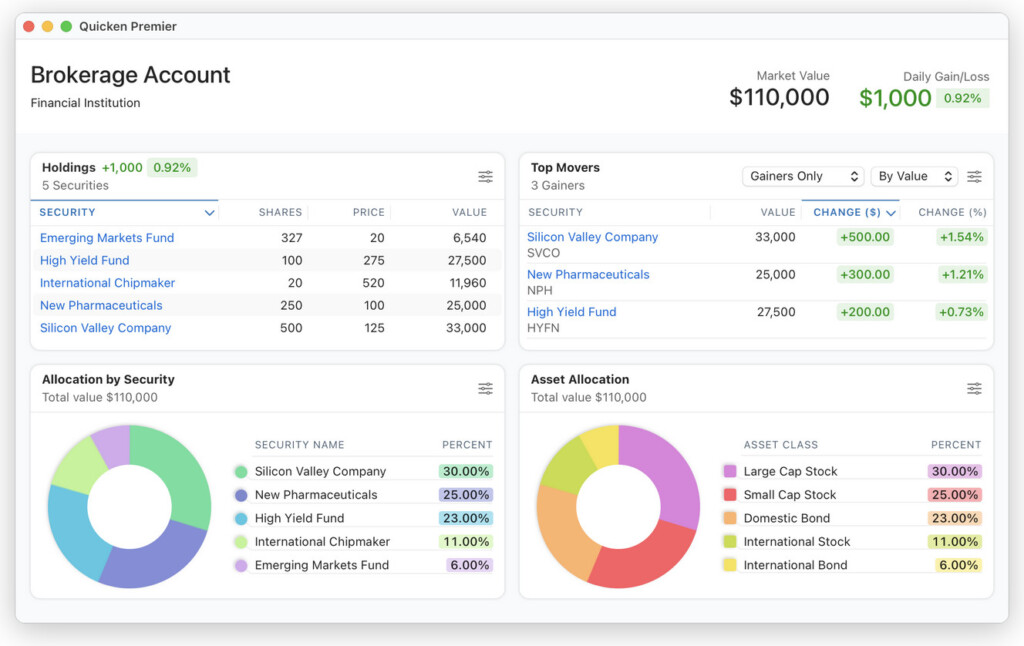
One area where Quicken for Mac clearly wins is the overall user experience.
The Mac version feels like a proper modern macOS app with:
- Native Apple Silicon optimization
- Dark Mode support
- Cleaner navigation
- Better typography
- Less cluttered layouts
Many users find the Mac version easier to learn and less overwhelming.
By comparison, the Windows version looks dated and more complex, although that complexity partly comes from having far more functionality.
The Mac version also handles some actions more elegantly, including:
- Drag-and-drop transaction categorization
- Faster search
- Simpler account management
Summary:
- For Mac users, the user interface will likely feel more intuitive and in line with other macOS apps.
- For Windows users, while the interface is more cluttered, it provides access to more in-depth customization and features.
2. Features and Functionality
This is where Windows still has a significant advantage.
Investment Tracking
Windows
Quicken for Windows remains far superior for investing tracking tools.
It supports:
- Advanced portfolio analysis
- Tax-reporting and prep
- Better capital gains tracking
- Retirement planning
- Portfolio benchmarking
- Morningstar Portfolio X-Ray integration
Mac
Quicken for Mac supports investments reasonably well in Premier and Business & Personal, but the tools are still less sophisticated.
Investment reporting is more limited and there are fewer analysis tools overall.
Retirement Planning
This remains one of the biggest missing features on Mac.
Windows
Includes:
- Lifetime Planner
- Retirement forecasting
- Long-term financial projections
Mac
Still lacks a true equivalent to Lifetime Planner in 2026.
Budgeting and Reporting
Windows
Offers:
- More customizable budgets
- Detailed reporting
- Better filtering
- Budget rollovers
- More advanced savings planning
Mac
Budgeting is cleaner and easier to use, but less flexible overall.
Most everyday users probably won’t notice the limitations unless they rely heavily on custom reports.
Business Features
This is now an important distinction because of the newer Business & Personal plan.
Windows Business & Personal
Includes:
- Invoicing
- Rental property tracking
- Business reports
- Business expense management
- Tenant tracking
Mac Business & Personal
The Mac version has improved, but still lacks many advanced business management tools found in Windows.
This is important because some older articles incorrectly imply that Mac has no business version at all – it does now, just with fewer capabilities.
Multi-Currency Support
Windows
Supports multi-currency accounts.
Mac
Still does not support true multi-currency management in 2026.
This remains a major frustration for international users.
Summary:
- For users who need advanced investment, reporting tools and business management Quicken for Windows is the better choice.
- For users primarily interested in budgeting and basic personal finance tracking, Quicken for Mac should be enough.
3. Bill Pay and Online Banking
Both Mac and Windows now support:
- Bill Manager
- Quick Pay
- Check Pay
- Online account syncing
Older complaints about Mac syncing reliability are less relevant today because Quicken has improved connectivity significantly. Bill Manager is also no longer “Premier-only.” Both Deluxe and Premier include access, although Premier includes higher monthly limits.
However:
- Sync quality still depends heavily on your bank
- Windows generally supports slightly more institutions
- Cloud syncing between desktop and mobile is still not perfect on either platform
Summary:
- For users who need the widest choice of financial institution integration, Quicken for Windows is the better choice.
- For users who’s bank is supported by the Mac version for online integration, Quicken for Mac should be enough.
4. Performance and Stability
Interestingly, many users now find the Mac version more stable than Windows.
Quicken for Mac
Generally:
- Faster
- Smoother
- Better optimized
- Excellent on Apple Silicon Macs
Large financial files rarely cause major slowdowns.
Quicken for Windows
Still powerful, but:
- Can slow down with very large files
- Sometimes experiences file corruption issues
- More dependent on hardware performance
This is one reason some longtime Windows users have actually migrated to the Mac version.
Summary:
- For macOS users, the Mac version offers a more stable, smoother experience.
- For Windows users, performance is solid on newer systems but less reliable with large files or on older PCs.
5. Updates and Feature Development
Historically, Windows always received new features first. That’s still mostly true in 2026.
However, the Mac version has improved dramatically over the last few years and receives far more frequent updates than it once did.
The gap is now much smaller than it was a decade ago.
Still:
- Windows gets major features first
- Mac usually follows later (if at all)
- Some Windows-only tools remain exclusive indefinitely
Summary:
- For those who want the latest updates and features, Quicken for Windows remains a step ahead.
- For Mac users, the gap is closing, but Windows still receives priority when it comes to new features and fixes.
Pricing and Subscription Plans
Pricing is now broadly similar across both platforms because Quicken uses the same subscription structure on Mac and Windows.
The main plans are:
| Plan | Best For |
|---|---|
| Deluxe | Budgeting & personal finance |
| Premier | Investing & tax reporting |
| Business & Personal | Small business owners & landlords |
All Quicken Classic plans require an annual subscription. Note that “Quicken Classic Personal for Mac” no longer exists.
Quicken also offers Simplifi by Quicken, which is a simpler cloud-based budgeting app aimed more at users who primarily want a checkbook software or an alternative to Mint for expense tracking and budgeting.
Running Quicken for Windows on a Mac
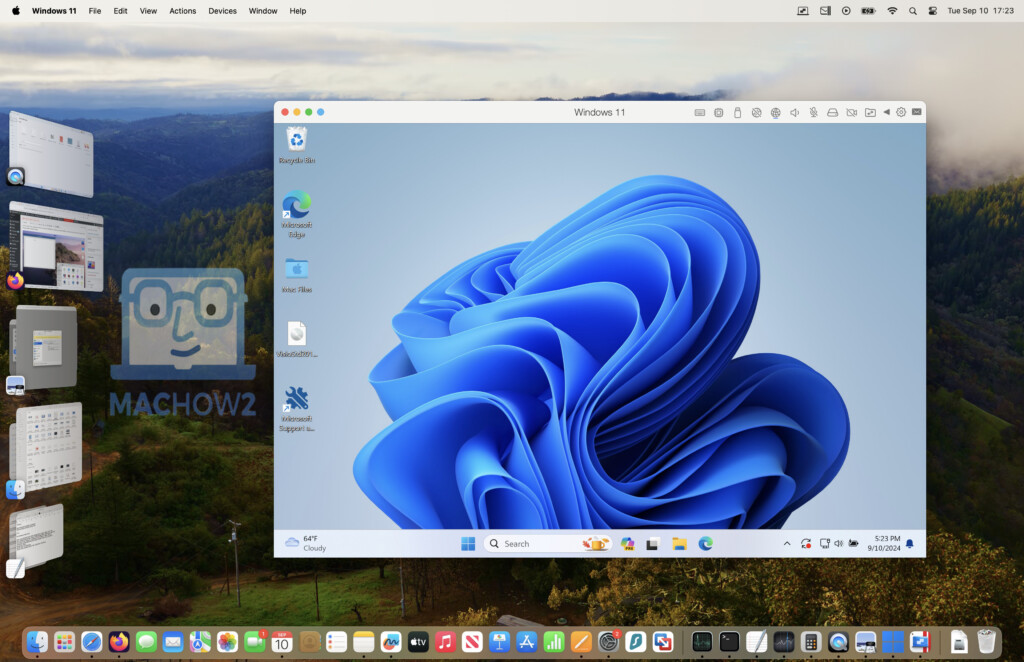
If you want the full Windows version of Quicken on a Mac, virtualization is now the best solution.
The two best options are:
This works particularly well on Apple Silicon Macs using Windows 11 ARM.
One important update for 2026:
- Boot Camp is no longer an option on Apple Silicon Macs
- Virtualization is now the primary method for running Windows on modern Macs
Final Verdict
Choose Quicken for Mac if you:
- Prefer a cleaner, more modern interface
- Mainly need budgeting and expense tracking
- Want stable Apple Silicon performance
- Don’t need advanced retirement or business tools
Choose Quicken for Windows if you:
- Need advanced investment analysis
- Want retirement planning tools
- Run a small business or rental properties
- Require highly customizable reports
- Need multi-currency support
The Mac version of Quicken is far better than it used to be and is now perfectly adequate for many personal finance users.
But for advanced investing, business finances, and long-term financial planning, Quicken for Windows still remains the more powerful product overall.