

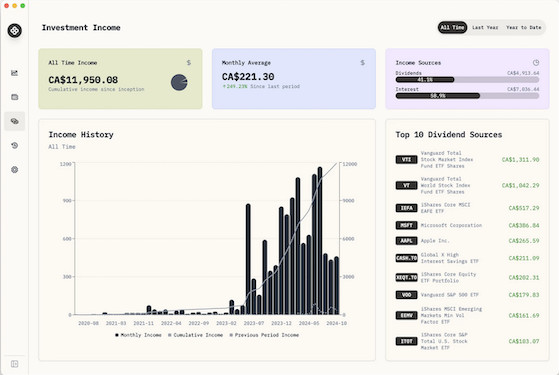
If you’re looking for a free, offline investment portfolio tracker for your Mac, then Wealthfolio seems to tick all the right boxes.
Wealthfolio supports importing all kinds of investments including stocks, cryptos and retirement accounts.
Even better, there’s no purchase or subscription fee and it works entirely offline on your Mac desktop.
This of course also comes with some trade-offs but for those that like the non-subscription, privacy first approach to personal finance software, it could be an interesting option.
Here I take a closer look at Wealthfolio and whether it’s really worth trusting with your investments.
What is Wealthfolio?
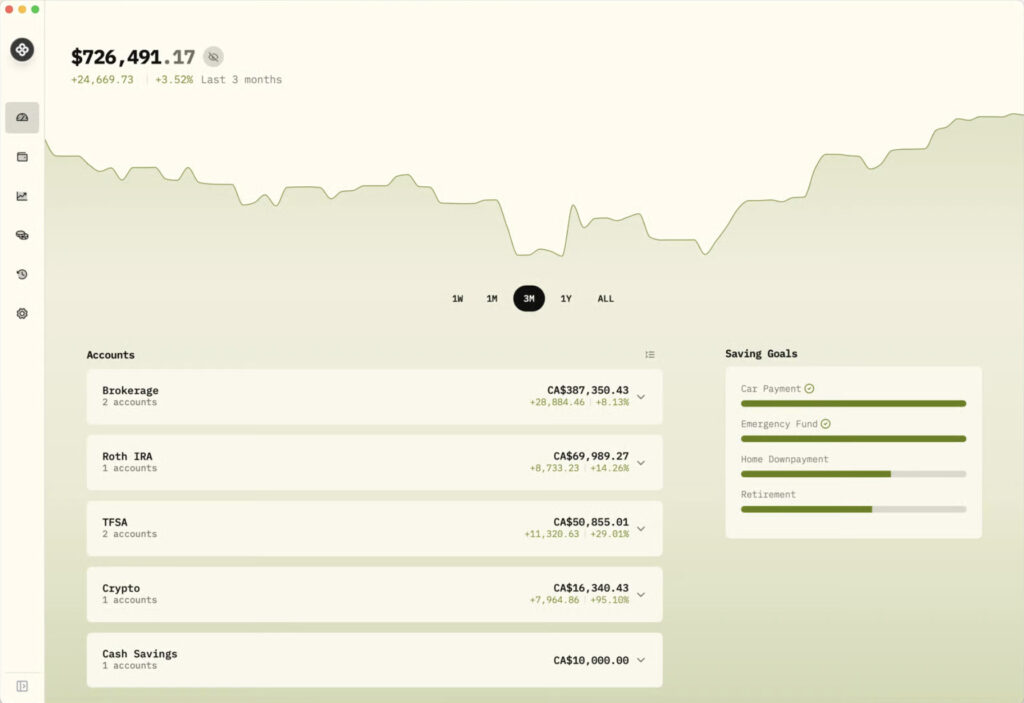
Wealthfolio is a simple, open source portfolio tracker aimed at those that don’t want all their financial data stored in the Cloud.
The main selling points of it are:
- Your data stays on your machine – there’s no cloud sync by default.
- It’s got a simple but Clean UI with few gimmicks
- It’s free to use (although there is an optional one-time payment if you want to)
- Your data isn’t sold to third parties or monetized in any way
- It’s mainly focused on investments/portfolio tracking (stocks, ETFs, crypto, dividends, goals) rather than full-blown personal finance.
The project is open-source and maintained on the GitHub repository so there’s no major investor or company behind it.
It’s proved pretty successful so far and the developer describes how the app “went viral” shortly after it was released. In his words he just wanted a desktop app for tracking finances that is “beautiful, boring and just works”.
Pros of Wealthfolio
Here are some of the standout features and benefits of Wealthfolio.
Privacy
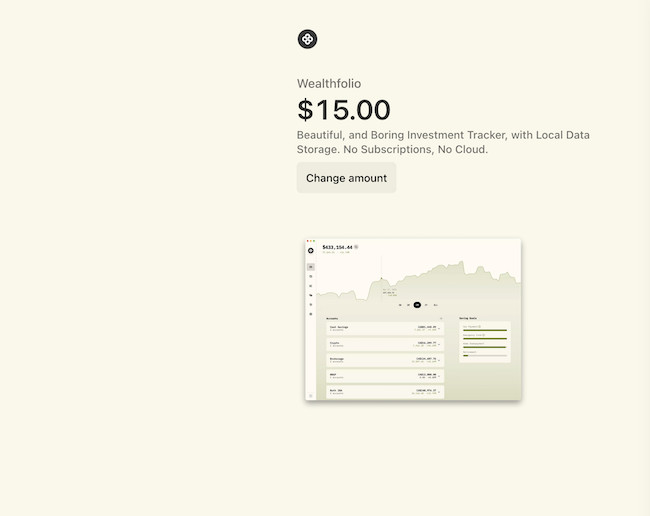
If you’re someone who doesn’t want to use cloud services for financial tracking, this is one of its major strengths. You don’t have to give APIs or credentials to external services, and there’s no cloud-subscription like there is with some many investment trackers nowadays. There are also no features locked behind premium tiers and the app only requests an “optional” payment if you wish to. Wealthfolio suggest $15.00 on the payment page although you can change this to whatever you want – on not pay anything at all.
User Interface & Features
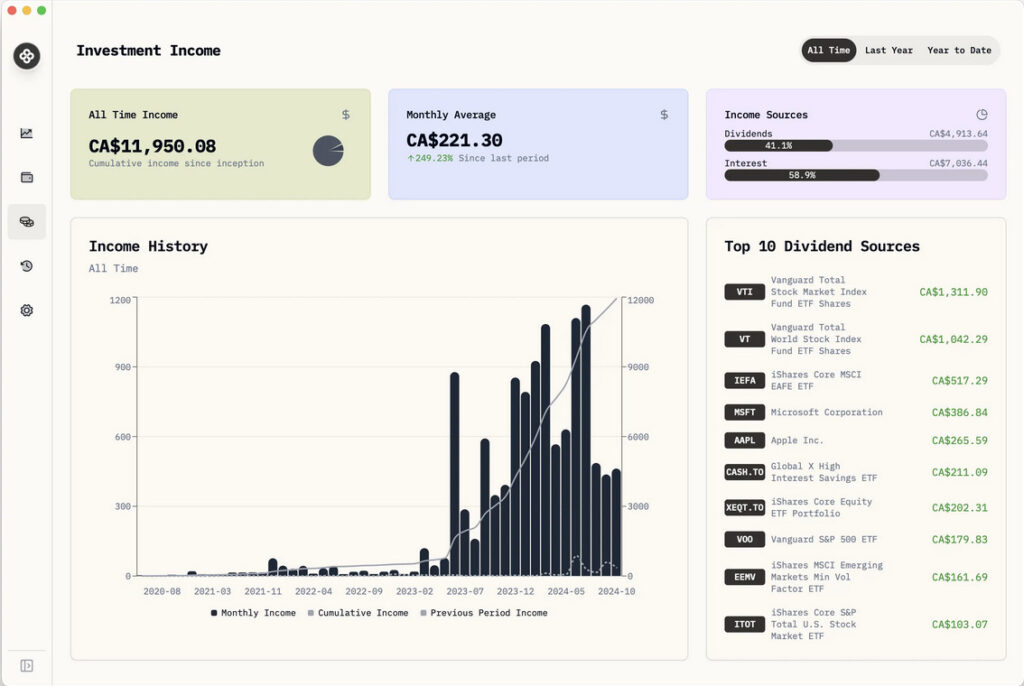
One of the most striking things about Wealthfolio is the clean, uncluttered interface. Wealthfolio is “boring but reliable” and will appeal to all those that just want the facts and don’t want up-selling more services.
There is an onboarding wizard which guides you through the first steps if importing your accounts. Note that anything you upload has to be in CSV format only.
Even then, you may find that CSVs have formatting issues after importing or simply throw-up random errors.
You can however at least export in CSV, JSON and SQLite if you wanted to build a database from your data.
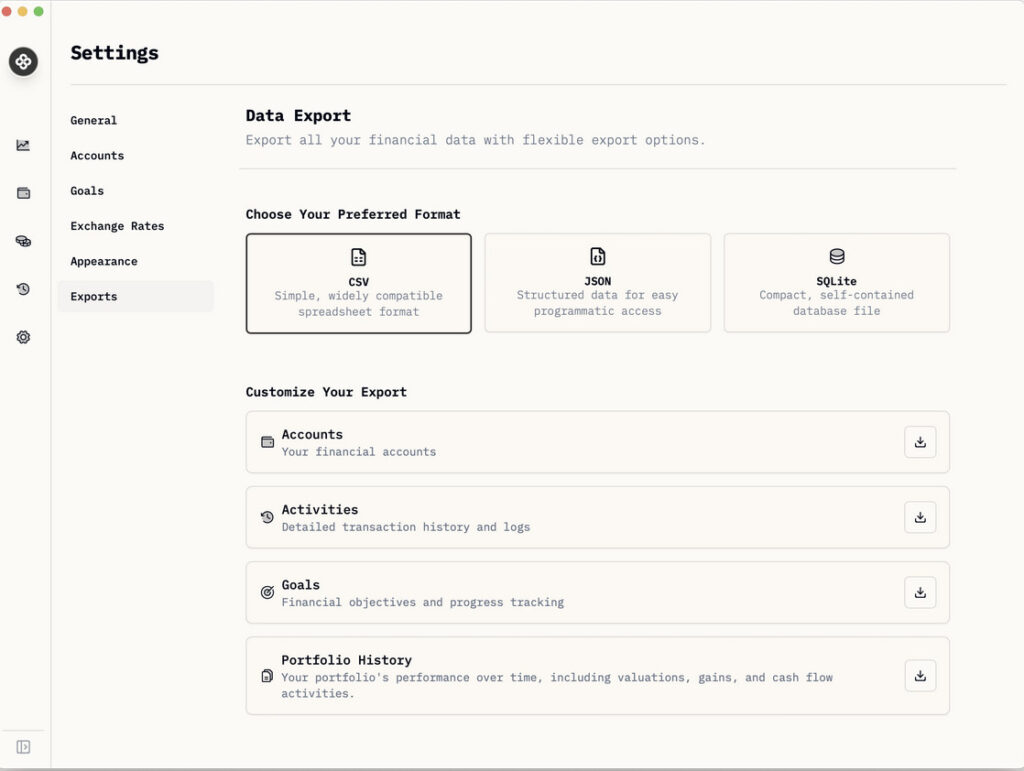
Finding your way around it is simple enough although there’s an extensive user guide if you get stuck.
The desktop app supports:
- Accounts aggregation (via imports) across broker and savings accounts.
- Holdings overview (stocks/ETFs/crypto) and allocation insights.
- Performance dashboard (compare accounts, benchmark against indices etc.).
- Income tracking (dividends, interest) and goals tracking.
- Multi-currency support, add-on system, extensibility.
All the essentials are there but the big downside is none of this is automated – you have to upload the data yourself via spreadsheets or manual entry – which is pretty tedious and time consuming.
Add-Ons
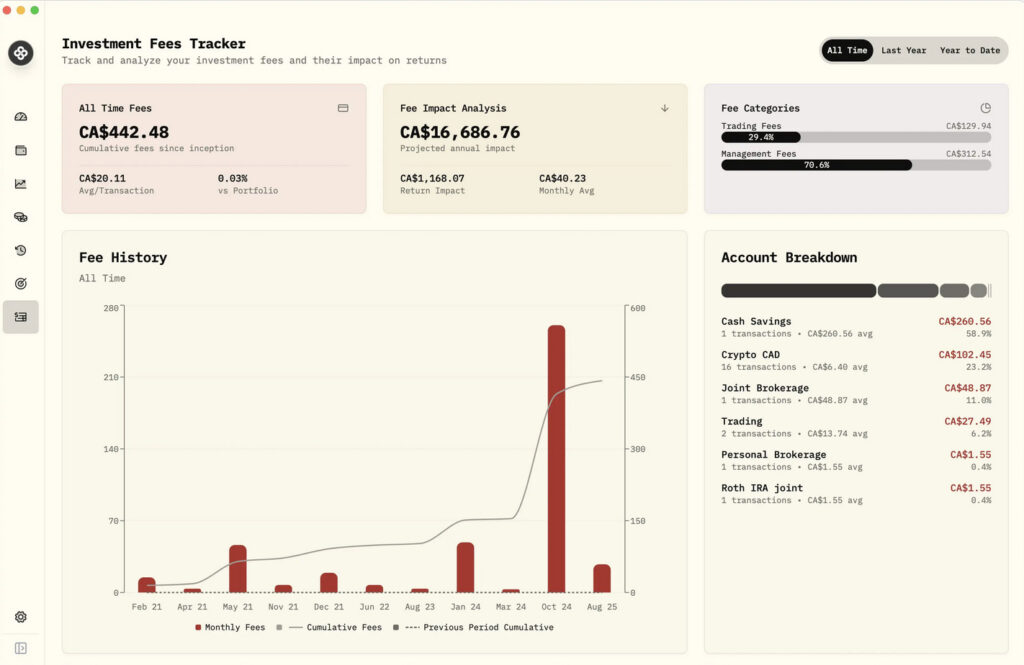
There’s a very limited number of add-ons for Wealthfolio at the moment but anyone can build-one if they wish.
At the moment, the add-ons available are:
- Investment Fees Tracker
- Goal Progress Tracker
- Swingfolio – a Simple Stock Trading Tracker
There’s also an AI Assistant add-on in progress although this hasn’t been released yet.
Transparency
Since it’s open-source, if you’ve got the technical know-how you can inspect the code its built on, follow the roadmap, and even build add-ons.
The developer is also open about his strategy for the app and there’s an active GitHub community that are contributing to the development of it.
What’s Not So Good
Wealthfolio comes with a set of trade-offs you should be aware of.
Manual data entry
The biggest drawback is that because everything is handled offline, there’s no API integrations or automatic account syncing so much of the data management has to be done yourself.
There’s a lot of reddit users that also report this is one of the most annoying aspects of the app with typical comments such as:
“Yeesh, it’s very pretty on the front end, but the csv import/manual data entry definitely makes it a super hard sell for most…”
If you have dozens of brokerage accounts, trade frequently, or need automatic updates, the manual reconciling of accounts will definitely become annoying.
According to some users, uploading of CSV files doesn’t always work well either and can be dependent on which brokerage firm or account you downloaded it from.
No mobile access
Because of the lack of syncing, you can’t access your portfolio from mobile devices or other computers such as Windows PCs. If you always access your accounts from one Mac, that’s fine but of you like to check things on the go, this is very limiting.
The roadmap mentions a “mobile app” is in the works along with a plan to “connect with broker accounts” but these are not guaranteed to appear anytime soon.
No alerts or tax reporting
Because none of your data is being updated in real-time automatically, there are no alerts that can be configured.
If you’re used to a full-blown investment tracking platform (with everything from tax reporting, automatic reconciliation, multi-device cloud sync, phone apps, alerts, etc.), you’ll definitely miss this.
Data backups & sharing
Since the data is local, backup and sharing are your responsibility. If your Mac dies or you lose the file, recovery will require falling-back on your own backup system. We strongly recommend using an external SSD hard drive with Time Machine for this.
Also, if you ever want to share your portfolio view with spouse, financial advisor, or switch devices, you’ll there’s no easy way to do it.
Who is Wealthfolio For?
Wealthfolio will appeal to those Mac based investors that:
- Prioritise privacy and want your financial data stored locally, not in the cloud.
- Are comfortable with importing CSVs or manually entering transactions (or have only a few accounts).
- Prefer a simple, elegant, minimal-distraction interface rather than a full-feature multi-device ecosystem.
- Want an investment/portfolio tracker (rather than full budgeting/accounting/bill-tracking).
- Are comfortable with some DIY (e.g., ensuring backups, importing data, etc.).
- Appreciate open-source transparency and being part of a community-driven project.
However, it’s probably not a good option for those investors that:
- Have many brokerage/trading accounts, frequent trades, need automatic sync or constant live updates.
- Want mobile access, cloud sync, sharing with advisor/spouse, automatic alerts, or web/mobile integration.
- Prefer a plug-and-play SaaS platform where everything is “just set up and forget”.
- Want full financial planning, budgeting, tax integration, or complex asset classes (real estate, private equity, etc) included.
- Are not comfortable with some manual setup or backup responsibility.
Alternatives to Wealthfolio
In terms of open source alternatives, the closest equivalent to Wealthfolio is probably Portfolio Performance.
Portfolio Performance has been around a bit longer and offer deeper analytical insights, mobile access and extensive reporting tools.
The best commercial free alternative is the excellent Empower thanks to everything from automatic account syncing to retirement calculations.
For more, check out our look at the best investment tracking software for Mac for more.