

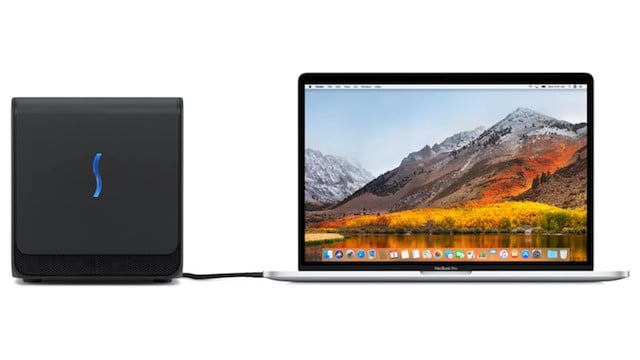
If you want to supercharge your Mac’s graphics performance, we’ve looked at the best eGPUs for Mac in 2026 and the latest compatibility situation for both Intel and Apple Silicon Macs.
Intel vs Apple Silicon Mac eGPU Support
Firstly, there’s now an important distinction between Intel Macs and Apple Silicon Macs when it comes to external GPU support.
Officially, macOS still only supports traditional eGPUs on Intel-based Macs running macOS High Sierra through macOS Monterey using AMD Radeon graphics cards.
However, in 2026, an experimental open-source project called TinyGPU introduced limited external GPU support for Apple Silicon Macs using certain AMD and NVIDIA GPUs connected over Thunderbolt or USB4.
This is historically significant because it’s the first time modern NVIDIA GPUs have worked with Macs since Apple dropped NVIDIA support after macOS Mojave in 2018.
However, TinyGPU is not the same thing as native macOS eGPU support.
CUDA is still unsupported on Macs, gaming support is extremely limited, and most professional apps like DaVinci Resolve, Blender, Ollama and llama.cpp cannot use these GPUs natively on macOS.
Instead, TinyGPU currently works only through the tinygrad machine learning framework and is aimed primarily at developers and AI experimentation.
For most Mac users, Intel Macs remain the only Macs with proper native eGPU support in macOS.
What Is An eGPU?
An eGPU (External Graphics Processing Unit) is an external enclosure containing a desktop-class graphics card that connects to your Mac via Thunderbolt or USB4 to boost graphics performance.
eGPUs can accelerate tasks such as:
- 4K and 8K video editing
- 3D rendering
- CAD and modeling
- GPU-based AI workloads
- Multi-monitor setups
- Gaming on Intel Macs
Traditional eGPU support in macOS is limited to Intel Macs using compatible AMD Radeon graphics cards.
Can Apple Silicon Macs Use eGPUs?
Officially, Apple Silicon Macs still do not support traditional eGPUs in macOS.
Apple has never added native eGPU support for M1, M2, M3 or M4 Macs, and modern versions of macOS still lack support for external PCIe graphics acceleration in professional apps and games.
However, in 2026, Tiny Corp released an experimental open-source kernel extension called TinyGPU that allows certain AMD and NVIDIA GPUs to communicate with Apple Silicon Macs over Thunderbolt and USB4.
This currently works only through the tinygrad machine learning framework.
There are several important limitations though:
- CUDA is not supported
- NVIDIA drivers are not officially supported by Apple or NVIDIA
- The GPUs only work through tinygrad
- Apps like Ollama, llama.cpp, Blender and DaVinci Resolve cannot use the GPU normally
- Performance is currently much slower than optimized Metal implementations
- Compatibility depends entirely on tinygrad support for specific models and workloads
At the moment, TinyGPU is best viewed as an experimental AI development project rather than true consumer eGPU support for Macs.
Which Macs Officially Support eGPUs?
The following Macs still support traditional macOS eGPU acceleration:
| Mac | eGPU Support |
|---|---|
| Intel MacBook Pro (2016–2020) | Yes |
| Intel Mac mini (2018) | Yes |
| Intel iMac (2017–2020 Intel models) | Yes |
| Apple Silicon Macs (M1/M2/M3/M4) | No official support |
To use a traditional macOS eGPU setup you need:
- An Intel-based Mac
- Thunderbolt 3
- macOS High Sierra 10.13.4 through Monterey
- A supported AMD Radeon GPU
Best eGPUs For Intel Macs of 2026
With all this in mind, here then are the best eGPUs for Mac of 2026 in order of ranking. You’ll find some recommended Graphics Cards to use inside them further down in the article.
Note that availability of eGPUs in general is very poor and you may find many models frequently out of stock.



1. Sonnet Breakaway Box 750ex
The Sonnet Breakaway Box 750ex remains one of the most trusted and powerful eGPUs for Intel-based Macs in 2026, offering exceptional performance, whisper-quiet operation, and seamless macOS compatibility.
Designed for demanding tasks like 4K and 8K video editing, 3D rendering, and machine learning, the 750ex delivers a significant performance boost when paired with a compatible AMD Radeon GPU and Intel Mac running macOS 10.13.4 or later.
Key Improvements in the 750ex Model:
- Upgraded 750W power supply: Supports the most power-hungry GPUs (up to 375W continuous + 100W peak).
- 100W power delivery: Can fast charge a 16-inch MacBook Pro or any MacBook with Thunderbolt 3.
- Built-in expansion ports: Unlike previous models, the 750ex includes four USB-A 3.2 Gen 1 ports and a Gigabit Ethernet port, reducing your need for extra dongles.
- Ultra-quiet cooling system: Even under heavy GPU load, the fans remain near-silent—ideal for audio-sensitive work environments.
macOS Compatibility
The Breakaway Box 750ex works only with Intel-based Macs via Thunderbolt 3, as Apple does not currently support eGPUs on Apple Silicon Macs (M1-M5 chips). When used with macOS Mojave or later, setup is plug-and-play with no additional drivers required for compatible AMD cards.
Design & Usability
Installing a graphics card in the 750ex is simple – just open the enclosure, plug the card into the PCIe slot, and you’re ready to go. Once connected to your Mac, it’s instantly recognized and powers up without fuss.
That said, the 750ex is a large and hefty unit, making it less ideal for small desks or tight setups. Sonnet used to make a more compact eGPU and graphics card all-in-one setup known as the Sonnet eGFX Breakaway Puck but it’s now discontinued.
It also ships with a short 0.5m Thunderbolt 3 cable, so proximity to your Mac is essential unless you purchase a longer cable separately.
Things to Know:
- No Boot Camp support: The Sonnet eGPU is not compatible with Windows running on a Mac via Boot Camp.
- Not compatible with Apple Silicon: Works only on Intel Macs running macOS 10.13.4 or later.
- Limited availability: Due to high demand and limited distribution, the 750ex may be difficult to find in stock.
Despite these things, the Sonnet Breakaway Box ex750 remains by far the best (and most frequently available) eGPU for Macs in 2026.
For a more in-depth look, you can check out our full Sonnet Breakaway Box review.
✅ Pros:
- Exceptionally quiet, even under load
- Full support for AMD GPUs under macOS
- 100W charging for MacBooks
- Built-in USB and Ethernet ports
- Great for Final Cut Pro and other pro apps
- Easy, tool-less GPU installation
❌ Cons:
- Large size may not suit small desks
- Short Thunderbolt 3 cable
- No support for Boot Camp or Apple Silicon
- Can be difficult to find in stock
2. Akitio Node Titan
Akitio is based in California and specializes in doing everything in-house designing and creating new Thunderbolt peripherals such as external hard drives for Macs and now eGPUs.
The AKiTiO Node Titan is one of the most compact yet powerful eGPU enclosures available for Intel-based Macs.
Built with professionals and creators in mind, the Node Titan combines performance, portability, and Mac compatibility in one sleek unit.
Housed in a durable all-aluminum chassis with a carry handle, the Node Titan is designed for mobility but still packs a punch.
It features a built-in 650W power supply, capable of handling high-end full-length, double-width GPUs like the AMD Radeon RX 6800 or NVIDIA GeForce RTX series (note: NVIDIA cards are not supported on macOS).
The unit also provides 85W of power delivery, meaning it can charge your MacBook while in use—eliminating the need for a separate charger.
With Thunderbolt 3 connectivity, the Node Titan delivers up to 40 Gbps of bandwidth, allowing for near-native GPU performance in external setups.
Whether you’re a video editor pushing 4K footage in DaVinci Resolve, a 3D artist rendering in Blender, or a developer compiling large Xcode projects, the Node Titan should dramatically reduce render and processing times.
macOS Compatibility: The Node Titan works seamlessly with Intel Macs running macOS 10.13.4 (High Sierra) or later. Apple Silicon Macs (M1/M2/M3/M4 series) are not supported, as macOS does not currently allow eGPU functionality on these models.
It’s also possible to play Windows only games with the Akitio Node as it supports running Windows in Boot Camp on your Mac.
Key Features:
- All-metal, tool-less enclosure with integrated handle for portability
- 650W PSU supports power-hungry GPUs
- 85W power delivery to charge your MacBook via Thunderbolt 3
- Quiet, temperature-controlled cooling system
- Fully compatible with AMD Radeon GPUs supported by macOS
You can check out our full review of the Akitio Node for a more in depth look..
✅ Pros:
- Compact and stylish design
- Mac-friendly with plug-and-play setup on Intel Macs
- Can power and charge a MacBook simultaneously
- Supports Boot Camp
❌ Cons:
- Not compatible with Apple Silicon Macs
- No built-in expansion ports (e.g., USB or Ethernet)
- Limited availability
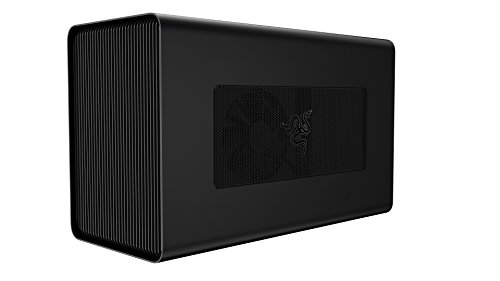
3. Razor Core X
The Razer Core X remains one of the best eGPU enclosures for Intel Macs in 2026, thanks to its sleek design, robust power, and excellent value for money.
Despite being optimized for Razer laptops, it works seamlessly with macOS on compatible Thunderbolt 3 Intel Macs.
One thing that makes the Razer Core X stand out is its tool-free design, which allows for incredibly easy GPU installation using just a single thumbscrew.
It also boasts a minimalist, Apple-like aesthetic, with a solid aluminum build that complements most Mac setups.
While not particularly portable, the Core X is large enough to support 3-slot wide graphics cards, and comes with a powerful 650W internal power supply, making it ideal for high-end GPUs like the AMD Radeon RX 6800 or Radeon VII.
The enclosure remains remarkably quiet, with four large vents to help dissipate heat efficiently.
For users looking to drive multiple 4K displays or offload intensive tasks like video editing and rendering, the Core X is a top-tier choice.
There’s also the Razer Core X Chroma, a premium version that includes RGB lighting, a USB hub, and Gigabit Ethernet, making it ideal for those who want more connectivity and style.
The Chroma model is around $100 more, but adds value for creators using apps like Final Cut Pro X or DaVinci Resolve.
Key Features:
- Thunderbolt 3 connectivity for Intel-based Macs
- Supports full-size, 3-slot wide GPUs
- 650W power supply supports the most demanding graphics cards
- Tool-less design for easy GPU installation
- Aluminum chassis with efficient thermal design
- Optional Chroma version includes RGB lighting, USB ports, and Ethernet
✅ Pros:
- Sleek, Apple-like design
- Simple tool-free GPU installation
- Handles multiple 4K displays
- Built-in 650W PSU
- Quiet, efficient cooling
❌ Cons:
- Larger footprint than some enclosures
- Chroma version costs extra but offers better performance and connectivity
4. Mantiz MZ-03 Saturn Pro
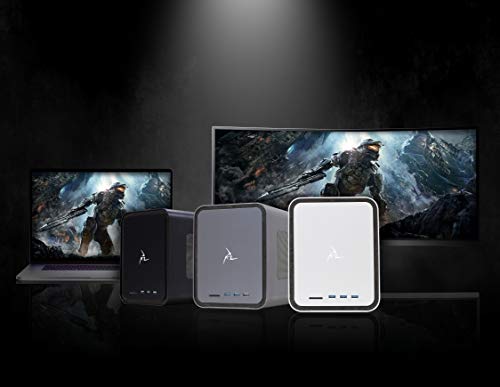
The Mantiz MZ-03 Saturn Pro stands out among eGPU enclosures for Mac users thanks to its exceptional connectivity, featuring five expansion ports, including Ethernet, SATA, and a rare set of multiple Thunderbolt 3 ports.
While most eGPU enclosures offer only one Thunderbolt port for the Mac, the Saturn Pro includes one Thunderbolt 3 input and five additional outputs, allowing you to connect multiple peripherals — including 4K or 5K monitors, external drives, and more.
The unit’s machined aluminum chassis delivers an elegant, Mac-friendly design and provides passive cooling with a quiet fan system.
The side panel opens without tools, making GPU installation quick and simple.
Inside, a 550W power supply supports most mid- to high-end GPUs, including AMD Radeon RX 580, RX 6800, or Vega series cards, which are commonly used for macOS.
What sets the Saturn Pro apart is its versatility for pro workflows: video editors, photographers, and 3D designers can take advantage of the full suite of ports, including a Gigabit Ethernet port for wired networking and a SATA III port for connecting internal drives.
However, one slight inconvenience is that three of the Thunderbolt 3 ports are located on the front, which can lead to visible cable clutter if you’re using them all.
Also, the included Thunderbolt 3 cable is just 0.5 meters, which may not suit all setups.
Note: Like all eGPUs, the Mantiz MZ-03 is only compatible with Intel-based Macs running macOS 10.13.4 to macOS Monterey. It is not supported on Apple Silicon Macs (M1, M2, M3, M4).
Key Features:
- Thunderbolt 3 input with 5 expansion ports for multiple peripherals
- SATA III port for connecting 2.5″ SSDs or HDDs
- Gigabit Ethernet port for fast, stable networking
- Tool-less GPU installation with pop-off side panel
- Aluminum chassis with efficient thermal design
- 550W power supply supports most AMD GPUs
- Ideal for video editing and multi-monitor Mac setups
✅ Pros:
- Multiple Thunderbolt 3 expansion ports
- Sleek metal design
- Built-in Ethernet and SATA III ports
- Tool-free GPU installation
- Supports multiple external displays
❌ Cons:
- Most Thunderbolt ports are front-facing
- Short included Thunderbolt 3 cable
5. eGPU Blackmagic Radeon Pro 580
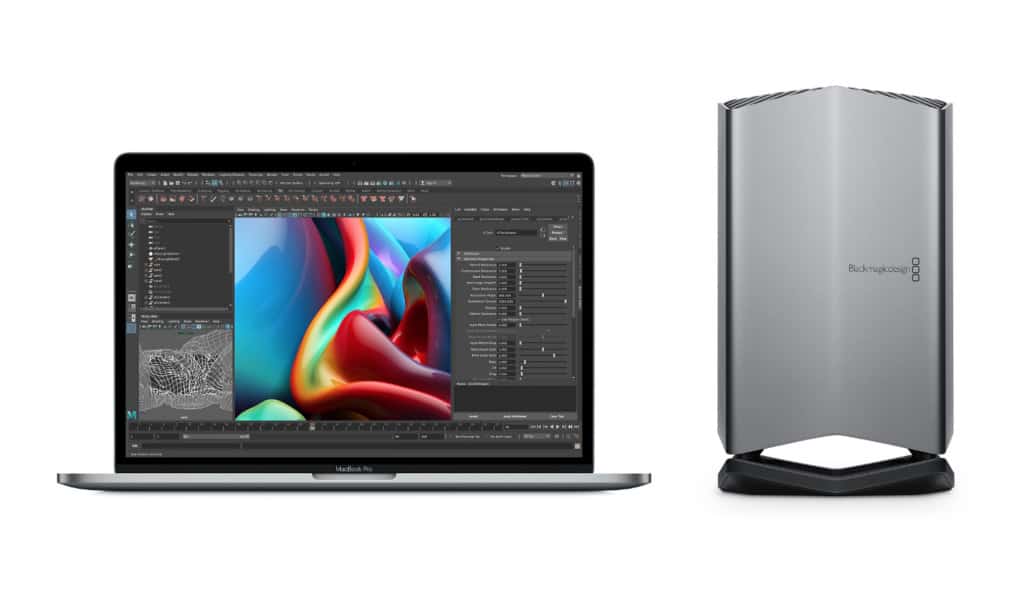
The Blackmagic eGPU is a unique all-in-one external graphics solution that bundles a sleek aluminum enclosure with a built-in AMD Radeon Pro 580 GPU (8GB GDDR5).
Officially endorsed by Apple, it was the only eGPU ever sold directly through the Apple Store and remains one of the most “plug-and-play” options for Intel Mac users.
Unlike modular eGPU enclosures, the Blackmagic eGPU does not allow for GPU upgrades.
What you see is what you get—but that’s part of the appeal. It’s aimed at users who want simplicity and stability rather than expandability.
Design & Connectivity
With a polished unibody aluminum design, the Blackmagic eGPU matches Apple’s hardware aesthetic perfectly and runs virtually silent, even under heavy load. It features:
- 2× Thunderbolt 3 ports
- 4× USB 3.0 ports
- 1× HDMI 2.0 port
- 85W power delivery to charge a MacBook Pro
This makes it ideal for clutter-free creative workstations and setups that include high-res 5K external monitors like the LG UltraFine 5K.
Important Limitations
- The Radeon Pro 580 inside is a mid-range GPU by 2026 standards – still fine for 1080p video editing and basic 3D tasks but underpowered for demanding gaming or 4K+ production workloads.
- It is not compatible with Apple Silicon Macs (M1-M5) as macOS does not support eGPUs on those models.
- There is no way to upgrade the internal GPU, limiting the device’s longevity for users needing more power over time.
- The Blackmagic eGPU Pro, which featured a more powerful Radeon RX Vega 56, was discontinued in 2020 and is no longer supported.
Performance
For Intel Mac users running apps like Final Cut Pro, the Blackmagic eGPU delivers noticeable gains in rendering speed and real-time effects processing. It can also handle light gaming (e.g., Fortnite, Rocket League) at decent frame rates, though performance is capped by the aging Radeon Pro 580 chip.
Pricing & Value
Once launched at a steep $1,199, the standard Blackmagic eGPU now sells for around $699, making it still one of the pricier options on the market. At this price point, you could purchase a more powerful and upgradeable eGPU enclosure – if you’re comfortable installing your own graphics card.
✅ Pros:
- All-in-one design (enclosure + GPU)
- Officially endorsed by Apple
- Virtually silent operation
- Seamless plug-and-play experience on Intel Macs
- Charges your MacBook via Thunderbolt 3
❌ Cons:
- Fixed (non-upgradable) GPU
- Still expensive for the performance level
- Not compatible with Apple Silicon Macs
- Limited future-proofing
- Limited availability
Longer Thunderbolt Cables For eGPUs
One common practical problem we noticed with all the eGPUs reviewed here was the length of the Thunderbolt 3 cable that comes with them.
Since most manufacturers only provide a 0.5m cable, it means you must have the large units close to your Mac which isn’t always convenient if you haven’t got much space or want to connect to a Mac-mini.
However, for an extra few bucks you can get longer Thunderbolt 3 cables which are definitely worth the investment so that you can store the units on the floor or away from your Mac.
Is It Worth Getting an eGPU for a Mac?
If you have an Intel-based Mac with a Thunderbolt 3 port (like a MacBook Pro or Mac mini), an eGPU is a great investment for boosting graphics performance. It can transform your Mac into a powerful desktop-class system for gaming, video editing, 3D rendering, and more.
With an eGPU, you can:
- Play demanding games at higher frame rates and resolutions
- Edit 4K video and render complex graphics with ease
- Connect multiple 4K displays
- Use VR/AR headsets (though native Mac support is limited)
For gamers, eGPUs offer smoother performance than game streaming services.
You can even use one when running Windows only games in Parallels (Intel Macs only). Although Apple Silicon Macs don’t support eGPUs, Intel Macs running macOS 10.13.4 to Monterey do.
While VR support on macOS is limited – and platforms like Steam have paused Mac VR development – this could change as Mac hardware evolves.
An eGPU is also ideal for creative professionals using apps like Final Cut Pro, Adobe Premiere, or CAD software that rely heavily on GPU acceleration.
Key Benefits of Using an eGPU:
- Accelerates Metal, OpenCL, and (formerly) OpenGL apps
- Supports external displays and high-resolution monitors
- Enables VR/AR headset use on Intel Macs
- Can charge your MacBook Pro (with compatible enclosures)
- Works even when your MacBook’s display is closed
The most recent updates to macOS have improved integration with eGPUs too. You no longer have to shut down for macOS to recognize one – macOS now supports most of them as plug-and-play devices.
For Intel Mac users who need more GPU power, an eGPU is one of the best upgrades available – especially as newer games and creative software become more graphics-intensive.
Best Graphics Cards For Mac eGPUs
The safest and most compatible GPUs for Intel Macs remain AMD Radeon cards.
Recommended models include:
| GPU | Best For |
| Radeon 6800 XT | 4K/6K editing, rendering |
| Radeon 6900 XT | Heavy GPU workloads |
| Radeon 6800 | Mid-to-high-end workflows |
| Radeon RX 5700 XT | Mid-range editing and gaming |
| Radeon Pro WX7100 | CAD and legacy software |
AMD cards continue to offer:
- Native macOS support
- Plug-and-play compatibility
- Stable Metal acceleration
- Better reliability than unsupported NVIDIA solutions
| GPU Model | Architecture | VRAM | macOS Compatible | Best Use Case | Performance (FCPX/Resolve) |
|---|---|---|---|---|---|
| Radeon RX 6800 XT | RDNA 2 | 16 GB GDDR6 | ✅ macOS Ventura and earlier | 4K/6K editing, gaming, rendering | ⭐⭐⭐⭐⭐ |
| Radeon RX 6900 XT | RDNA 2 | 16 GB GDDR6 | ✅ macOS Ventura and earlier | 6K/8K workflows, heavy GPU tasks | ⭐⭐⭐⭐⭐ |
| Radeon RX 6800 | RDNA 2 | 16 GB GDDR6 | ✅ macOS Ventura and earlier | 4K video editing, games, AR/VR | ⭐⭐⭐⭐☆ |
| Radeon RX 5700 XT | RDNA 1 | 8 GB GDDR6 | ✅ Fully supported | Mid-range 4K editing, light gaming | ⭐⭐⭐⭐ |
| Radeon RX 5700 | RDNA 1 | 8 GB GDDR6 | ✅ Fully supported | Light 4K editing, Pro apps | ⭐⭐⭐☆ |
| Radeon Pro WX 7100 | Polaris | 8 GB GDDR5 | ✅ Fully supported | CAD, 3D design, legacy support | ⭐⭐☆☆ |
🟡 Note: These cards are not compatible with Apple Silicon Macs (M1-M5). They work with Intel Macs with Thunderbolt 3 running macOS 10.13.4 – Ventura.
Can You Use NVIDIA GPUs With Macs in 2026?
NVIDIA GPUs are still effectively unsupported on Macs.
Apple has not officially supported NVIDIA web drivers since macOS Mojave, and modern applications like Final Cut Pro, Blender, DaVinci Resolve, Ollama and most games still cannot use NVIDIA GPUs natively on Apple Silicon Macs.
However, in 2026, the TinyGPU project from Tiny Corp introduced experimental support for certain NVIDIA RTX GPUs connected externally over Thunderbolt or USB4.
This allows NVIDIA GPUs to be used with the tinygrad machine learning framework on Apple Silicon Macs for AI inference and compute experimentation.
It does not enable:
- CUDA support
- Gaming acceleration
- Native macOS graphics acceleration
- GPU support in mainstream creative apps
Performance is also currently far behind highly optimized Metal frameworks running directly on Apple Silicon GPUs.
As a result, AMD Radeon GPUs remain the only practical and officially supported option for traditional eGPU setups on Intel Macs.
Is TinyGPU Worth Using?
TinyGPU is extremely impressive from a technical perspective because it enables external NVIDIA and AMD GPU compute on Apple Silicon Macs without official Apple or NVIDIA support.
However, it’s important to understand what TinyGPU actually is.
It is:
- An experimental open-source driver stack
- Focused mainly on AI and machine learning workloads
- Dependent on tinygrad support
- Primarily aimed at developers and researchers
It is not:
- Full macOS eGPU support
- CUDA support
- A replacement for Metal
- Suitable for most gamers or creative professionals
At the moment, TinyGPU is best viewed as a fascinating proof of concept and development platform rather than a mainstream eGPU solution for Macs.
Is It Still Worth Buying An eGPU For A Mac?
If you own an Intel Mac, an eGPU can still dramatically improve graphics performance for:
- Video editing
- CAD software
- 3D rendering
- Multi-monitor workflows
- GPU-accelerated creative apps
However, Intel Macs are now aging platforms and Apple’s long-term future is clearly centered around Apple Silicon.
For most Apple Silicon Mac users, the better option is usually upgrading to a more powerful Mac with a stronger integrated GPU such as:
- M4 Pro
- M4 Max
- M3 Ultra
These chips often outperform older Intel Mac + eGPU combinations while offering far better efficiency and software compatibility.
FAQ
Does CUDA work on Macs?
No. CUDA is still not supported on modern macOS systems or Apple Silicon Macs.
Can you use an RTX 5090 with a Mac?
Experimentally, yes. TinyGPU can currently communicate with some RTX 5000-series GPUs over Thunderbolt or USB4 on Apple Silicon Macs.
However, this only works through tinygrad and does not provide normal macOS GPU acceleration.
Are eGPUs officially supported on M1-M5 Macs?
No. Apple still does not officially support eGPUs on Apple Silicon Macs.
What’s the best GPU for an Intel Mac eGPU setup?
AMD Radeon RX 6800 XT and RX 6900 XT cards remain among the best fully supported GPUs for Intel Mac eGPU setups.
Should you buy an eGPU in 2026?
If you already own an Intel Mac and need more graphics performance, yes.
If you own an Apple Silicon Mac, investing in a higher-end Apple Silicon machine is usually the better long-term option unless you specifically want to experiment with TinyGPU and tinygrad.