

If you’re looking for the best 3D modelling and 3D design software for Mac, there are now more powerful options than ever before. Modern Apple Silicon Macs (M1–M5) provide excellent GPU performance and Metal acceleration, allowing professional 3D modelling and 3D design applications to run far more smoothly on macOS.
Whether you’re designing a product prototype, modelling architectural concepts, preparing assets for animation, or creating models for 3D printing, there are now many professional and beginner-friendly 3D design tools available for Mac users.
In this guide we cover the best 3D modelling software for Mac in 2026, including professional modelling tools, free open-source software, and beginner-friendly design applications.
If you specifically need engineering or mechanical design software, see our guide to the best Mac CAD software for mechanical engineers, which focuses on parametric modelling tools used in engineering and manufacturing.
For more general CAD software that supports both 2D and 3D design, check our guide to the best CAD software for Mac.
For those that need CAM support, check out our guide to the best CAD CAM software for Mac.
Quick Picks: Best 3D Modelling Software for Mac
| Task / Need | Best Tool |
|---|---|
| Best overall 3D modelling software | Fusion |
| Best free 3D modelling software | Blender |
| Best beginner-friendly 3D modelling tool | SketchUp |
| Best for precision modelling / industrial design | Rhino |
| Best for animation / motion graphics | Cinema 4D |
| Best for 3D printing | FreeCAD |
How We Tested These 3D Modelling Apps
To determine the best 3D modelling software for Mac, we evaluated each application based on several key factors important to Mac users.
These included:
- Native macOS or Apple Silicon support
- Modelling capabilities (parametric, sculpting, NURBS, etc.)
- Performance on modern M-series Macs
- Ease of learning and usability
- Export compatibility for rendering software and 3D printing
- Pricing and licensing flexibility
We also considered how widely each tool is used in industries such as product design, architecture, animation, engineering, and 3D printing.
Comparison Table: Best 3D Modelling Software for Mac
| Software | Best For | Skill Level | Apple Silicon Support | 3D Printing Support | Price |
|---|---|---|---|---|---|
| Fusion | Engineering & product design | Intermediate | Excellent | Yes | Free / $85 month |
| Blender | Sculpting, animation, rendering | Advanced | Excellent | Yes | Free |
| SketchUp | Architecture & interiors | Beginner | Good | Limited | Free / $10.75 month |
| Rhino | Industrial design | Advanced | Native | Yes | $995 |
| Cinema 4D | Motion graphics | Intermediate | Native | Limited | $94.99 month |
| Onshape | Cloud CAD modelling | Intermediate | Browser | Yes | $1500 year |
| FreeCAD | Parametric modelling | Intermediate | Good | Yes | Free |
| OpenSCAD | Script-based modelling | Advanced | Native | Yes | Free |
| Shapr3D | Concept modelling | Beginner | Excellent | Yes | $25 month |
| TinkerCAD | Education & beginners | Beginner | Browser | Yes | Free |
1. Fusion – Best Overall 3D Modelling Software
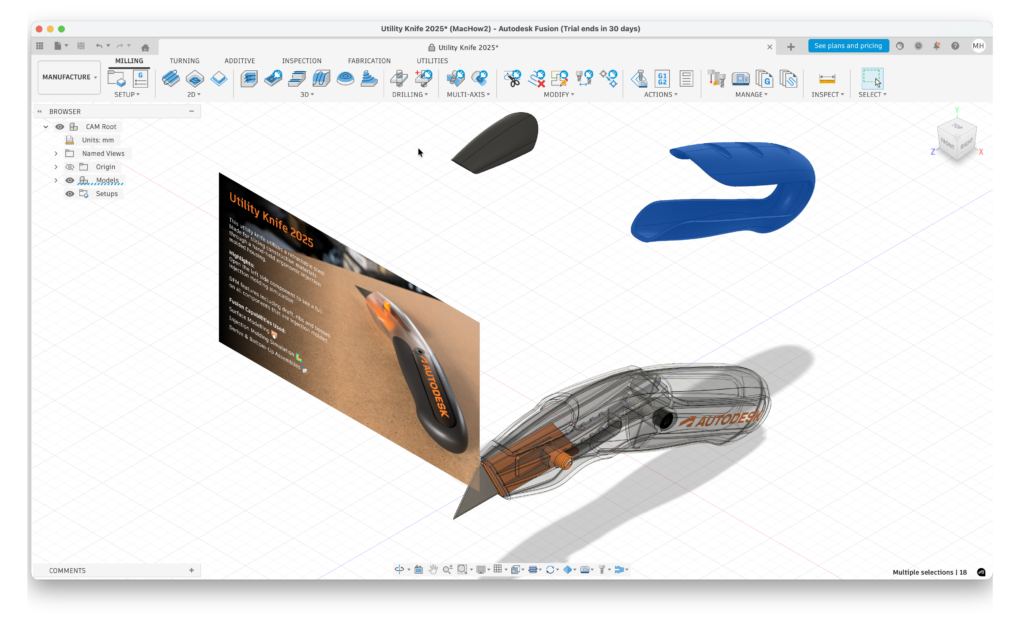
Fusion (formerly Fusion 360) is one of the most powerful integrated design platforms available for Mac users.
It combines CAD, CAM, and CAE tools in one application, allowing designers to move from concept to manufacturing within a single tool.
Fusion supports:
- parametric modelling
- generative design
- simulation tools
- sheet-metal design
- mesh editing for scanned objects
It also includes manufacturing tools for CNC machining and toolpath generation, which makes it popular with engineers and product designers.
Fusion offers a free personal license, making it accessible to hobbyists and makers.
You can read our full Autodesk Fusion review for more.
Pricing: Free for personal use / $85 per month commercial.
2. Rhino – Best for Precision Surface Modelling
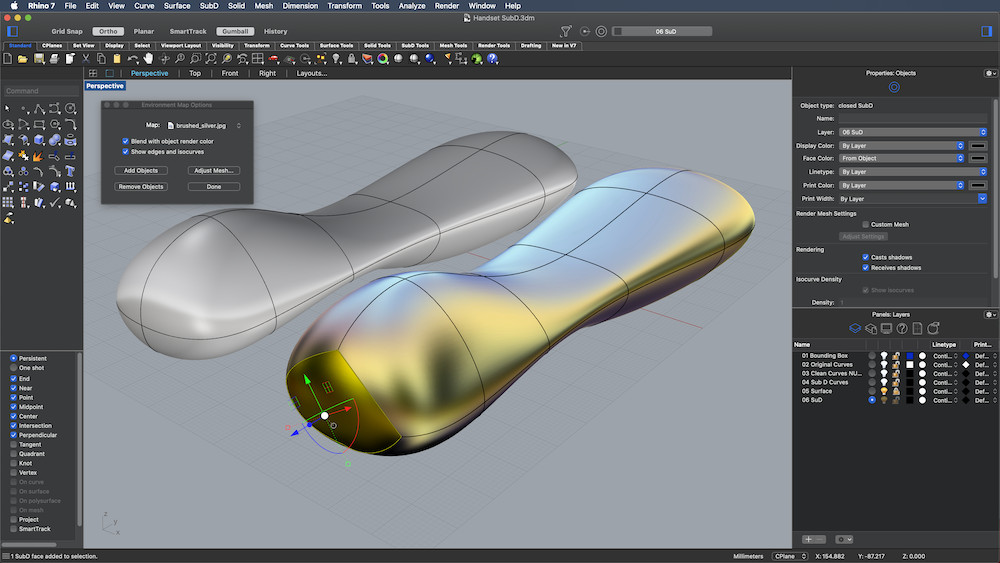
Rhino is a powerful NURBS-based modelling platform widely used in architecture, jewellery design, and industrial design.
Unlike many CAD tools, Rhino allows extremely detailed control over complex curved surfaces and geometry.
It’s commonly used for:
- industrial product design
- jewellery design
- architecture
- advanced 3D printing models
Pricing: Free Trial. $995.
3. Cinema 4D – Best for Motion Graphics and Animation
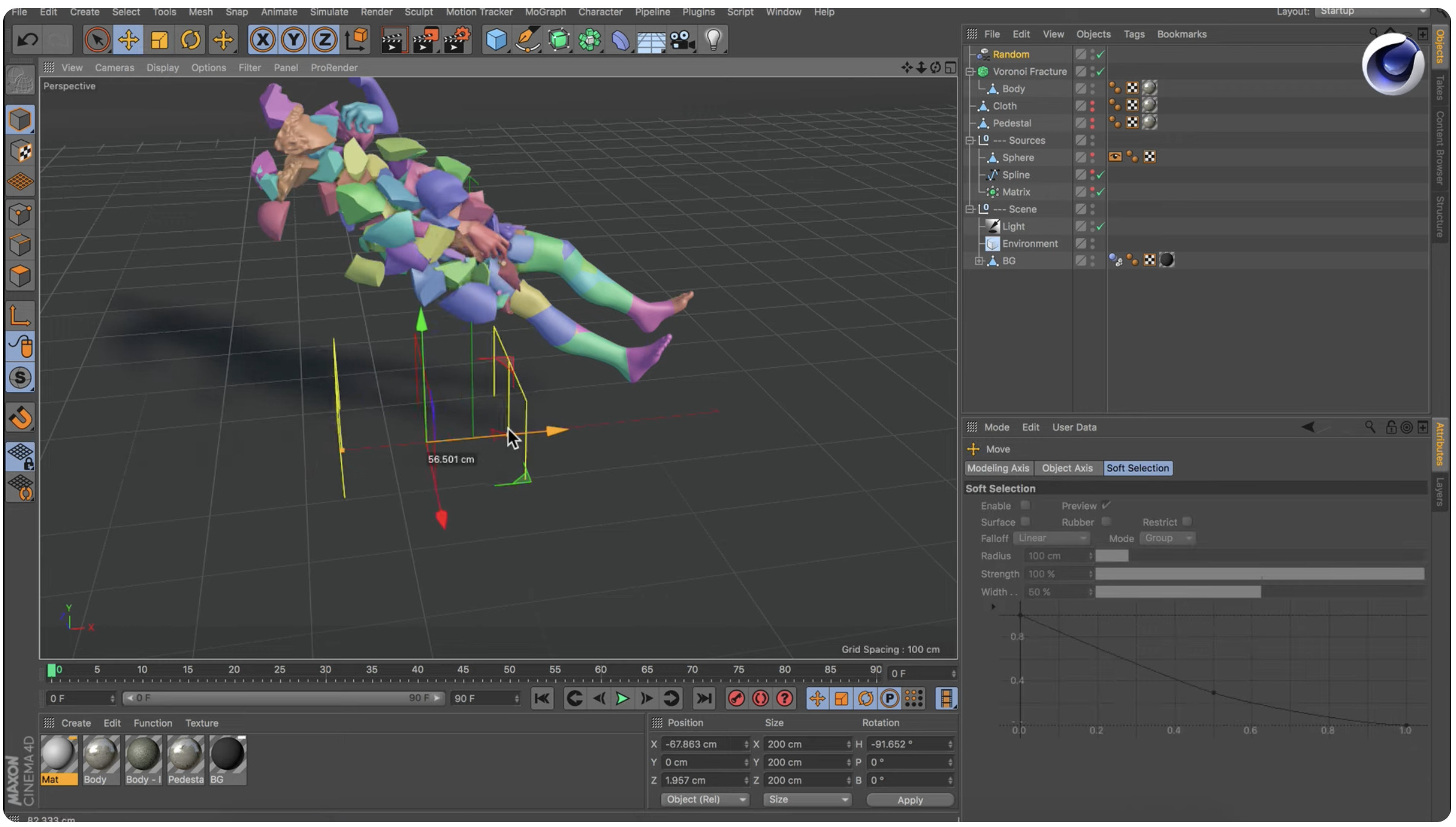
Cinema 4D is widely used by designers working in motion graphics and animation.
The software excels at:
- modelling
- animation
- motion graphics
- rendering
It integrates particularly well with creative tools such as After Effects, making it a popular choice for advertising and those using video editing software.
Pricing: Free Trial / From $94.99 per month.
4. Onshape – Best Cloud-Based Modelling Platform
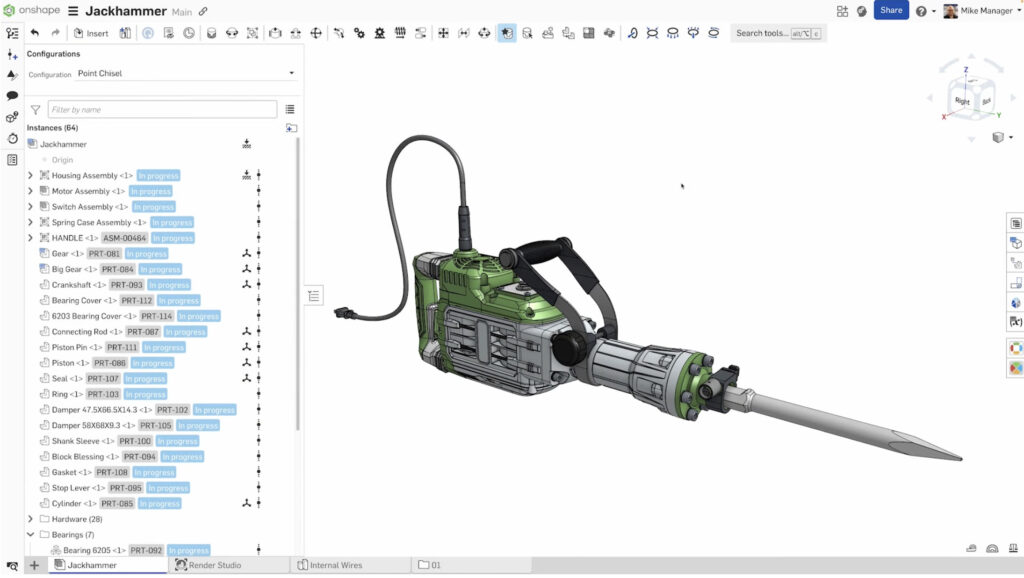
Onshape is a fully cloud-based CAD platform developed by former SolidWorks engineers.
Instead of installing software locally, designs are created directly in a browser and stored in the cloud.
Benefits include:
- real-time collaboration
- version control
- cross-platform compatibility
- no hardware limitations
Pricing: Free for public projects / $1500 per year commercial.
5. Blender – Best Free 3D Modelling Software
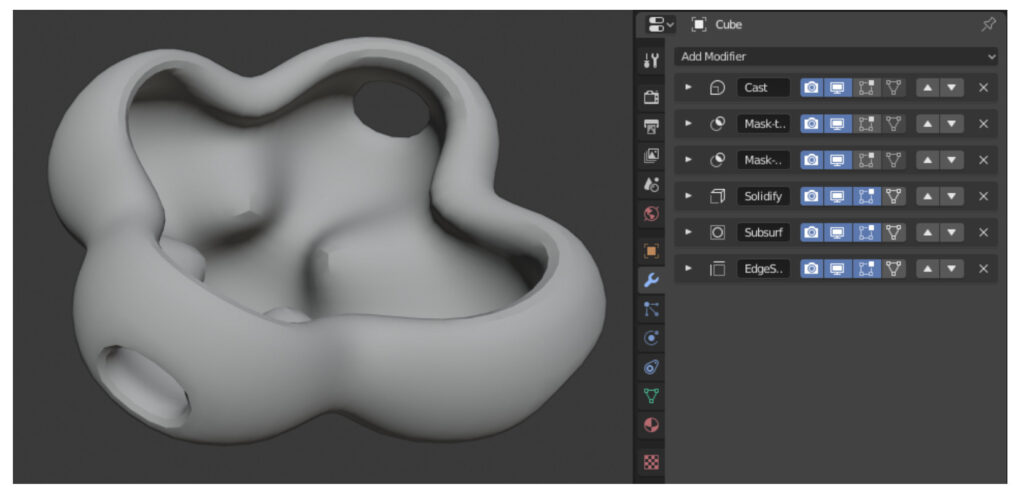
Blender is the most powerful free 3D modelling and animation platform available today.
The open-source software supports:
- polygon modelling
- sculpting
- animation
- simulation
- rendering
Recent updates introduced Metal GPU acceleration, allowing Blender to run extremely well on Apple Silicon Macs.
Pricing: Free
6. FreeCAD – Best Free Parametric Modelling Tool
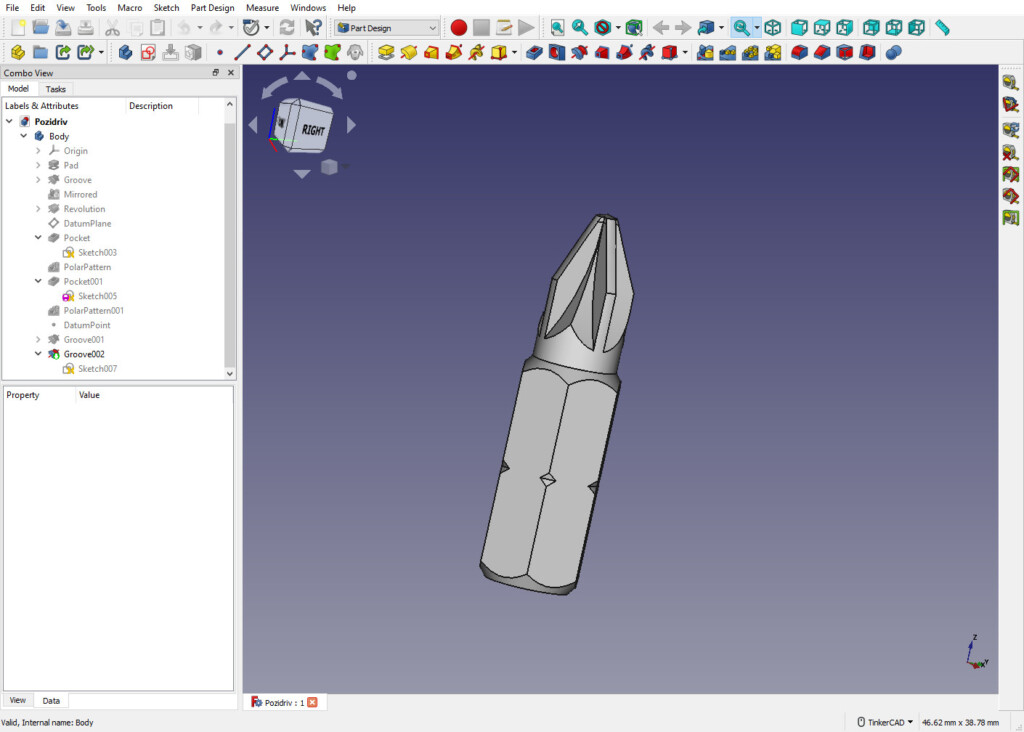
FreeCAD is an open-source parametric modelling application designed for engineering projects.
Parametric modelling allows users to modify designs easily by editing parameters in the model’s history.
FreeCAD is particularly popular among:
- engineering students
- hobbyists
- makers
Check out our full FreeCAD review for more.
Pricing: Free
7. OpenSCAD – Best Script-Based Modelling Tool
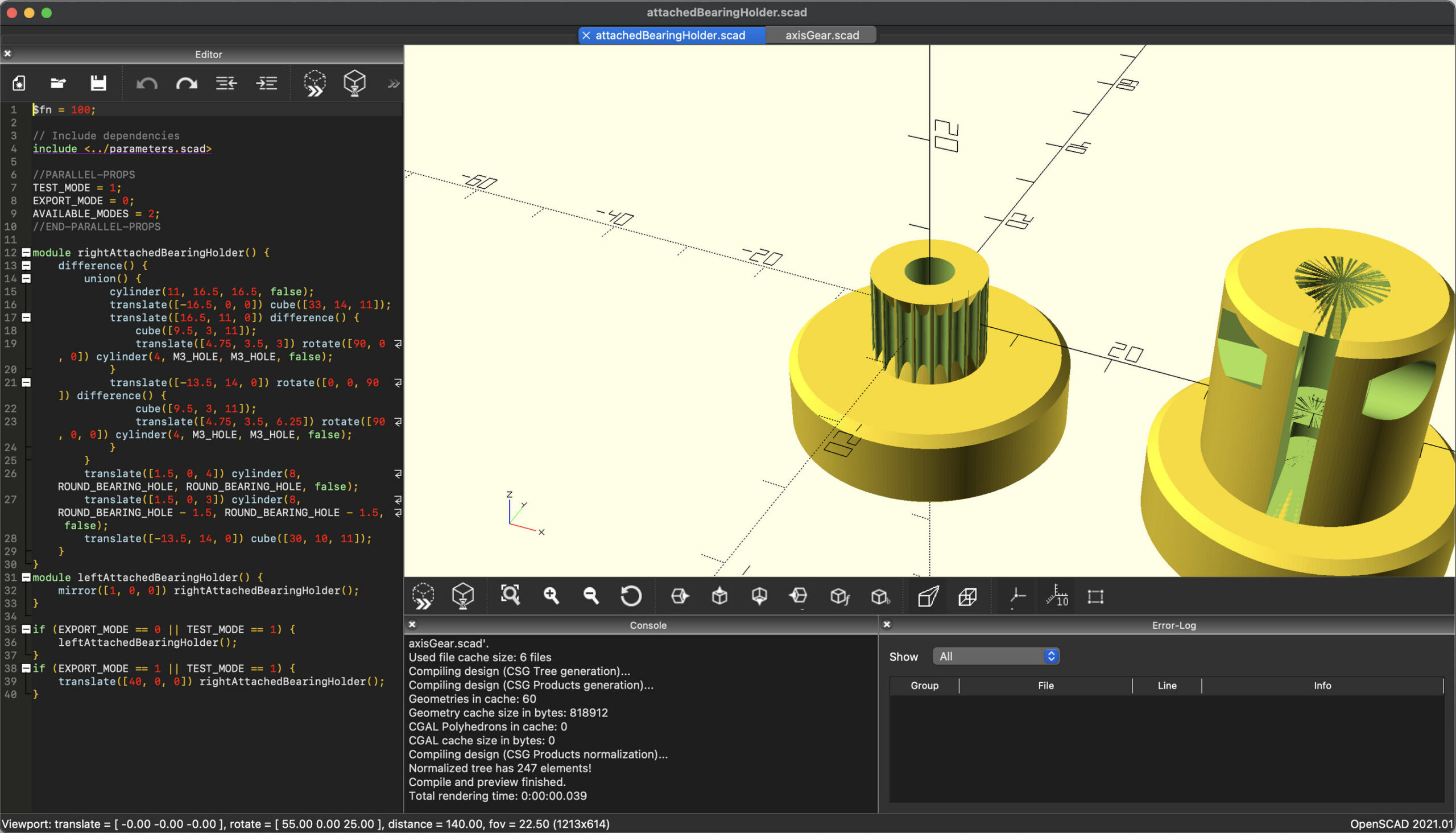
OpenSCAD takes a different approach to modelling by using script-based design instead of manual drawing tools.
This allows precise control over geometry and is ideal for creating repeatable parametric designs.
Pricing: Free
8. SketchUp – Best Beginner-Friendly 3D Design Software
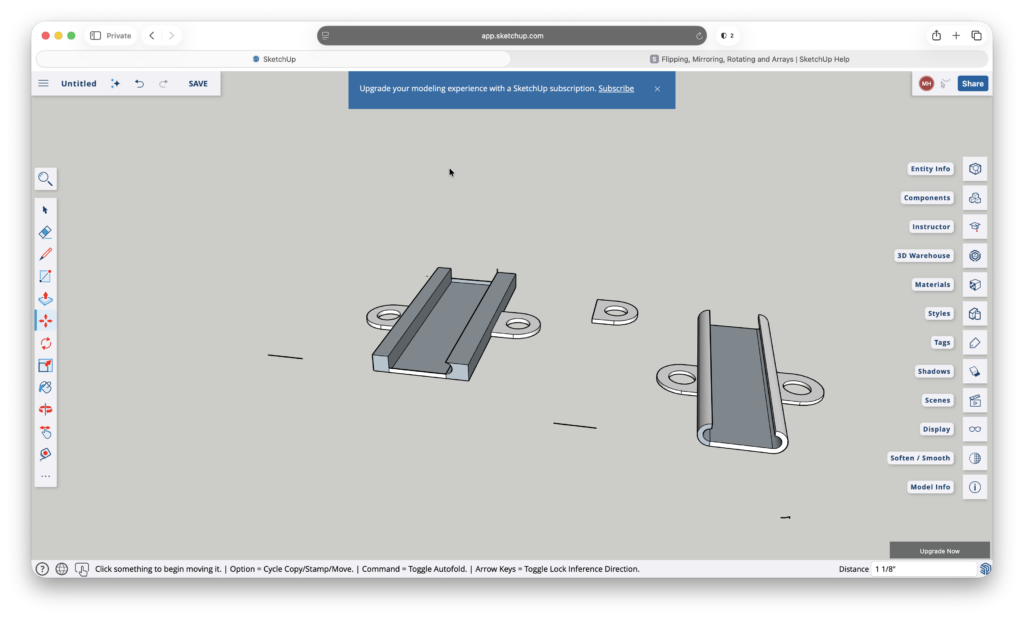
SketchUp is one of the easiest modelling tools to learn.
Its simple interface allows users to quickly create buildings, interiors, and conceptual models.
SketchUp also includes 3D Warehouse, a large online library of downloadable models.
Check out our full SketchUp review for a closer look at it.
Pricing: Free / paid plans from $10.75 per month.
9. Shapr3D – Best for Concept Modelling
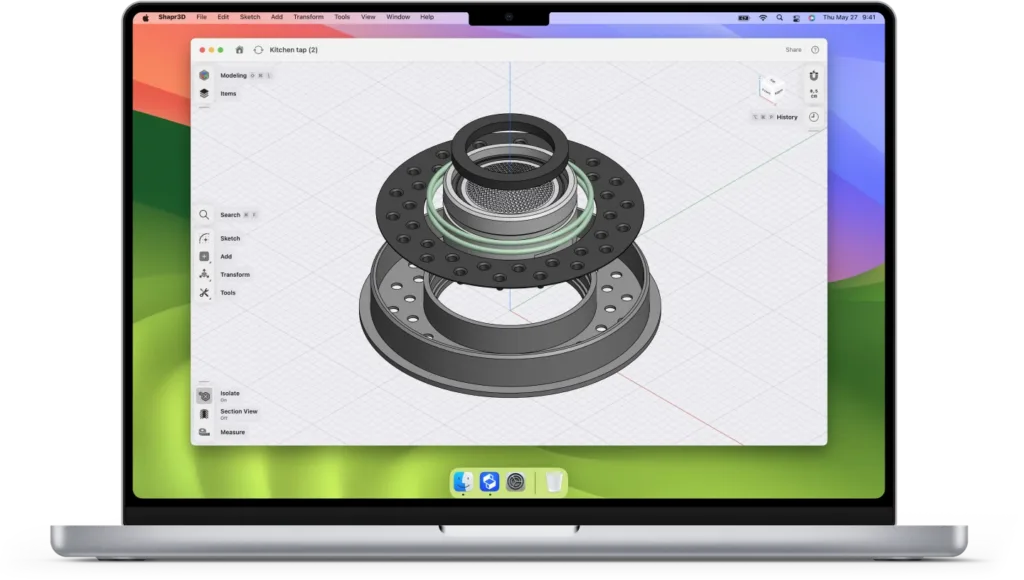
Shapr3D is designed for rapid concept modelling and industrial design.
It supports Apple Pencil and Wacom tablets, making it popular with designers who prefer sketch-based tools.
Pricing: Free for up to 2 designs, plans start at $25/m.
10. TinkerCAD – Best for Absolute Beginners
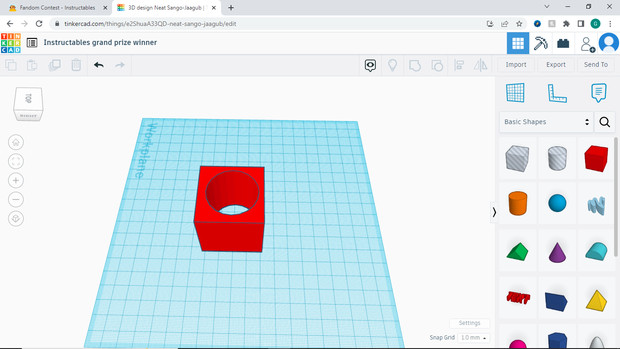
TinkerCAD is a browser-based modelling tool designed for beginners and education.
It allows users to create simple 3D models using drag-and-drop shapes.
Pricing: Free
Other 3D Design Tools Worth Mentioning
Some well-known 3D design tools focus more on animation or sculpting rather than general modelling.
Examples include ZBrush, Autodesk Maya, and Houdini.
These are widely used in the film and visual effects industries but are typically aimed at animation work rather than general 3D modelling for Mac users.
Using 3D Modelling Software for 3D Printing on Mac
Many people searching for 3D printing software for Mac are actually looking for modelling tools capable of creating printable designs.
Good modelling software for 3D printing should support:
- STL export
- accurate scaling
- watertight meshes
Tools such as Fusion, Blender, FreeCAD, Rhino, and TinkerCAD can all export models suitable for 3D printing.
After designing a model, you typically prepare it using slicing software such as Cura or PrusaSlicer.
If you use Bamboo Studio, check out our guide to the best software for Bambu Lab on Mac.
Summary
Mac users now have access to an impressive range of powerful 3D modelling and design software.
For most users:
- Fusion is the best all-round modelling platform
- Blender is the most powerful free modelling tool
- SketchUp is ideal for beginners and architecture
- FreeCAD offers strong free parametric modelling
- Rhino excels at precision surface modelling
With modern Apple Silicon Macs, professional 3D modelling apps now run extremely well on macOS.
FAQ
What is the best 3D modelling software for Mac?
Fusion is the best overall 3D modelling software for Mac, offering professional CAD, CAM, and parametric design tools that run natively on Apple Silicon Macs. It’s suitable for engineers, product designers, and serious hobbyists.
Which free 3D modelling tools are best for Mac?
Blender is the most powerful free 3D modelling software, supporting sculpting, animation, and rendering. FreeCAD is ideal for parametric modelling, while TinkerCAD and SketchUp are beginner-friendly.
Which software is best for beginners?
SketchUp provides an intuitive interface for architecture and interiors, while TinkerCAD is perfect for absolute beginners and educational use. Shapr3D allows quick concept modelling using Apple Pencil or Wacom tablets.
Which 3D modelling software is best for professional industrial design?
Rhino is a NURBS-based modeller offering precision for complex surfaces, industrial design, architecture, and advanced 3D printing. Fusion also works well for mechanical and product design with parametric and generative modelling tools.
Which software is best for animation and motion graphics on Mac?
Cinema 4D excels in modelling, animation, and motion graphics, integrating smoothly with After Effects. Blender is also strong for animation and sculpting projects.
Can I use these tools for 3D printing on Mac?
Yes. Fusion, Blender, FreeCAD, Rhino, SketchUp, TinkerCAD, and Shapr3D can all export models compatible with STL or OBJ. After designing, you’ll typically prepare files with slicing software like Cura or PrusaSlicer.
Other notable 3D design software
Some well-known tools focus on animation or sculpting rather than general modelling:
- ZBrush – Digital sculpting and character design
- Autodesk Maya – Professional animation and VFX
- Houdini – Procedural animation and effects
These are primarily used in film, media, and visual effects industries.