


Visio is one of the most popular diagramming software on the market for visualizing ideas, processes and hierarchies by creating flowcharts, org charts, network diagrams and more.
However, if you’ve just switched to using Macs, the bad news is there’s no version of Microsoft Visio for Mac.
In fact, surprising as it may sound, a full native version of Visio has never existed for macOS.
The good news is we’ve tested and reviewed some excellent alternatives to Visio that can import and export Visio files, but in many cases are easier and cheaper to use than MS Visio.
In our testing, SmartDraw felt closest to the full Visio experience on macOS without running Windows.
In some cases they are even FREE or at least, offer limited free versions.
What We Looked For In These Visio Replacements
We kept the criteria very short and simple when shortlisting these apps:
- Import and export support for Visio files in VSD or VSDX format.
- The can be used on any Mac in a desktop app or at least in the Cloud.
- They offer similar features to Microsoft Visio
- They offer better value for money compared to MS Visio. All of the software we tested allow you to try them for free and some offer limited free versions too.
Here then are the best professional replacements for Microsoft Visio that you can use on a Mac.
| Software | Best For | Features (inc. Mac desktop app) | Pricing |
|---|
| SmartDraw | Full-featured Visio alternative | Full diagramming tool, strong Visio VSDX import/export, thousands of templates, desktop app for macOS (Intel & Apple Silicon) + web version, data integrations | Free trial; Individual $7.95/mo; Teams $6.95/mo/user; Enterprise plans quoted per site |
| OmniGraffle Pro | Native macOS diagramming | Professional diagramming with macOS/iOS apps, decent Visio import (limited round-trip), offline use, strong UI, no real-time collaboration built in | Free trial; Standard $149.99; Pro $249.99 one-time or $12.49/mo |
| Draw.io (diagrams.net) | Free, simple diagrams | Free diagramming, Mac desktop app for offline, Visio import (limited/approx), web version with many integrations | Free |
| Lucidchart | Team collaboration | Cloud-first, strong collaboration & integrations, Visio import (limited export), no native desktop app (web-only) | Limited free; Individual $9–$10/mo; Teams $10+/mo/user |
| Edraw Max | Visio-style UI on macOS/Windows | Desktop apps for Mac/Windows, familiar ribbon UI, Visio import/export (mixed accuracy), AI diagram assist | Free trial; One-time $245; Subscription $99/yr |
| Creately | Simple, fast diagrams | Web-first with collaboration, limited Visio import support, no native Mac desktop app | Free limited; $5+/mo |
| Gliffy | Atlassian-integrated diagrams | Jira/Confluence plugins, easy diagramming, Visio import only, no standalone Mac desktop app | Limited free; $3.80/mo/user (teams) |
| ConceptDraw Diagram | Cross-platform desktop | Mac & Windows apps, Visio import/export (mixed), rich symbols/templates, interface feels Windows-like | Free trial; $199 one-time |
| Cacoo | Remote team collaboration | Web-based with live collaboration & chat, Visio import (no export), no native Mac desktop app | Free limited; $6+/mo/user |
| Visio for the Web | Viewing/editing Visio files in browser | Browser access to Visio files on Mac, basic editing, full Visio feature set only with desktop/Plan 2 | Requires Microsoft 365 + Visio Plan (Plan 1 5 USD/mo; Plan 2 15 USD/mo) |
1. SmartDraw
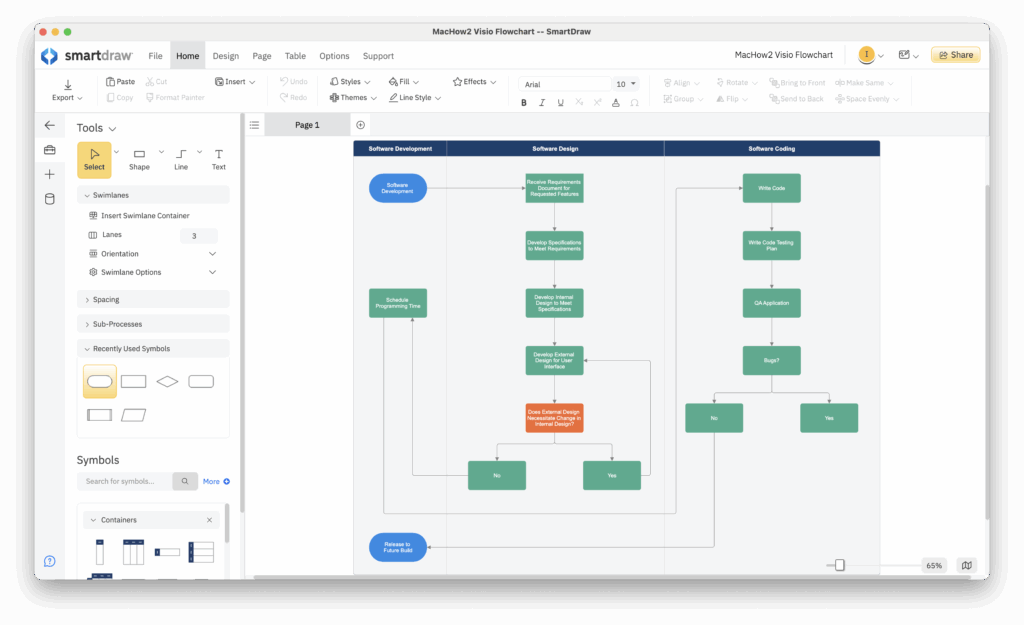
In our extensive tests, we found that SmartDraw is the best replacement for Microsoft Visio on a Mac.
The most impressive thing we found with SmartDraw is that it does everything that Visio and more can but makes it far simpler and faster.
Here are some of the things we liked about SmartDraw:
- It’s the only alternative to Visio on Mac we tried that can both accurately import AND export to the latest Visio VSDX format.
- It has thousands of diagram templates (compared to Visio’s much smaller in-built library) for everything from flowcharts to floorplans.
- The data integrations in SmartDraw are excellent with the ability to link dynamically to spreadsheets in Excel, AWS and Azure.
- You can easily export files to Microsoft Office, PDF, SVG or PNG format or share via file sharing apps such as Dropbox, Google Drive and OneDrive for Business.
- It includes whiteboard and data integrations as part of its simple, one price subscription which isn’t the case with similar apps that up-sell these features.
- It’s significantly cheaper than Visio for teams and enterprises, especially at scale.
- In recent versions, it has introduced team collaboration features which make it easy to work on and discuss diagrams at the same time.
- It has an excellent Mac desktop app which works on both Intel and Apple Silicon Macs although you can also use it in any browser.
The main limitation we found to SmartDraw is that there’s no mobile app although you can use it in a mobile web browser.
You can check our in-depth comparison of SmartDraw vs Visio for more on the differences between the two.
For a more detailed look, you can check out our in-depth SmartDraw review.
Pricing: FREE to start / $7.95 per month individuals/ $6.95 per month for teams of 3+ / Enterprise Site plans start at $5 per user/month.
2. OmniGraffle Pro
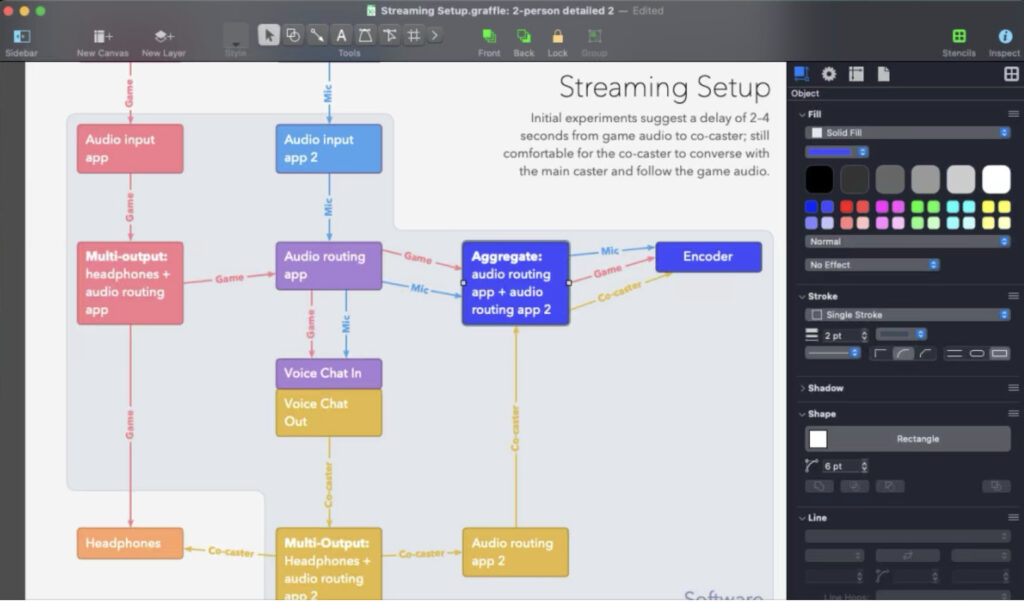
OmniGraffle Pro is the closest thing to a native offline Mac desktop alternative to MS Visio.
We found the app produces attractive, professional diagrams, user interfaces and wireframes that look better than anything possible in Visio.
Here are some of things we liked about OmniGraffle:
- It’s designed specifically for Mac and iOS only with the desktop apps for both.
- It can export to the older Visio VDX format, but round-tripping Visio files is unreliable and not suitable for professional work with Visio.
- The Graffletopia community site is excellent for downloading stencils and templates for OmniGraffle (although it costs extra).
- It can be used offline on Mac desktops
There are some drawbacks to OmniGraffle though:
- VSDX importing is possible but there’s no accurate VSDX export support.
- There are no team collaboration features in OmniGraffle.
- If you want Visio file support you need to purchase the Pro version or subscribe.
You can check out our review of OmniGraffle Pro for more.
Pricing: Free trial / Standard $149.99 / Professional $249.99 or $12.49/m
3. Draw.io
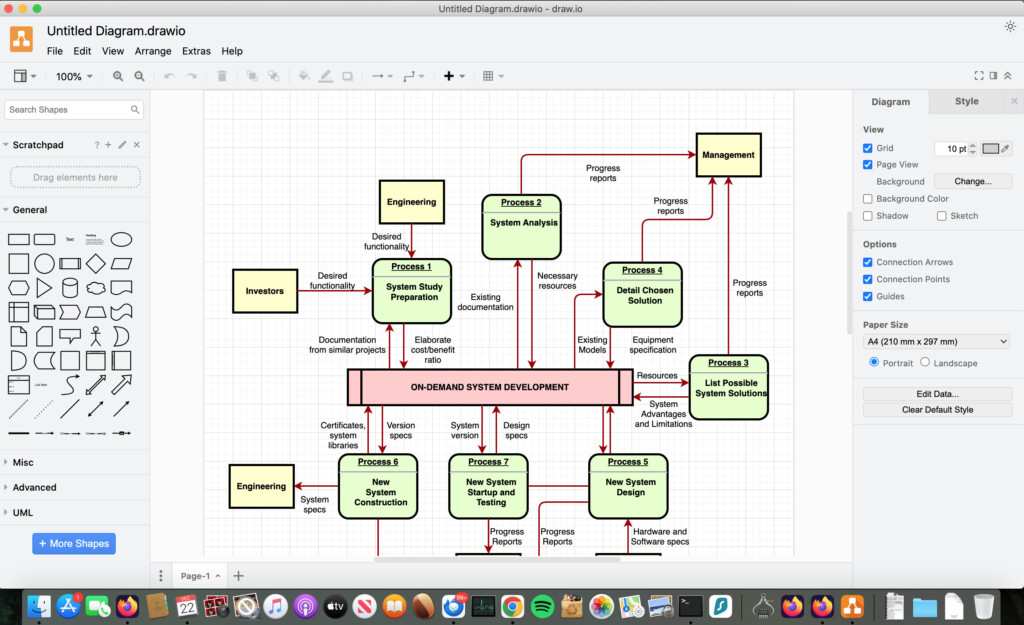
Although Draw.io (also known as “Diagrams.net”) can’t compare to Visio in terms of features and power, it’s still a remarkably easy to use, fast and impressive free diagramming tool.
Draw.io imports and exports Visio files and allows you to work offline on your Mac desktop via a Mac desktop app.
Here are some of things we liked about Draw.io:
- It’s completely free to use for individuals with no limitations.
- A Mac desktop app is available to draw offline
- Visio file import support (although not very accurate)
- Integration with lots of online services
- Also offers a Google Chrome extension
There are some drawbacks to Draw.io though:
- VSDX export exists but is unreliable and not recommended for complex diagrams
- Quite basic compared to Visio
- Teams must pay for connections to Confluence
- Cloud integrations exist but are less seamless than the web version
You can also check out our full Draw.io review for more.
Pricing: Free
4. Lucidchart
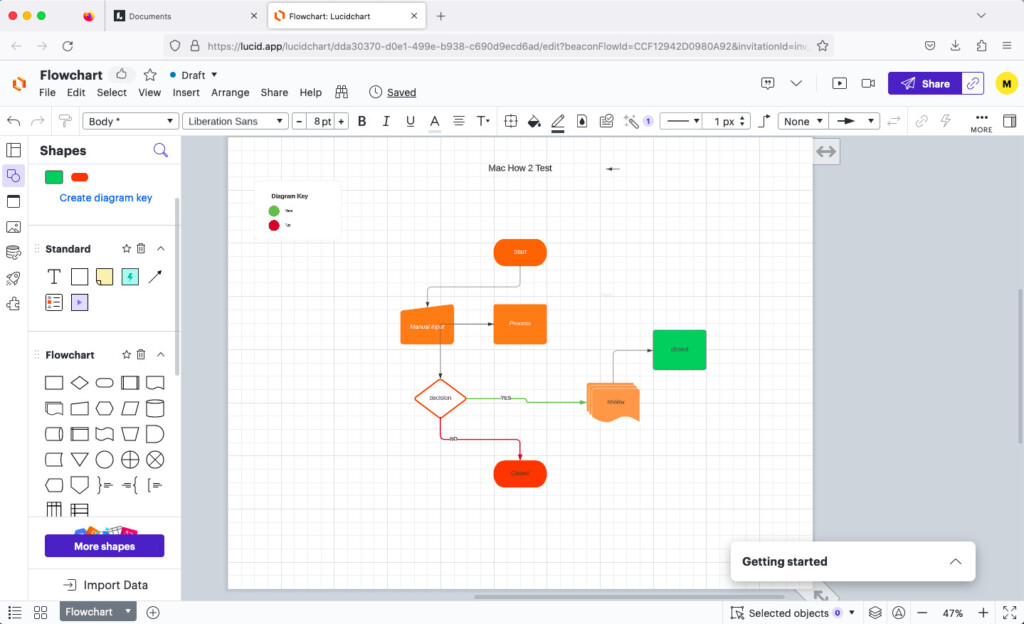
Lucidchart is a powerful online diagramming software with strong team collaboration features and excellent integration with Microsoft 365.
In fact, Lucidchart is officially partnered with Microsoft but although it can import Visio files, it can’t export to the latest Visio VSDX format like SmartDraw can.
Here are some of the things we liked about Lucidchart:
- It can import Microsoft Visio flowcharts in VSDX and VDX format.
- Integration with Microsoft 365 means you you can draw instantly in Microsoft Office or Microsoft 365 documents.
- The platforms is integrated with Google Drive so that you can draw flowcharts directly in Sheets and Docs.
- Lucidchart data linking allows live data to be uploaded dynamically in real-time from spreadsheets such as Excel.
There are some drawbacks to Lucidchart that we found though:
- No VSDX export support. It can only export to the older Visio VDX format used in Visio 2010 and older.
- It does not support VST/VTX stencil importing.
- The free plan is heavily limited in both diagram count and shape libraries.
For a more in-depth look at Lucidchart, check-out our full Lucidchart review.
Pricing: Limited free version, Teams $10.00/m, Individuals $9.00/m
5. Edraw Max
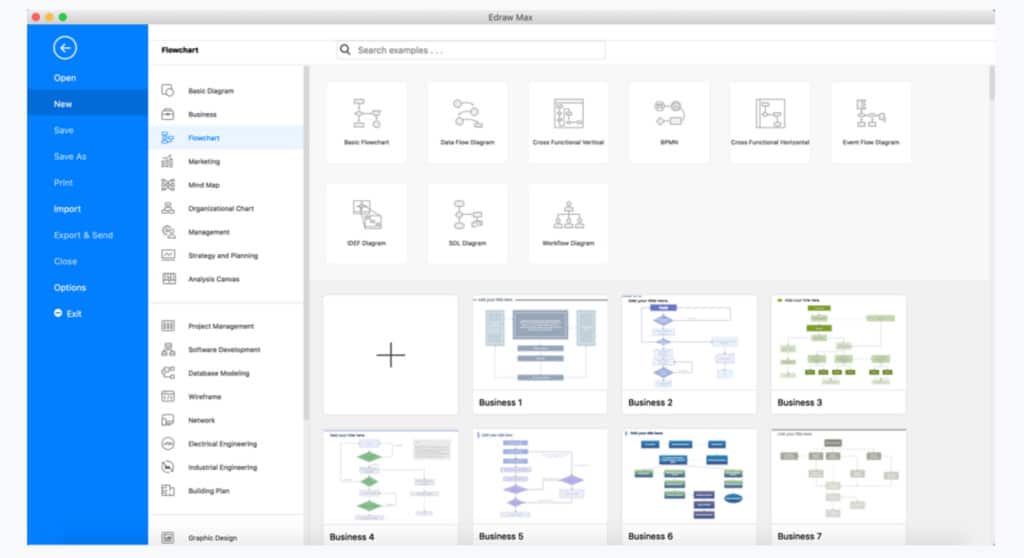
Edraw Max is a cheaper desktop alternative to Visio but with a strikingly similar interface.
Edraw Max can both import and export Visio files although we found the results weren’t great, especially on complex diagrams.
Here are some of the things we liked about Edraw Max:
- The Edraw Max UI is very closely modeled on Microsoft Visio’s ribbon interface.
- It imports and exports Visio files in VSDX format including Batch importing.
- Edraw Max uses AI to automatically create flowcharts and diagrams based on your diagram prompts.
The limitations to Edraw Max are:
- Although there are thousands of templates in Edraw Max, many feel generic or repetitive.
- The interface feels very Windows inspired and has been closely modeled on Microsoft Office.
You can check out our full Edraw Max review for more.
Pricing: Free Trial / Lifetime License costs $245.00 with no upgrade costs. Subscription costs $99 per year.
6. Creately
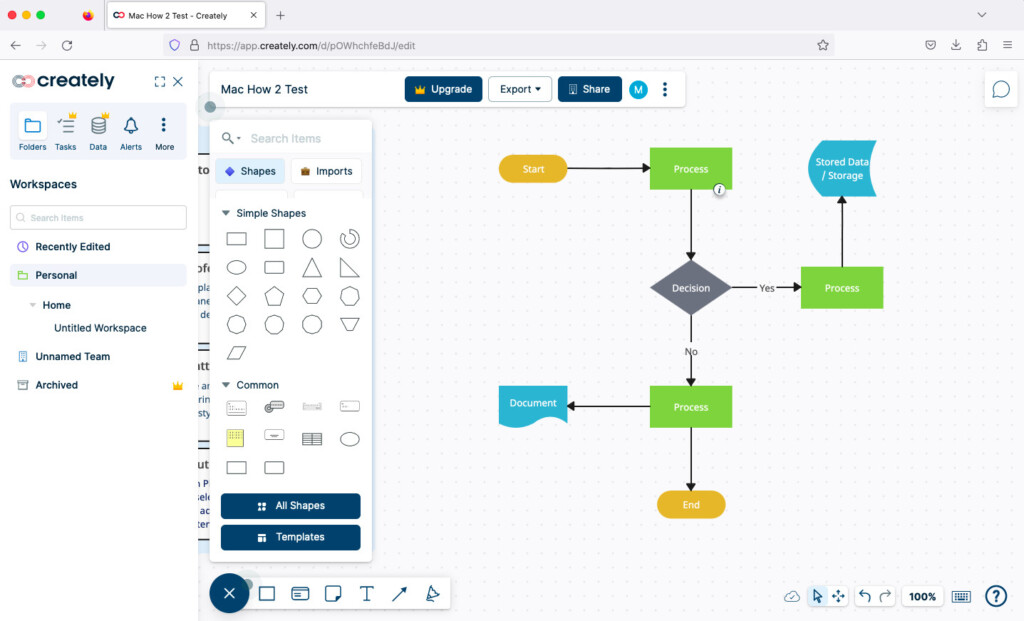
Creately is a lightweight, fast and cost-effective alternative to Visio.
Creately is a lot simpler than Visio but you can create some pretty impressive diagrams, Venn diagrams, flowcharts and process flows with it.
What we liked about Creately was:
- There are thousands of Creately templates and a 1-click create and connect function which automates much of the process.
- It also integrates with Confluence, Jira and the G Suite Marketplace.
- It’s very easy to use for all levels of ability.
What we didn’t like about Creately was:
- Creately supports limited Visio file import in the web app, but we found the results are inconsistent and export is not suitable for professional work.
- All free diagrams are made public so make sure you don’t create anything that you don’t want sharing.
- The Mac desktop app has been discontinued.
You can read our review of Creately if you want to learn more.
Pricing: Free for up to 3 diagrams then starts at $5/month.
7. Gliffy
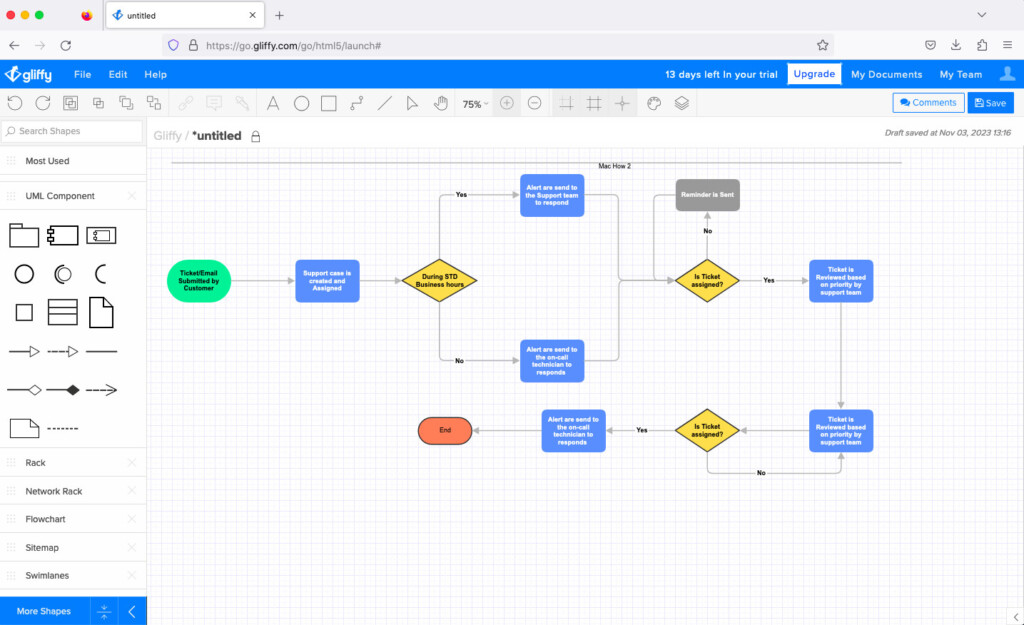
Gliffy is an extremely easy to use team focused alternative to Visio although it’s only suitable for those already using Jira or Confluence.
Although it used to be available as a standalone online diagramming tool, it is now divided into two tools business oriented tools: Gliffy for Jira and Gliffy for Confluence.
Here are the things we liked about Gliffy:
- It’s quick and snappy at creating diagrams with smooth, fast drag and dropping of objects.
- Gliffy is the best integrated tool we’ve tried for Jira and Confluence. You can easily draw flowcharts in Jira using the Gliffy Atlassian plugin.
- It can import Visio files in VSD and VSDX format (although it can’t export to Visio).
- It supports features such as Mermaid diagramming, data linking, multi-page diagramming.
There are some limitations to Gliffy though:
- The standalone version of Gliffy for non Atlassian customers has been discontinued.
- There’s no support for exporting of Visio flowcharts.
- Very limited number of templates and symbols.
You can check out our full review of Gliffy for more.
Pricing: Limited free version for up to 10 users / $3.80/month/user for teams of 11-100.
8. ConceptDraw Diagram
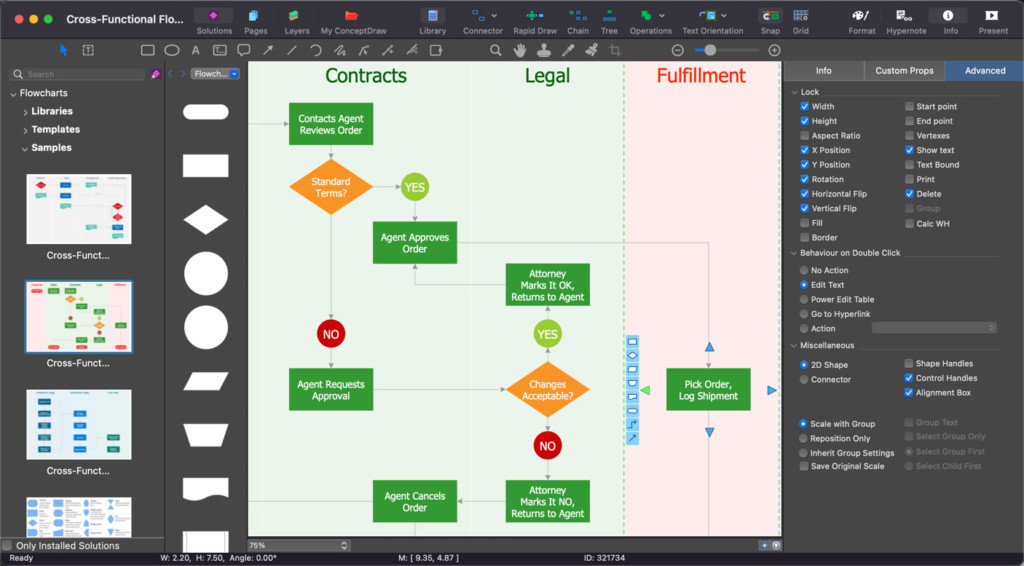
ConceptDraw Diagram (formerly ConceptDraw Pro) is a cross-platform desktop alternative to Visio that works on both Mac and Windows PCs.
The VSDX Visio import and export tool can be hit and miss but it’s very good at exporting diagrams to other apps.
Here are some of the things we liked about ConceptDraw Diagram:
- It has both a Mac and Windows desktop app so it’s great for those that work across platforms.
- It can import and export Visio files in VSDX format including VSX stencils (but not very well).
- There’s a rich collection of high quality vector objects, audiovisual clips and templates.
There are some things we didn’t like however:
- Importing and exporting of Visio files is not very accurate with a lot of formatting issues.
- It feels like a tool that’s best for legacy users who already rely on ConceptDraw.
- The interface is very Windows inspired.
- Expensive up front cost.
You can check out our review of ConceptDraw Diagram For Mac.
Pricing: Free Trial / $199
9. Cacoo
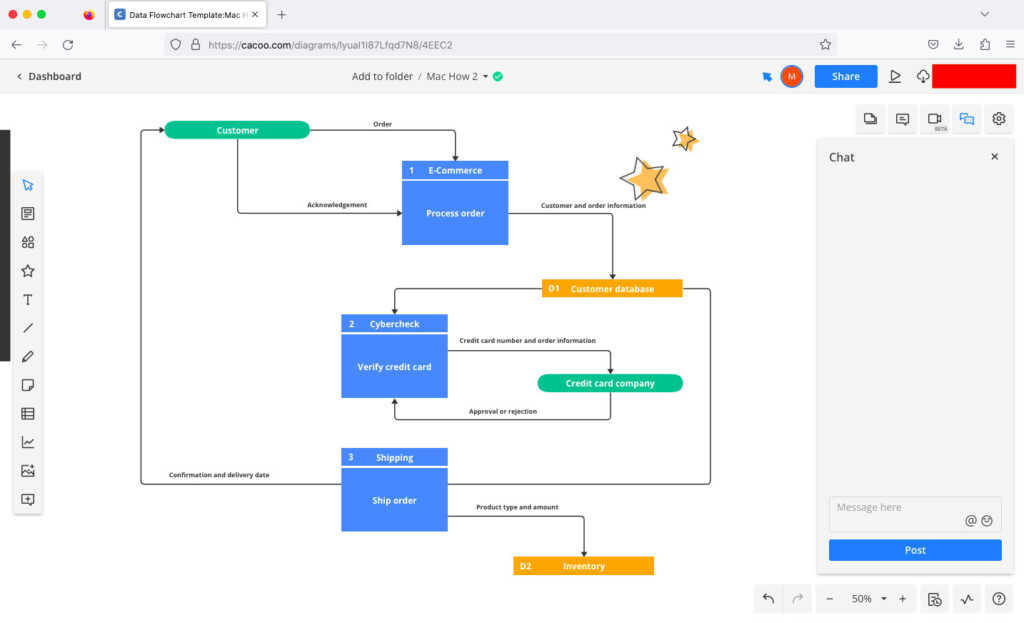
Cacoo is an excellent alternative to Visio when it comes to collaboration.
Cacoo is excellent for drawing everything from flowcharts to wireframes but it’s the remote team working features that we really like.
Here are the things we liked about Cacoo:
- The collaboration tools are comprehensive including in-app video chats and multi-user editing
- Cacoo imports Visio files in VSD and VSDX format although it can’t export to VSDX format.
- Cacoo integrates with lots of services including Backlog, Google Drive, Google Docs, Atlassian, Adobe Creative Cloud, Dropbox, Microsoft Teams and Zapier.
There are some limitations to Cacoo however:
- There aren’t many templates compared to other apps we tried although they are slowly being improved and added-to.
- The free plan is limited to just 6 sheets
- Video chatting is a nice feature although most users will use Teams or other web conferencing tools if they need this.
Pricing: Free Trial / Starts at $6/user per month
10. Visio for the Web
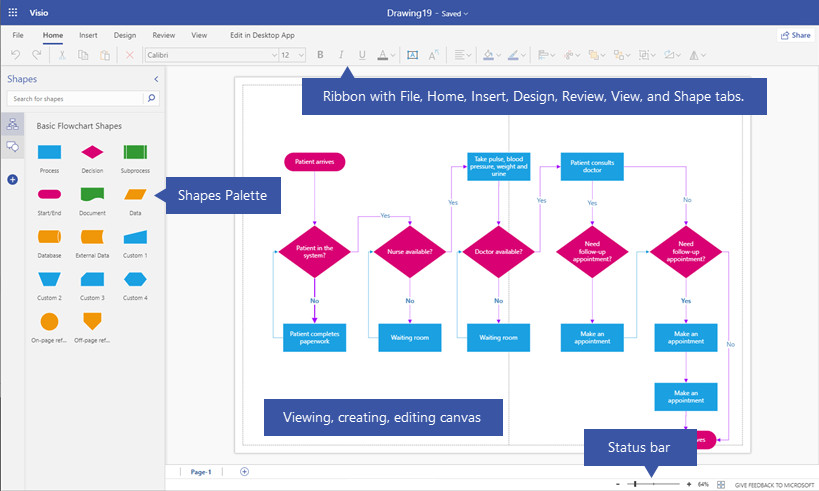
Microsoft Visio for the Web (or Visio Online as it originally started as) is Microsoft’s basic web version of Visio.
Visio for the web is best viewed as a viewer/light editor, not a replacement for Visio desktop.
If you just want something to view and do basic edits to Visio files, you can use Visio for the Web in any browser on a Mac but its not the complete version of Visio.
Here’s what we liked about Visio for the web:
- It has a similar interface to the desktop version of Visio.
- It supports basic opening, viewing and editing of Visio files.
- It has no problem importing and exporting Visio files in VSDX format.
- It is available for free to Microsoft 365 subscribers with a Visio Plan 1 or Plan 2 add-on subscription.
Here’s what we didn’t like about Visio for the web:
- It’s a very limited version of Visio that requires the Windows desktop version of Visio for advanced editing.
- It requires a Visio Plan 1 or Plan 2 subscription with the latter giving more editing rights.
You can check out our full review of Visio for the web for more.
Pricing: Requires Microsoft 365 subscription with Visio Plan 1 ($5/m) or Visio Plan 2 ($15/m)
Can You Run Visio on a Mac?
Microsoft Visio does not have a native macOS desktop app, but there are several ways to run Visio on a Mac depending on how much functionality you need.
You can enjoy the full Windows version of Visio on a Mac by using one of the following methods:
- A virtual machine (such as Parallels Desktop or VMware Fusion). This works on both Intel and Apple Silicon Macs. On Apple Silicon Macs, Visio runs inside Windows on ARM using Microsoft’s built-in x86/x64 emulation. Performance is generally good for most diagrams, although very large or complex files may feel slower. You can watch us running Visio on a Mac in Parallels here.
- Remote Desktop Software which allows you to remotely access a Windows PC or cloud-based Windows environment with Visio installed on it. However, this can be slow and laggy due to latency between the connected Mac and PC. This can be done using any Mac compatible remote desktop software although the recommended option for running Windows is Microsoft’s own Windows App (formerly Microsoft Remote Desktop).
- Alternatively, if you only need to view or make basic edits to Visio files, you can use Microsoft Visio for the web in any browser on a Mac. However, the web version is limited compared to the full desktop application and requires a Visio Plan subscription.
For users who don’t want to run Windows at all, a dedicated Visio alternative for Mac is often a simpler and more cost-effective solution.
Are There Any Free Alternatives To Visio on a Mac?
You simply won’t get anything for free that can compete with a complex product like Microsoft Visio.
However, there are some free alternatives to Visio for Mac that allow a certain amount of diagram making for free.
The best completely free equivalent to Visio is Draw.io which is completely free to use although it’s quite basic compared to Visio with limited shapes and objects.
In our experience, most free Visio alternatives that support Visio file import and export don’t do it very well and none of them will allow team collaboration without paying.
Can I Use These Visio Alternatives Offline?
OmniGraffle (paid) and Draw.io (free) support diagramming offline via a Mac desktop app. SmartDraw does have a desktop app with offline editing, although collaboration and sync require internet.
Which Visio Alternative Is Best For Team Collaboration?
SmartDraw, Lucidchart and Cacoo are highly recommended for working with others as they support real-time collaboration and integration with other popular productivity tools.
Do These Alternatives Support Importing and Exporting Visio files?
All of these apps support importing Visio files but not all of them support exporting to Visio VSDX format. SmartDraw was the most reliable tool we tried for both importing and exporting Visio files accurately.
Why Is Microsoft Visio Not Available for Mac?
Microsoft has never officially given a reason for never releasing a Mac version of Visio but the main reason is probably the relatively small market share of Macs compared to PC.
The cost of dedicating a team of developers and engineers to creating and maintaining a macOS version of Visio is probably not considered economically viable by Microsoft.
Is There A Google Version Of Visio?
There is no software made by Google that can compare with Microsoft Visio.
The closest thing available is Google Drawings which is free and allows you to draw very basic diagrams in your browser.