

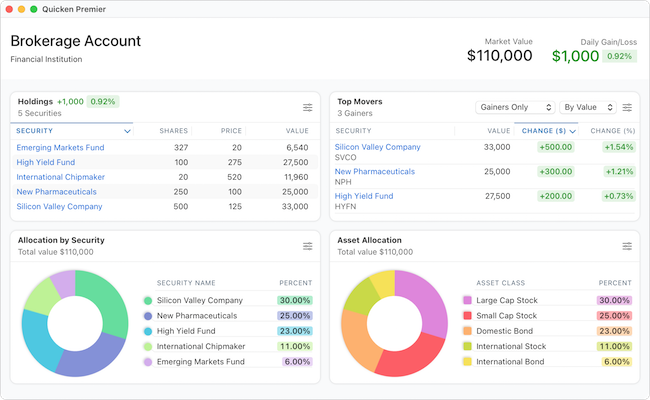
Quicken Classic for Mac remains one of the best-known personal finance apps available for macOS, but in 2026 it occupies a slightly awkward position.
On one hand, it’s far more polished, stable, and Mac-friendly than it used to be. On the other, it still trails the Windows version in several key areas – particularly investment analysis, retirement planning, business tools, and reporting flexibility.
Quicken has also expanded and renamed its lineup in recent years, which has made things more confusing than ever for Mac users.
In this updated Quicken Classic for Mac review, we’ll look at:
- What Quicken Classic actually is in 2026
- The current subscription lineup
- What’s improved on Mac
- What’s still missing vs Windows
- Whether it’s still worth using
- The best alternatives for Mac users
What Is Quicken Classic?
Quicken Classic is Quicken’s desktop personal finance software for Mac and Windows.
The “Classic” branding was introduced to distinguish the desktop software from Simplifi by Quicken, which is Quicken’s newer cloud-based budgeting app.
Unlike older versions such as “Quicken 2018” or “Quicken 2019,” Quicken is now fully subscription-based and updated continuously throughout the year.
There is no longer a one-time purchase version.
Quicken Classic Plans in 2026
One of the biggest changes since older reviews were written is the expanded Quicken lineup.
Quicken Classic for Mac is now available in three main subscription tiers:
| Plan | Best For |
|---|---|
| Quicken Classic Deluxe | Budgeting & personal finance |
| Quicken Classic Premier | Investing & tax reporting |
| Quicken Classic Business & Personal | Small business owners & landlords |
This is important because many people still refer only to Deluxe and Premier (for more on the differences between them check out our look at Quicken Deluxe for Mac vs Premier).
The Mac version now also includes Business & Personal, although the Windows version still has significantly more business features (for more on this, check out our look at Quicken for Windows vs Quicken for Mac).
What We Like About Quicken Classic for Mac
1. It Finally Feels Like a Modern Mac App
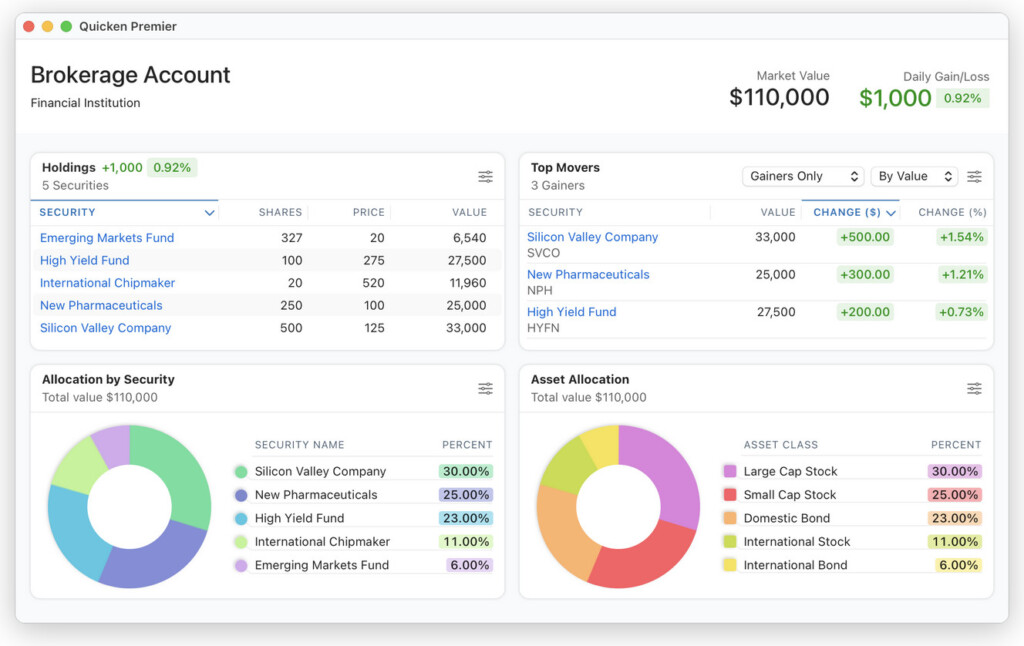
This is probably the biggest improvement over the past few years.
Quicken for Mac now feels like a proper native macOS application with:
- Apple Silicon optimization
- Dark Mode support
- Fast search
- Cleaner navigation
- Better performance
- Less clutter than Windows
Compared to Quicken for Windows, the Mac version looks dramatically more modern.
The interface is simpler and easier to navigate, especially for users who mainly want budgeting and expense tracking rather than advanced financial analysis.
2. Excellent Bank Syncing Support
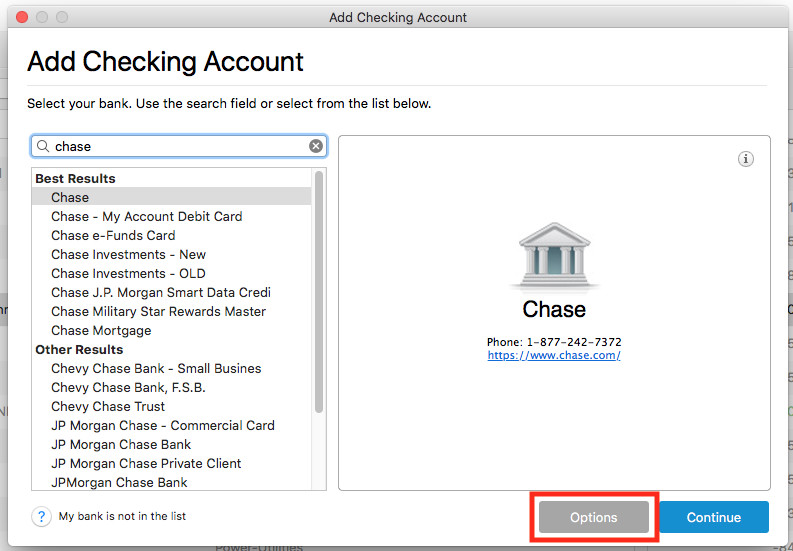
Quicken supports syncing with thousands of financial institutions.
On macOS, Quicken supports:
- Quicken Connect
- Express Web Connect+
- Direct Connect
- Web Connect imports
Direct Connect still exists at some banks, but many institutions are moving toward Express Web Connect+ instead.
This is an important distinction because many older articles imply Direct Connect is the default everywhere – it no longer is.
In practice, syncing reliability has improved substantially on Mac compared to several years ago.
3. Much Better Performance on Apple Silicon Macs
Quicken now runs natively on Apple Silicon Macs (M-series Macs).
Performance is significantly better than older Intel-only versions that relied on Rosetta.
In our experience:
- Launch times are faster
- Large financial files load more smoothly
- Reports generate quicker
- Stability is far better than it used to be
Interestingly, some longtime Windows users now consider the Mac version more stable overall.
4. Improved Investment Dashboard
Investment tracking is still not Quicken’s strongest area on Mac, but it has improved considerably.
Premier and Business & Personal now include:
- Better portfolio views
- Asset allocation charts
- Performance tracking
- IRR and ROI reporting
- Improved capital gains visibility
For casual investors, this is probably enough.
However, active investors may still find it lacking compared to the Windows version.
Where Quicken for Mac Still Falls Short
Despite the improvements, there are still several important limitations.
1. The Windows Version Is Still More Powerful
This remains the biggest issue.
Quicken for Windows still offers:
- Better investment analysis
- More customizable reports
- Retirement planning tools
- Multi-currency support
- Deeper tax planning
- More advanced business features
The gap is smaller than it once was, but it still exists.
2. No Full Retirement Planning Tools
One major inaccuracy in older reviews is that they often claimed you “can’t connect retirement accounts” on Mac.
That’s no longer true.
You absolutely can connect and track:
- 401(k)s
- IRAs
- Brokerage retirement accounts
However, what’s still missing is the advanced Lifetime Planner retirement forecasting tool available in Quicken for Windows.
So the issue isn’t retirement account support – it’s retirement planning depth.
3. Business & Personal on Mac Is Still Limited
Quicken now offers Business & Personal on Mac, but it still doesn’t fully match the Windows version.
Compared to Windows, the Mac version lacks:
- Full rental property management
- More advanced invoicing
- Some business reporting tools
- Deeper small business accounting features
If you run a serious small business or manage rental properties, Windows is still the better platform.
4. No True Multi-Currency Support
This is still one of the biggest frustrations for international users.
Quicken for Mac still lacks proper multi-currency account support in 2026. The Windows version supports this far better.
5. Reporting Is Still More Limited
The Mac version has improved reporting, but Windows still offers:
- More customization
- Better filtering
- More detailed transfer reports
- More advanced budgeting reports
Most casual users won’t care, but power users definitely will.
Quicken on the Web
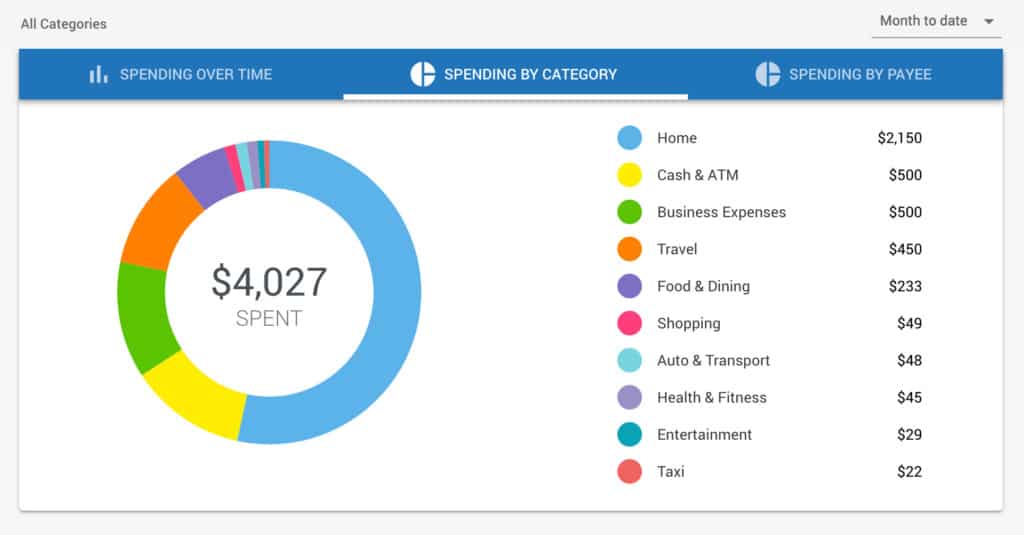
Quicken also includes a browser-based companion app called Quicken on the Web.
This syncs through Quicken Cloud and lets you:
- View balances
- Monitor spending
- Track budgets
- See transactions
- Review investments
You do not have to enable cloud syncing if you prefer to keep everything local on your Mac.
Bill Pay and Bank Connections
Quicken supports:
- Quick Pay
- Check Pay
- Online bill syncing
- Transaction downloads
One outdated point in many older reviews is that they imply Bill Manager is exclusive to Premier.
That’s no longer really true.
Both Deluxe and Premier include Bill Manager access, although Premier includes higher monthly usage limits.
Another important update:
- Many banks are phasing out Direct Connect
- Express Web Connect+ is becoming more common
This means:
- Bill Pay support depends heavily on your bank
- Some advanced banking functions may disappear over time
That’s an industry-wide banking change, not specifically a Quicken problem.
For more on this, check out our look at Direct Connect vs EWC+.
Pricing (2026)
Quicken is subscription only. The current Mac lineup includes:
| Plan | Best For |
|---|---|
| Deluxe ($6.99/month) | Budgeting & personal finance |
| Premier ($8.99/month) | Investing & tax reporting |
| Business & Personal ($12.49/month) | Business & landlord finances |
There is also the more recently released Quicken Simplifi ($6.99/m) which, as the name suggests, is supposed to be a simpler checkbook software style way of managing your finances quickly on web or mobile and a popular alternative to Mint on Mac.
Quicken also frequently discounts subscriptions for new customers.
What Happens If You Cancel?
If your subscription expires:
- You retain access to your data
- Manual entry still works
- Online syncing stops
- Bill Pay stops
- Cloud sync stops
- Future updates stop
Your data is not locked away – you simply lose connected services.
Is Quicken Classic for Mac Safe?
Yes.
Quicken uses encrypted connections for financial syncing and does not directly hold your money.
Security ultimately depends partly on your connected banks and your own account security practices.
Is Quicken Classic for Mac Worth It in 2026?
For many Mac users, yes.
Quicken Classic for Mac is now:
- Faster
- More stable
- Better designed
- More modern
- More capable than it was even a few years ago
If your priorities are:
- Budgeting
- Expense tracking
- Account aggregation
- Personal finance management
…it remains one of the strongest native desktop finance apps for macOS.
However, if you need:
- Advanced investing tools
- Retirement forecasting
- Rental property management
- Multi-currency support
- Deep reporting
…the Windows version still has a clear advantage.
Best Quicken Alternatives for Mac
Depending on your needs, there are now several strong alternatives to Quicken on macOS.
Empower Personal Dashboard
Excellent for:
- Investment tracking
- Net worth monitoring
- Retirement planning
Also free.
Moneydance
Good for:
- Budgeting
- Offline finance management
- Users who dislike subscriptions
Banktivity
One of the closest true Quicken alternatives on Mac with:
- Strong budgeting
- Investment tracking
- Native macOS design