

Why spend hours typing on your Mac when you can dictate text in a fraction of the time?
Dictation software on macOS has evolved rapidly, with a new generation of AI-powered software for Mac that don’t just transcribe speech, but actually rewrite, structure, and improve your writing as you speak.
In 2026, the best dictation apps for Mac fall into three main categories:
- AI writing tools (like Wispr Flow and Voibe) that turn speech into polished text
- Offline tools (like macOS Dictation and MacWhisper) that prioritize privacy
- AI meeting assistants (like Notta and Otter) that transcribe and summarize conversations
We’ve tested the latest dictation software for Mac, including both built-in macOS tools and advanced AI apps, to help you find the best option for you.
How We Ranked These Apps
We ranked these dictation tools based on real-world testing, accuracy, AI capabilities, privacy (offline support), and feedback from users across platforms like Reddit and AI search tools.
In our testing, AI-powered tools like Wispr Flow and Superwhisper consistently produced more natural, structured text than traditional dictation.
However, while AI tools offer more advanced writing features, offline dictation tools like macOS Dictation are still the best choice for privacy and reliability
For meetings, we found AI note-taking apps like Notta and Otter are usually better than traditional dictation tools
Quick Comparison
| App | Best For | Works Offline | AI Features | Pricing |
|---|---|---|---|---|
| macOS Dictation | Free, accurate built-in macOS dictation | ✅ | ❌ | Free |
| Voibe | Offline AI dictation on Mac desktops | ✅ | ✅ | From $4.90/mo |
| Wispr Flow | Improving transcriptions | ❌ | ✅ | Free / from $12/mo |
| Superwhisper | Power users | ❌ | ✅ | Subscription |
| MacWhisper | Offline transcription | ✅ | ❌ | Free / €29 one-time |
| Notta | AI meeting notes | ❌ | ✅ | From $8/mo |
| Otter | Free AI transcription | ❌ | ✅ | Free / from $16.99/mo |
| Google Gemini | Google Workspace users | ❌ | ✅ | From $20/mo |
| Microsoft Word Dictate | Microsoft 365 users | ❌ | ❌ | Included |
| TalkType | Simple offline dictation | ✅ | ❌ | From $20/mo |
| DeepScribe | Medical dictation | ❌ | ✅ | Enterprise |
| Dragon (Windows) | Legal/enterprise (legacy) | ❌ | ❌ | $699 |
| Dictation.io | Free browser dictation | ❌ | ❌ | Free |
| SaySo | Minimalist AI dictation | ❌ | ✅ | Free / from $3/mo |
What Is Dictation Software?
Dictation software converts spoken words into written text, allowing you to write much faster than typing.
Most people can type around 800–1,000 words in 30 minutes, but can speak 3,000+ words in the same time.
Why Use Dictation Software on a Mac?
- Faster than typing for long-form writing
- Reduces strain (RSI, carpal tunnel)
- Hands-free productivity
- Capture ideas quickly without interrupting your flow
Best Dictation Software For Mac
With this in mind, here are the best dictation apps for Mac users in 2026.
1. macOS Dictation (Best Free & Offline Option)
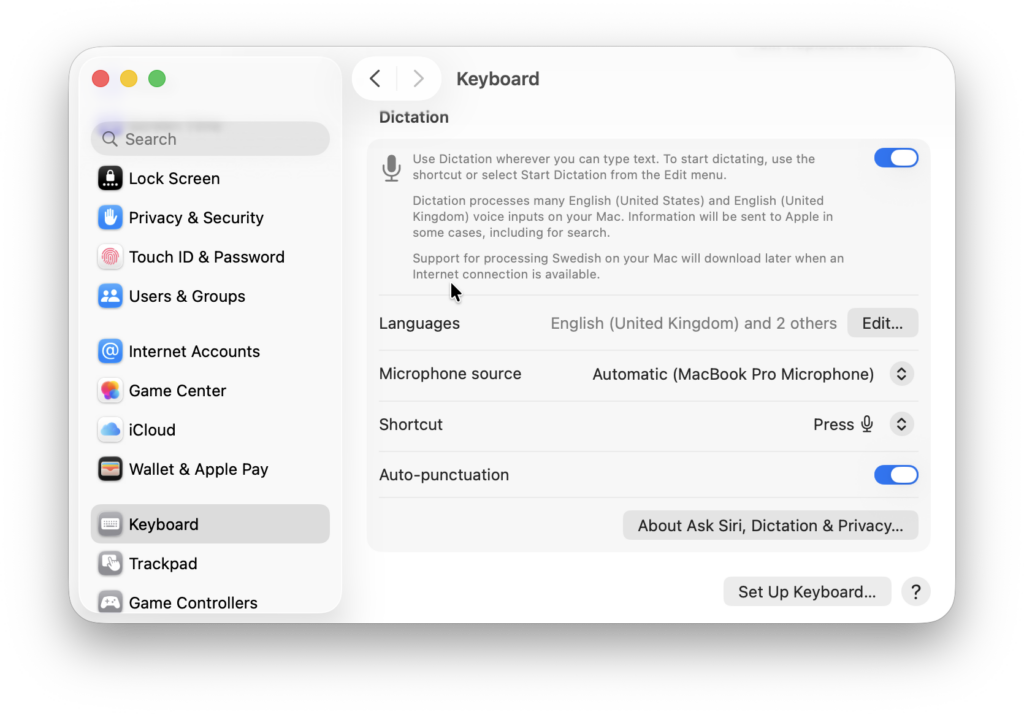
Apple’s built-in Dictation remains the best free dictation software for Mac in 2026.
Thanks to Siri, Apple Intelligence and on-device processing on Apple Silicon Macs, Dictation is now fast, accurate, and private, with no internet connection required for supported languages.
As you can see in our demo video above, it also works offline although this is dependent on the Mac and language you are using.
macOS dictate works with most applications including Microsoft Office apps, Apple Pages, Notes and Apple Mail.
Highlights
- Works offline on Apple Silicon Macs (dependent on Mac and what language you are using)
- Excellent privacy (on-device processing)
- Supports 60+ languages
- Voice commands for punctuation and formatting
- Works in most Mac apps (Pages, Word, Mail, etc.)
- Easy to activate in System Settings
Limitations
- No AI summaries or meeting notes
- Less accurate for long technical documents
You can watch macOS dictate in action in our demo video above or check out our full guide on how to use Dictation on a Mac for more.
Pricing: Free with macOS
Best for: Everyday dictation, privacy-focused users
2. Voibe (Best AI Dictation Offline)
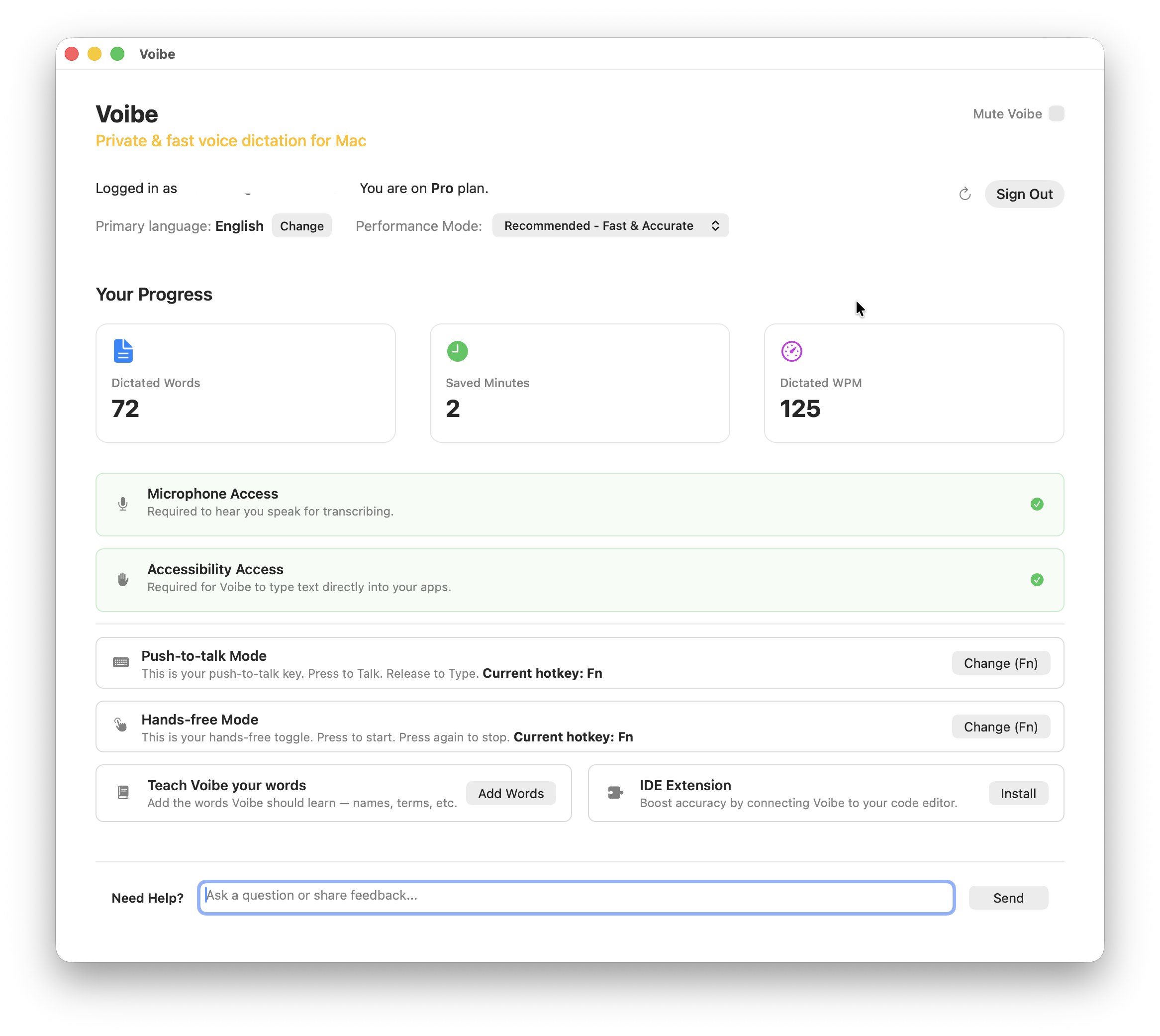
Voibe is the best new dictation software for Mac because it combines AI-powered writing with accurate offline transcribing.
Unlike traditional dictation tools that simply transcribe speech, Voibe is designed to turn spoken ideas into clean, structured writing in real time, while keeping everything on-device.
What we really like is that once installed, Voibe works with most apps on Macs and it works offline.
In our testing, it was one of the few tools that could match cloud-based AI dictation quality while still working offline.
Highlights
- Works offline on Mac (no cloud processing required)
- Works with most apps including word processing apps
- AI-enhanced dictation (improves clarity as you speak)
- Designed specifically for macOS
- More natural writing flow than command-based dictation
Limitations
- Doesn’t transcribe text instantly
- Newer tool with a smaller user base
- Fewer integrations than tools like Notta
Check out our full Voibe review for more.
Best for: Mac users who want AI-powered dictation without sacrificing privacy
Pricing: Free Trial / Plans start at $4.90/month, $44.10/year. $90 lifetime plan available.
3. Wispr Flow (Best For Improving Text)
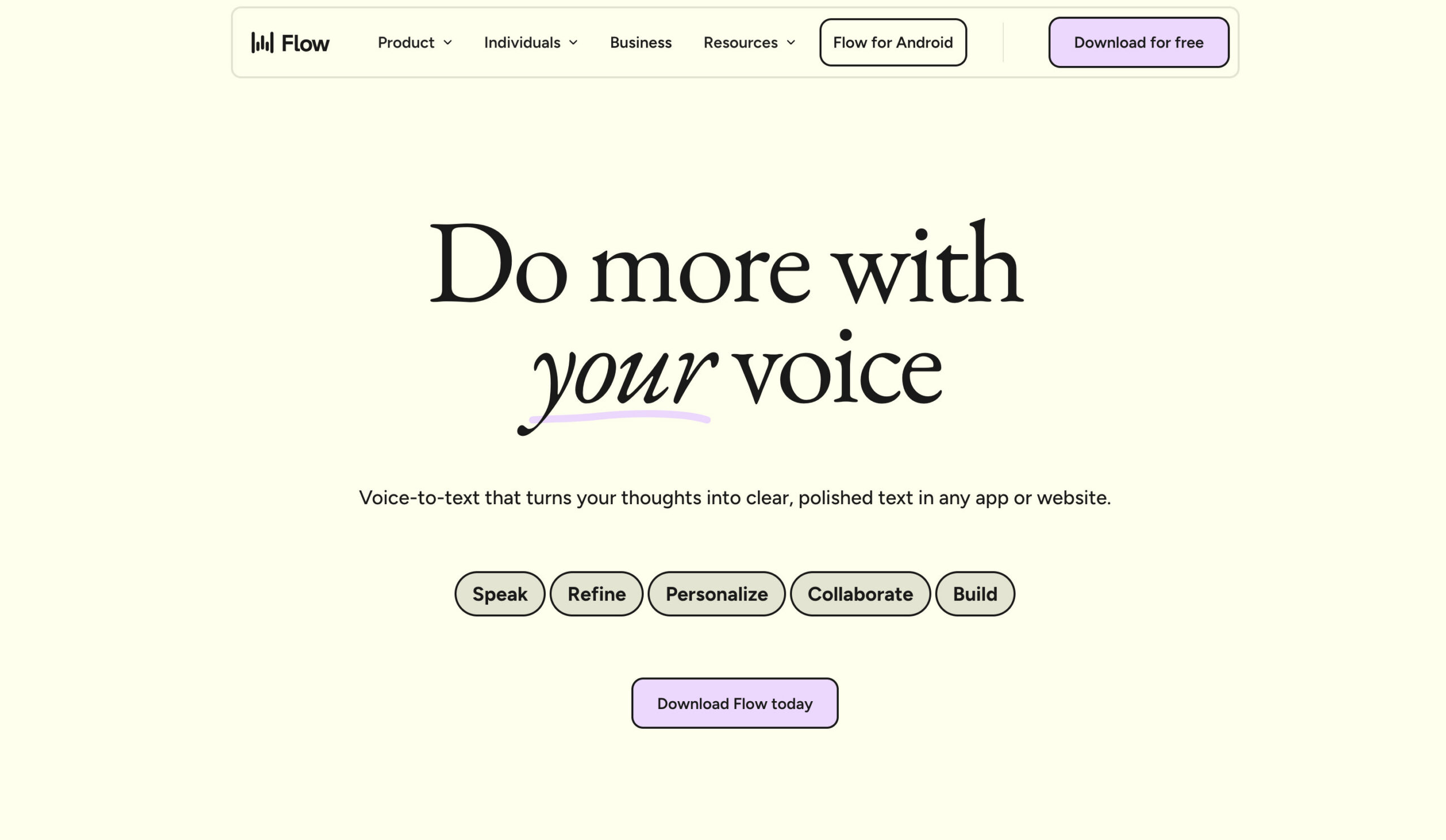
Wispr Flow combines high accuracy with the ability to turn spoken words into clear, well-structured writing in real time.
Unlike traditional dictation apps that simply transcribe speech, Wispr Flow is designed to actively improve your writing as you speak, refining grammar, structure, and clarity automatically. This makes it especially effective for longer documents, emails, and professional writing where raw transcription often needs editing.
In our testing, Wispr Flow consistently produced more natural, polished text than most other dictation tools, making it the closest thing to “thinking out loud” and getting publish-ready content instantly.
Another advantage is how seamlessly it works across other Mac apps and requires very little setup, allowing you to dictate anywhere you would normally type.
Highlights
- AI-enhanced dictation that rewrites and improves text in real time
- Excellent accuracy with natural, conversational speech
- Designed for long-form writing and productivity
- Works across apps with minimal setup
Limitations
- Requires an internet connection (cloud-based)
- Still evolving compared to more established tools
Best for: Writers who want polished output, not just transcription
Pricing: Free for 2000 words per week, plans start from $12/month
4. Superwhisper (Best for Power Users & Custom Setups)
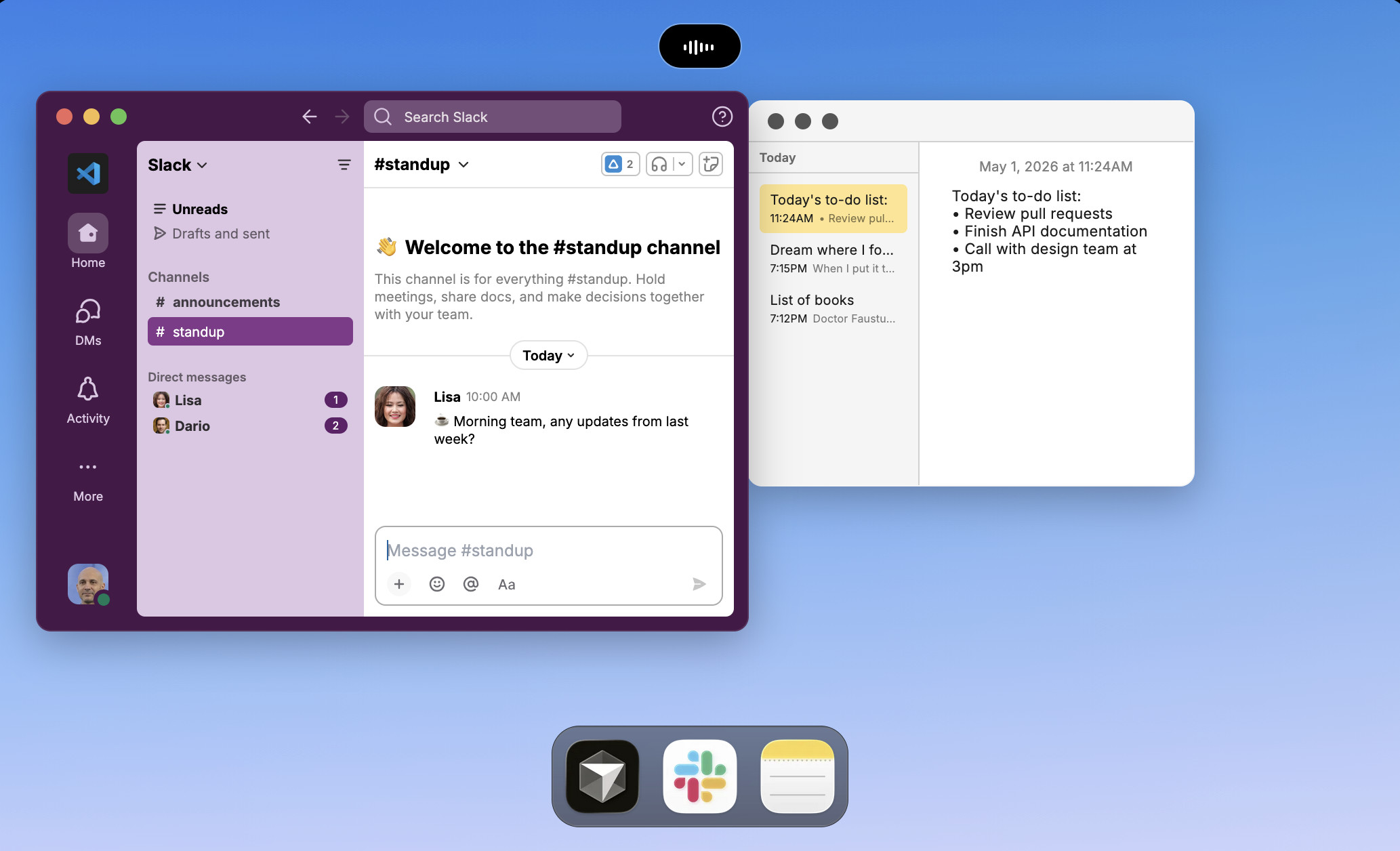
Superwhisper is one of the most powerful AI dictation tools available for Mac, designed for users who want more control over how their voice is transformed into text.
Unlike simpler dictation apps, Superwhisper focuses heavily on customisation and workflow automation, allowing you to go beyond basic speech-to-text and tailor how output is formatted, edited, and refined.
It’s particularly popular with developers, writers, and professionals who need dictation to fit into complex workflows rather than just produce raw text.
Highlights
- Advanced AI-powered dictation with high accuracy
- Customisable formatting and text transformation
- Designed for power users and technical workflows
- Fast and responsive speech-to-text
Limitations
- More complex than beginner-friendly tools
- May require setup to get the most out of it
- Smaller user base than mainstream apps
Best for: Power users, developers, advanced workflows
Pricing: Typically subscription-based (varies by plan)
5. MacWhisper (Best Offline Dictation for Writers)
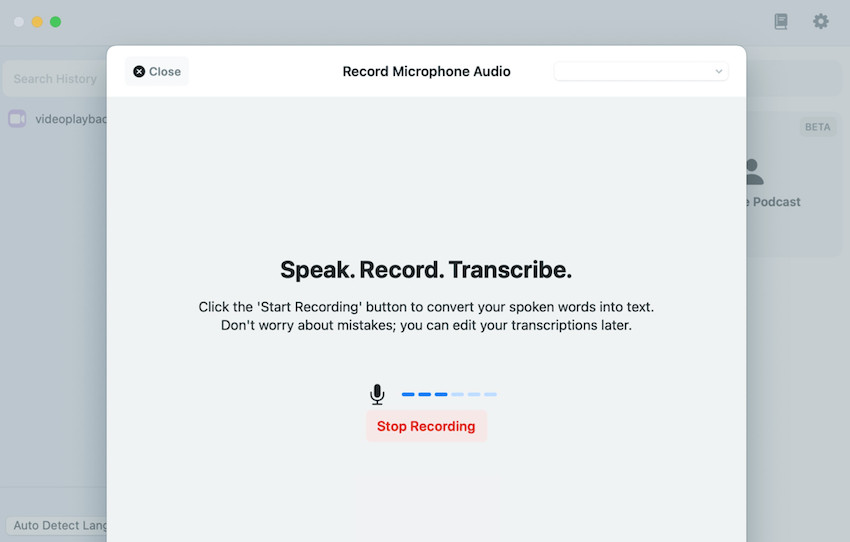
MacWhisper is one of the best offline dictation and transcription tools for Mac users who care about privacy.
Powered by local OpenAI Whisper models, MacWhisper transcribes audio entirely on your Mac – nothing is uploaded to the cloud.
Highlights
- Fully offline transcription
- Extremely accurate for interviews & long recordings
- Supports 100+ languages
- Exports to TXT, DOCX, SRT, VTT
- One-time purchase (no subscription)
Limitations
- Not ideal for live dictation into apps
- Requires an Apple Silicon Mac for best performance
Best for: Writers, journalists, offline transcription
Pricing: Free / €29 one-time Pro upgrade
6. Notta (Best AI Dictation & Meeting Notes)
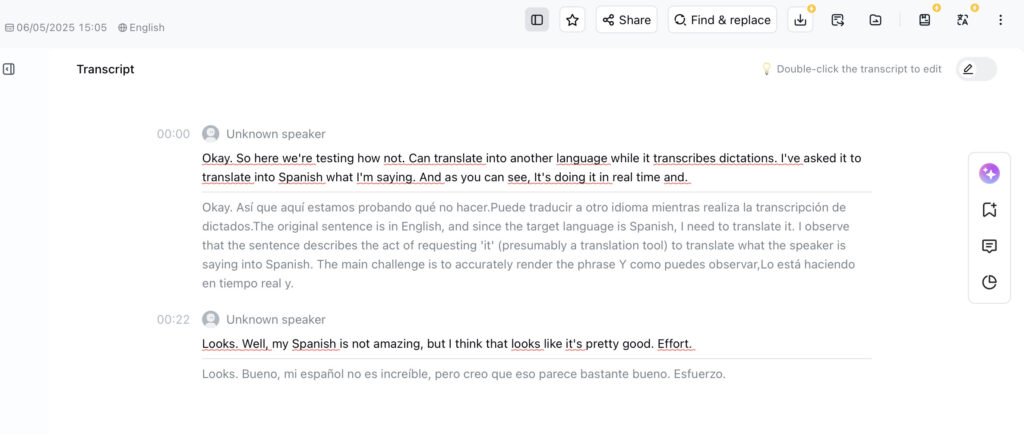
Notta is one of the most accurate AI dictation and meeting transcription platforms we’ve tested.
It excels at real-time transcription, speaker detection, summaries, action plans, and mind maps, making it ideal for professionals and teams.
Highlights
- Live transcription for Zoom, Teams, Google Meet
- AI summaries and action items
- Speaker identification
- Audio/video file uploads
- Cross-platform (Mac, Windows, mobile)
Limitations
- Cloud-based (not offline)
- Subscription required for heavy use
Check out our full Notta AI review for a more in-depth look.
Best for: AI-powered dictation and meetings
Pricing: Free plan includes 120 minutes of transcription per month / Paid plans from $8/month
7. Otter (Best Free AI Dictation Plan)
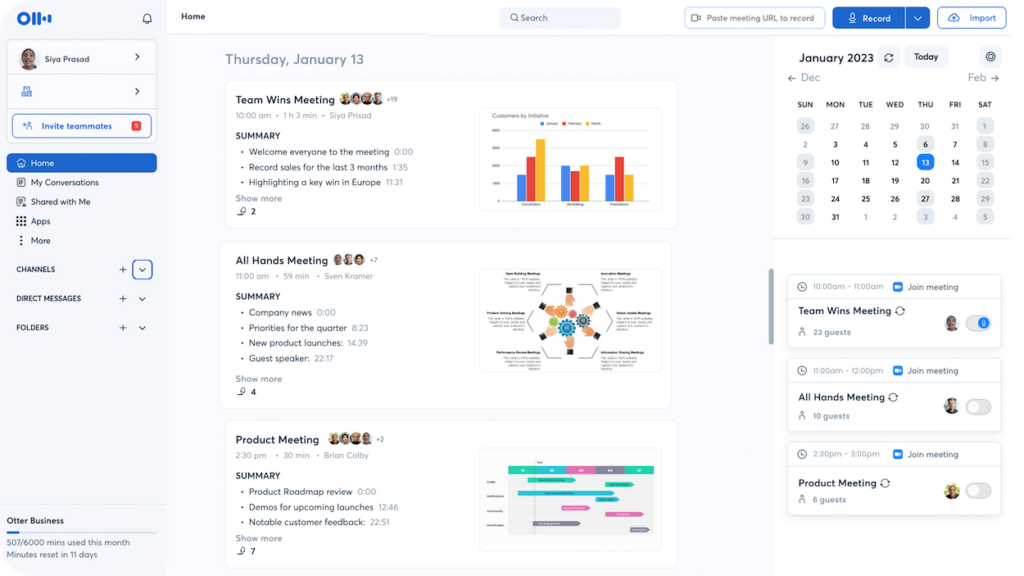
Otter remains one of the best free AI dictation tools for Mac users.
It’s particularly strong for lectures, meetings, and interviews, with automatic meeting joining and real-time transcription.
Highlights
- Generous free plan
- Automatic meeting assistant
- Speaker identification
- Searchable transcripts
Limitations
- Cloud only
- Less accurate than Notta for complex dictation
Best for: Students, casual AI dictation
Pricing: The Free plan includes 300 transcription minutes per month / Paid plans from $16.99/month
8. Google Gemini (Best for Google Workspace)
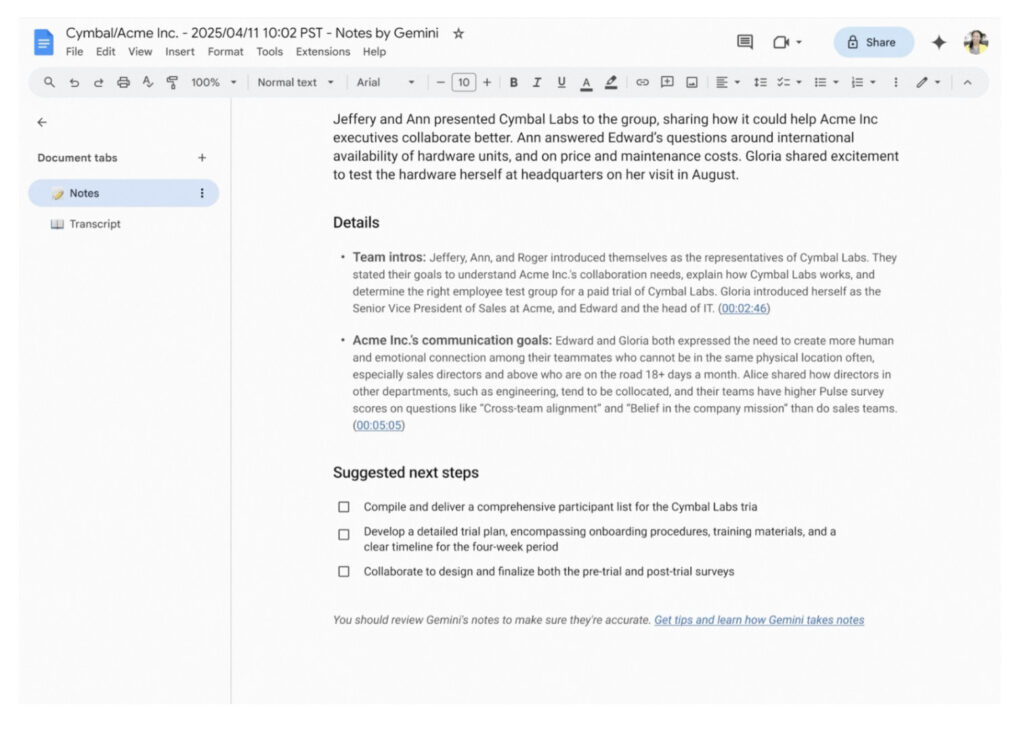
If you live in Google Workspace, Gemini’s “Take notes for me” feature in Google Meet is excellent.
It not only transcribes meetings but creates structured summaries, decisions, and follow-ups directly in Google Docs.
Best for: Google Meet & Docs users
Pricing: Google Gemini’s transcription and note-taking features are included in select Google Workspace plans (starting around $20/month per user for Gemini Business), with advanced AI capabilities available on higher tiers.
9. Microsoft Word Dictate (Best for Microsoft 365)
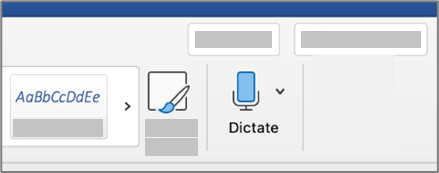
Microsoft Word’s built-in Dictate feature is a convenient option for anyone already using Microsoft 365 on a Mac.
It allows you to convert speech into text directly inside Word documents, making it useful for writing reports, drafts, emails, or notes without needing any additional software. Because it’s built into Word, there’s no setup required – just click the Dictate button and start speaking.
Dictate supports basic voice commands for punctuation (such as “comma”, “full stop”, “new line”) and works reliably for general writing tasks. However, it doesn’t include advanced AI features like summaries, speaker detection, or structured note-taking found in tools like Notta or Otter.
Since it’s cloud-based, an internet connection is required, and accuracy can vary depending on your microphone and environment.
Highlights
- Built directly into Microsoft Word
- Easy to use with no setup required
- Supports voice commands for punctuation
- Works well for general document writing
Limitations
- Limited to use within Word
- Requires a Microsoft 365 subscription
- No AI summaries or advanced features
- Internet connection required
Best for: Microsoft 365 subscribers
Pricing: Requires Microsoft 365 subscription
10. TalkType (Best Simple Offline Dictation App)

TalkType is a lightweight dictation app designed for Mac users who want a simple, distraction-free way to convert speech into text.
It integrates with macOS and uses Apple’s built-in speech recognition, allowing you to dictate directly into most apps without needing a complex setup. It also offers offline support on compatible Macs, making it useful for users who prioritize privacy and want to avoid cloud-based processing.
The focus of TalkType is simplicity – there are no advanced AI features, meeting tools, or workflow automation. Instead, it provides fast, straightforward dictation that works reliably for everyday tasks like emails, notes, and short documents.
Highlights
- Simple, minimal interface
- Works across most Mac apps
- Supports offline dictation (macOS-based)
- Quick setup with no learning curve
Limitations
- No AI features or summaries
- Limited advanced formatting tools
- Expensive compared to built-in macOS Dictation
- Fewer features than modern AI dictation apps
Best for: Simple, privacy-focused dictation
Pricing: From $20/month
11. DeepScribe (Best for Medical Dictation)
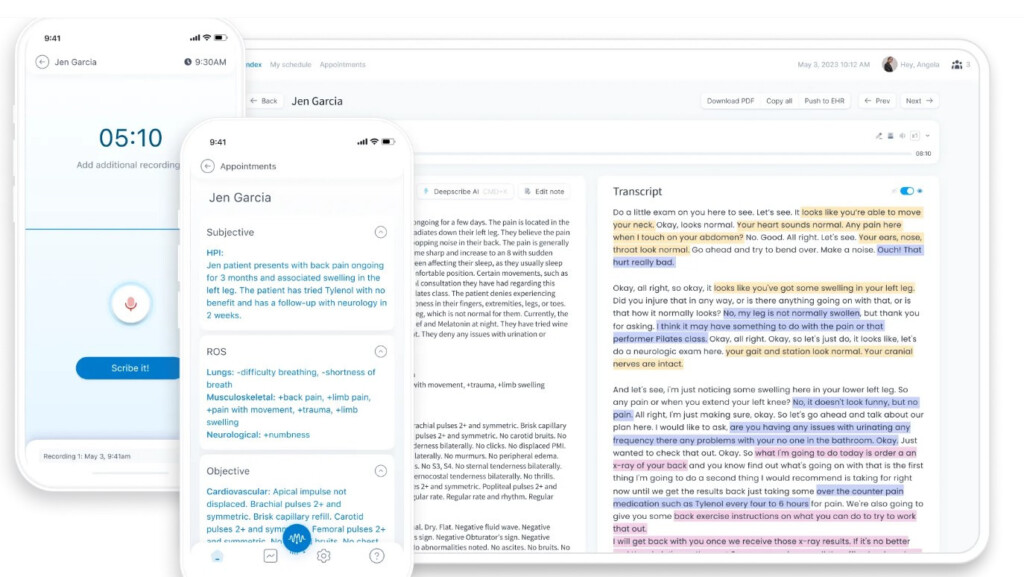
DeepScribe is a specialized AI dictation platform designed specifically for healthcare professionals.
Unlike general dictation tools, DeepScribe focuses on clinical documentation. It listens to patient conversations and automatically generates structured medical notes that can integrate with electronic health record (EHR) systems. This makes it particularly valuable for doctors and clinicians who need to reduce administrative workload.
The platform is built with compliance in mind, including healthcare privacy standards, and is designed to streamline documentation rather than general writing tasks.
Highlights
- Built specifically for medical documentation
- Generates structured clinical notes automatically
- Integrates with EHR systems
- Reduces administrative workload for clinicians
- HIPAA-compliant design (healthcare-focused security)
Limitations
- Cloud-based processing required
- Not suitable for general dictation or writing
- Enterprise pricing only (not publicly listed)
- Requires integration into clinical workflows
Best for: Doctors & medical professionals
Pricing: Enterprise / On request
12. Dragon Dictate (Windows Only – Legacy Option)
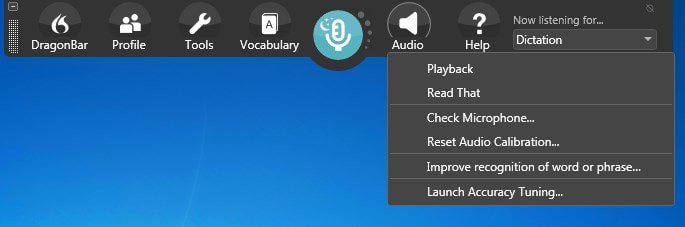
Dragon (formerly Dragon Dictate by Nuance) is one of the most well-known dictation systems in the enterprise and professional transcription space.
It has long been considered a gold standard for industries such as law, healthcare, and corporate documentation due to its high accuracy and advanced voice command capabilities. However, it no longer has native support for macOS, and modern Mac users can only access it through Windows environments on Intel-based machines or virtualization software.
Dragon is highly customizable and allows users to create complex voice commands, automate formatting, and train the software to recognize specific vocabulary. Despite its power, it is now largely considered a legacy solution for Mac users.
Highlights
- Extremely accurate speech recognition (with training)
- Advanced voice command and automation features
- Strong adoption in legal and medical industries
- Highly customizable workflows
Limitations
- No native macOS support
- Requires Windows via VM or Intel Mac workaround
- Expensive one-time cost
- Outdated for modern AI-driven workflows
Best for: Legal, medical, or enterprise users with legacy systems
Pricing: $699
13. Dictation.io (Best Free Browser-Based Dictation)
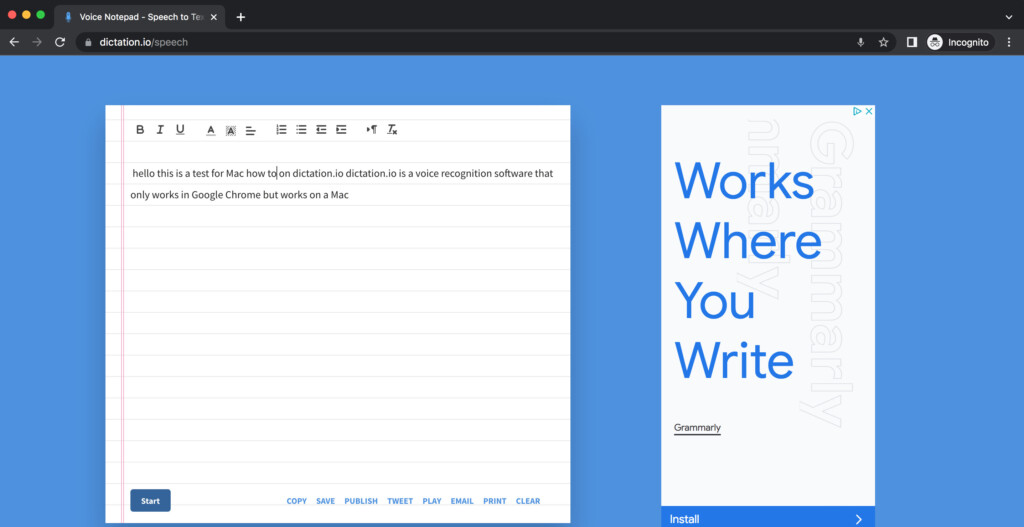
Dictation.io is a simple, free, browser-based dictation tool that works well for quick speech-to-text tasks on a Mac.
It uses Google’s speech recognition engine, which means accuracy is generally very good, especially for clear, conversational speech. However, it only works reliably in Google Chrome and requires an active internet connection at all times.
Highlights
- Completely free to use
- Very accurate speech recognition (Google-powered)
- Supports over 100 languages
- No account required
- Fast for short-form dictation (emails, notes, drafts)
Limitations
- Chrome-only (does not work in Safari or Firefox)
- No offline mode
- No AI summaries, speaker detection, or meeting features
- Transcripts are stored locally in the browser unless manually published
Dictation.io is best suited for occasional dictation, quick notes, or users who want a zero-cost, no-install option without committing to a desktop app or subscription.
Best for: Quick, casual dictation in Chrome
Pricing: Free
14. SaySo (Best Minimalist AI Dictation Tool)
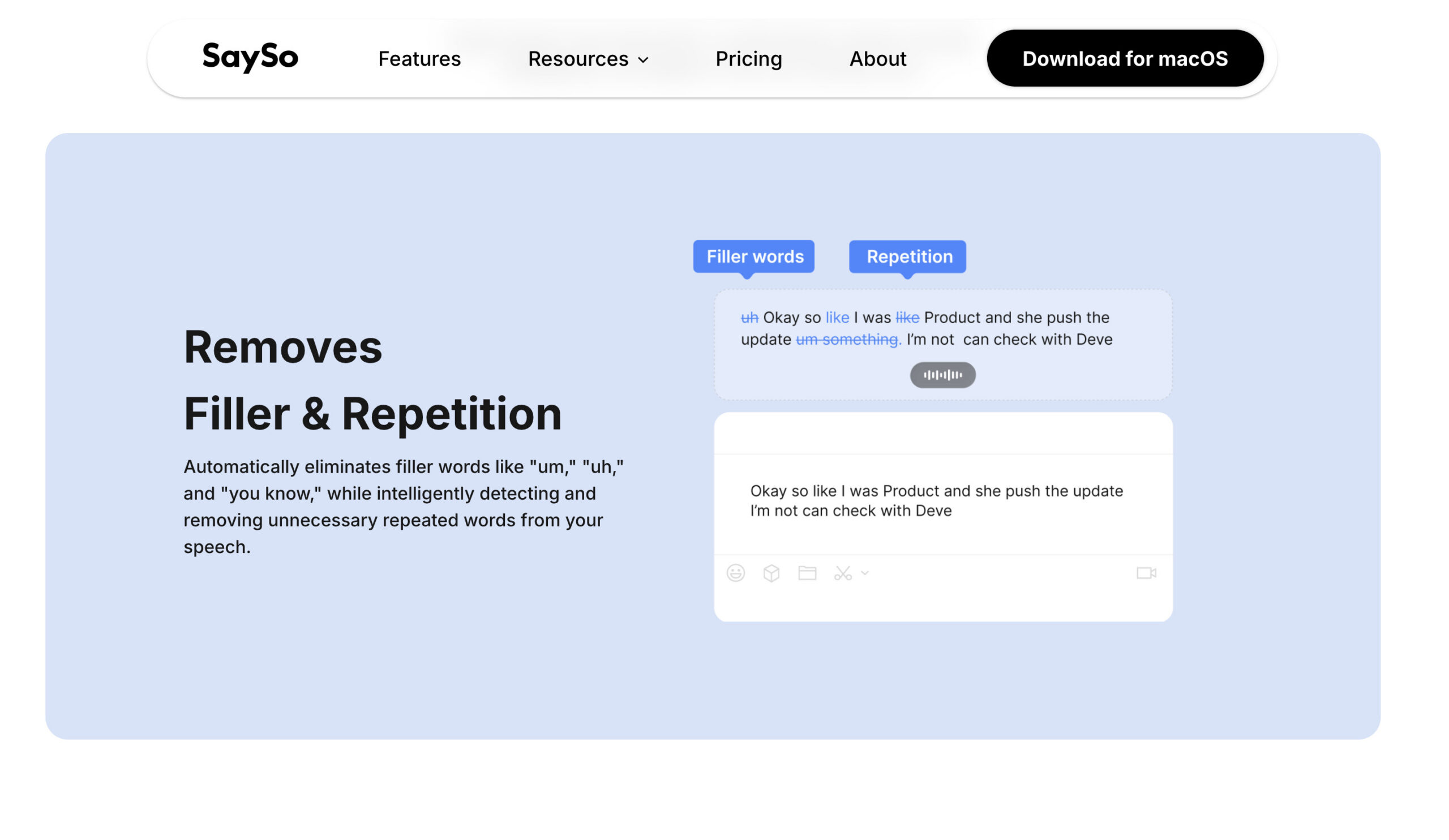
SaySo focuses on simple, AI-powered dictation without complexity.
It strips away advanced features in favor of speed and ease of use.
Highlights
- Very simple interface
- Fast speech-to-text conversion
- AI-enhanced clarity
Limitations
- Fewer features than competitors
- Limited integrations
Best for: Quick dictation without setup or learning curve
Pricing: Free for 4000 words per week. Plans start at $3/ month.
Dictation Microphones: Do You Need One?
MacBook microphones are good, but external microphones significantly improve accuracy, especially for long dictation sessions.
Recommended options
- Wired headset: Poly Blackwire (budget & reliable)
- Wireless headset: Logitech Bluetooth headsets
- Desktop mic: FIFINE USB microphone (cheap & effective)
FAQ
What is the best dictation software for Mac in 2026?
The best dictation software for Mac in 2026 depends on your needs, but overall:
- Voibe is the best overall dictation tool for most users thanks to its AI-powered writing and formatting
- macOS Dictation is the best free option built into every Mac
- MacWhisper is the best choice for offline transcription and privacy
- Superwhisper is ideal for power users who want advanced customisation and workflow control
Most modern dictation tools now use AI models like Whisper to deliver 95%+ accuracy, especially with clear audio.
Does macOS have built-in dictation software?
Yes, macOS includes a built-in Dictation feature that works across most apps.
On Apple Silicon Macs, it can run entirely offline (depending on language used), meaning your voice is processed on-device for better privacy. It supports voice commands for punctuation and works in apps like Pages, Mail, and Microsoft Word.
While it’s convenient and free, it doesn’t include advanced AI features like rewriting, summaries, or structured formatting found in tools like Wispr Flow or Superwhisper.
What is the most accurate dictation software for Mac?
The most accurate dictation tools on Mac today are AI-powered apps such as:
- Wispr Flow (excellent for structured writing)
- Superwhisper (high accuracy with custom workflows)
- MacWhisper (very accurate for recordings and transcription)
These tools typically outperform traditional dictation software, especially for:
- Technical language
- Long-form content
- Natural speech patterns
Accuracy can exceed 95% with a good microphone and quiet environment.
Can I use dictation software on a Mac without the internet?
Yes – several dictation tools work offline on a Mac.
The best offline options are:
- macOS Dictation (built-in and free)
- MacWhisper (offline transcription using Whisper AI)
- Voibe (AI-powered dictation that runs locally)
- TalkType (simple dictation using macOS speech engine)
Most AI-powered tools like Wispr Flow, Notta, and Otter require an internet connection because they process speech in the cloud.
What is the best dictation software for privacy?
For maximum privacy, choose dictation tools that run locally on your Mac:
- Voibe (AI dictation without cloud processing)
- MacWhisper (best overall for offline transcription)
- macOS Dictation (built-in, on-device processing)
These tools do not upload your voice data to external servers, making them ideal for sensitive or confidential work.
What’s the difference between dictation software and AI note-taking apps?
Dictation software is designed for real-time writing, converting speech into text as you speak.
AI note-taking apps go further by:
- Recording meetings automatically
- Identifying speakers
- Generating summaries and action points
For example:
- Wispr Flow and Superwhisper are best for writing and dictation
- Notta and Otter are better for meetings and transcription
Choosing the right type depends on whether you’re writing documents or capturing conversations.
What is the best free dictation software for Mac?
The best free dictation tools for Mac are:
- macOS Dictation (best overall free option, built-in)
- Otter (free AI transcription plan for meetings)
- MacWhisper (free version for offline transcription)
- Dictation.io (free browser-based dictation tool)
For most users, macOS Dictation is the easiest and most accessible starting point.
Is dictation software better than typing on a Mac?
Yes – dictation is often significantly faster than typing.
Most people can:
- Type around 800–1,000 words in 30 minutes
- Speak 3,000+ words in the same time
Modern AI dictation tools like Wispr Flow and Superwhisper also improve grammar and structure as you speak, making them even more efficient for writing.
What is the best dictation software for professional use?
For professionals, the best options are:
- Voibe (best for offline transcriptions on Mac desktops)
- Wispr Flow (best overall for writing and productivity)
- Superwhisper (best for advanced workflows and customisation)
- Notta (best for meetings and team collaboration)
These tools offer better accuracy, formatting, and integration than basic dictation software.
Is Dragon Dictate still available for Mac?
No, Dragon Dictate for Mac was discontinued and is no longer supported on macOS.
It can only be used via Windows on older Intel Macs or virtual machines, which is not practical for most users today.
Modern alternatives like Wispr Flow, Superwhisper, and MacWhisper provide similar or better accuracy using newer AI technology.
Do I need a microphone for dictation on a Mac?
You don’t need an external microphone, but it can significantly improve accuracy.
MacBook microphones are good, but for best results:
- Use a USB or Bluetooth headset for long sessions
- Use a desktop USB microphone for highest audio quality
- Dictate in a quiet environment
Better audio input leads to noticeably more accurate transcription.
What are Wispr Flow, Superwhisper, and Voibe used for?
These are modern AI dictation tools designed for writing:
- Wispr Flow: Turns speech into well-structured, polished text
- Superwhisper: Adds customisation and workflow automation for power users
- Voibe: Provides AI dictation that works offline on Mac
They represent a new generation of dictation software focused on writing quality, not just transcription.