


In the past, Mac users were often forced to compromise when it came to CAD software, with many professional tools either unavailable or significantly behind their Windows equivalents. The good news is, that’s no longer the case.
In 2026, Macs are more than capable of handling architectural design, floor plans, and CAD projects, with a wide range of native desktop and cloud-based CAD applications available for both Intel and Apple Silicon Macs. From lightweight 2D drafting tools to full-scale 3D modeling software that support CAM-CAD, there’s now something for all levels and all budgets.
Whether you’re designing building layouts, site plans, elevations, or mechanical parts, or you’re simply looking for a free tool, a one-time purchase app, or an alternative to AutoCAD for Mac, this guide will help you find the best CAD software for your Mac.
Best CAD Software for Mac (Top Picks)
If you want a quick answer, these are the best CAD applications for Mac right now.
- Best CAD software for Mac overall: AutoCAD
- Best CAD software for beginners: SmartDraw
- Best free CAD software: FreeCAD
- Best 3D CAD for product design: Autodesk Fusion
- Best BIM software for Mac: Vectorworks
- Best CAD for iPad and Mac: Shapr3D
Below you’ll find detailed reviews of each tool including pricing, features, and why we chose them.
Comparison Table: Best CAD Apps for Mac
| Software | Pricing | 2D/3D Support | Best For |
|---|---|---|---|
| AutoCAD 2026 | $175/month or $2,095/year | 2D & 3D | Professionals needing full-featured CAD & DWG compatibility |
| Autodesk Fusion | Free (non-commercial) / $85/month or $680/year | 3D (with 2D capabilities) | Product and mechanical designers needing CAM integration |
| SmartDraw | Free to start / $6.95–$7.95+ per user/month. Includes Mac app. | 2D | Beginners and professionals creating templated technical 2D drawings and diagrams |
| SketchUp | Free / Pro version with Mac app $33.25/month paid annually | 2D & 3D | Architects and interior designers wanting easy 3D modeling |
| FreeCAD | Free and open source | 2D & 3D | Experienced CAD users looking for a free parametric modelling CAD app |
| Shapr3D | Free for 2 designs / $25+/month | 3D | On-the-go designers using Apple Pencil and tablets |
| ARES Commander | $350 per year | 2D & 3D (DWG-centric) | Users needing DWG-based CAD with ribbon interface |
| TurboCAD Mac Pro | Approx $800 one time | 2D & 3D | Power users needing full-featured CAD on Mac |
| VectorWorks | Starting $153/month | 2D & 3D (BIM support) | BIM-focused architecture and design professionals |
| Onshape | Free / $1,500+ per year | 3D only | Teams needing cloud CAD with real-time collaboration |
1. AutoCAD (Best For Professional Drafting)
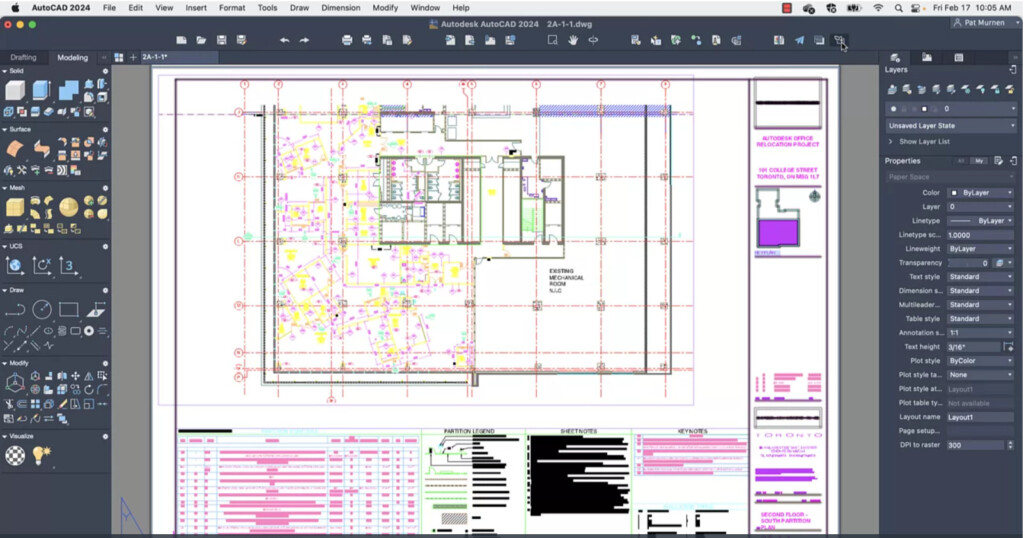
Best for: Professional CAD drafting and full DWG compatibility
AutoCAD remains the industry-standard CAD platform used by architects, engineers, and construction professionals worldwide.
It’s available as a native macOS app (fully optimized for Apple Silicon) as well as via the AutoCAD web and mobile apps, making it easy to work across devices.
If you only need 2D drafting, AutoCAD LT offers a more affordable alternative, while the full version adds advanced 3D modelling and visualization tools.
Why We Recommend It
AutoCAD is still the most widely used CAD software, making it the best choice for compatibility within the CAD industry, especially when working with DWG files.
Key Features
- Professional 2D drafting and 3D modelling (3D in full version only)
- Native DWG file format support
- Web and mobile apps for editing anywhere
- Optimized for Apple Silicon Macs
- Integration with Autodesk cloud tools
What’s New in AutoCAD 2026 (Mac)
The latest version of AutoCAD for Mac includes several performance and improvements:
- Faster 3D graphics engine
- Improved AutoCAD Web integration
- Tools like Markup Import, Markup Assist, and Smart Blocks
- Enhanced collaboration features with Trace updates
You can read more in our full AutoCAD For Mac review.
For a comparison of how to compares to the Windows version, check out our look at AutoCAD for Mac vs Windows.
Pricing: Free Trial / AutoCAD LT $65/month / AutoCAD for Mac $175/month if you pay annually. Students and teachers can also use the Education Edition for free.
Pros
- Industry-standard DWG compatibility
- Powerful and reliable drafting tools
- Native Mac app with Apple Silicon support
- Strong web and mobile experience
Cons
- Expensive subscription pricing
- 3D tools not included in AutoCAD LT
- Mac version still lacks some advanced Windows-only toolsets
2. Autodesk Fusion (Best For Parametric/3D Drafting)
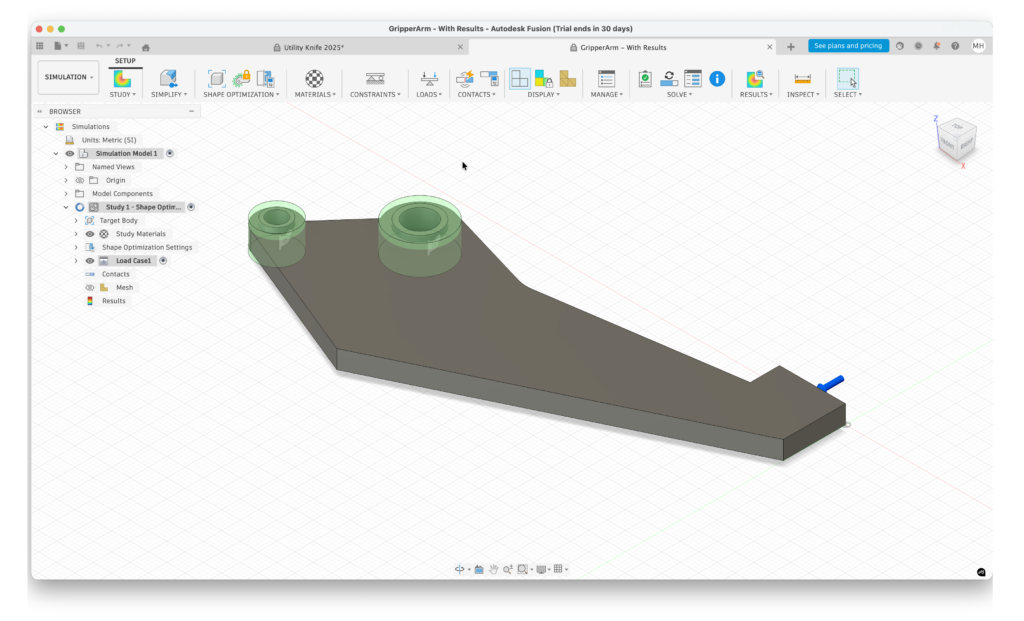
Best for: Product design, mechanical engineering and integrated CAD/CAM tools
Autodesk Fusion (formerly Fusion 360) is one of the best CAD tools for Mac if you need advanced 3D modelling combined with manufacturing and simulation tools.
It’s the best CAD CAM software for Mac because it’s the only native Mac software that brings the entire CAD-CAM process together.
Developed by Autodesk, Fusion is designed to handle the entire product development process – from concept and prototyping to testing and final production.
Why We Recommend It
Autodesk Fusion is ideal for engineers and product designers who need more than just CAD, offering a complete platform that combines modelling, simulation, and manufacturing tools in one app.
Key Features
- Parametric, direct, and surface 3D modelling
- Integrated CAM (computer-aided manufacturing) tools
- Simulation and stress testing
- Cloud collaboration and version control
- Rendering and animation tools
- Native support for Apple Silicon Macs
What Makes It Stand Out
Fusion is particularly strong for mechanical engineering and product design, thanks to tools like the Sculpt environment and T-Splines, which make it easier to create complex shapes and realistic prototypes.
It’s also one of the best alternatives to SolidWorks on Mac, offering similar capabilities in a cloud-based platform that runs natively on macOS.
Read our full Autodesk Fusion review for more.
Pricing: Free Trial / Free for personal non-commercial use, Commercial license $85/month
Pros
- Excellent for 3D product design and engineering
- Integrated CAD, CAM, and simulation tools
- Native Apple Silicon support
- Free version for personal use
Cons
- Cloud dependency for some features
- Learning curve for beginners
- Subscription required for commercial use
3. SmartDraw (Best 2D CAD For Beginners)
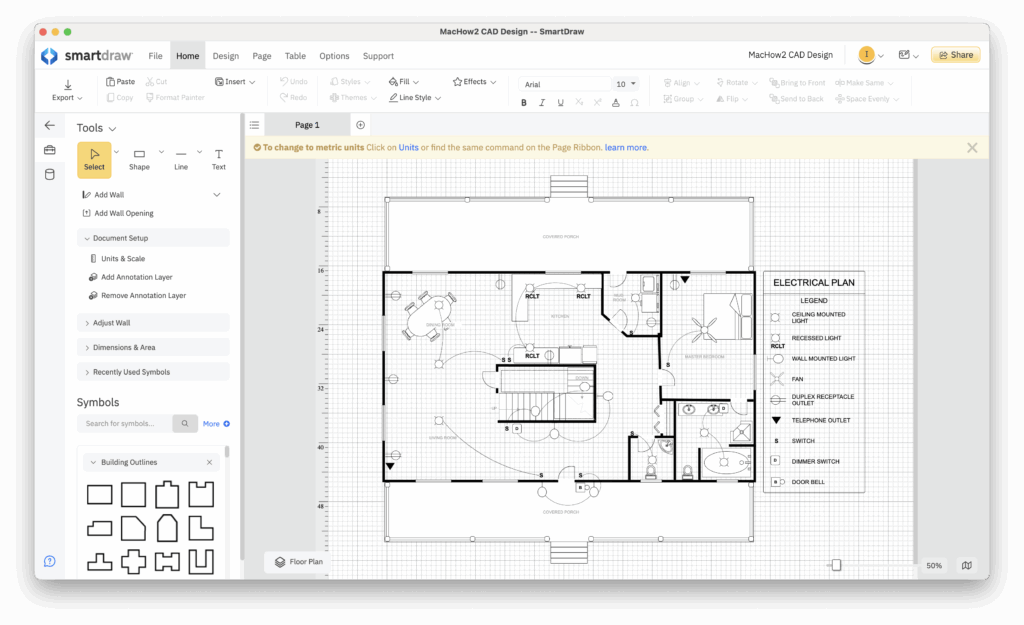
Best for: Easy 2D CAD layouts, floor plans and diagramming on Mac
SmartDraw is one of the easiest CAD-style tools for Mac, designed for creating 2D layouts, floor plans, and technical diagrams quickly.
It’s ideal for beginners or professionals who need fast results without the complexity of traditional CAD software.
Why We Recommend It
SmartDraw is the best option if you want simple, fast 2D CAD-style design, with powerful automation and a huge library of templates that dramatically speed up tasks.
Key Features
- Thousands of templates (floor plans, office layouts, diagrams)
- Over 34,000 symbols and objects
- Automatic alignment and “snap-to” CAD automation
- Works as a Mac desktop app or in a browser
- Includes whiteboarding and data integration tools
What Makes It Stand Out
SmartDraw removes much of the complexity from CAD by automating layout tasks. As you add elements, everything automatically aligns and connects, making it easy to create clean, professional designs in minutes.
It’s also one of the best-value tools in this space, combining CAD-style drawing with diagramming and visual planning tools in one app.
Compatibility
SmartDraw runs on both Intel and Apple Silicon Macs and is fully compatible with the latest versions of macOS, including recent releases.
You can check out our full SmartDraw review for an in-depth look at everything it can do.
Pricing: Free to use but to save designs $7.95/m/single user or $6.95/3+ users. Enterprise plans on request.
Pros
- Extremely easy to learn
- Fast, automated 2D layout creation
- Huge template and symbol library
- Native Mac app with Apple Silicon support
- Great value for non-engineering use
Cons
- 2D only (no 3D or BIM features)
- Not suitable for engineering-grade CAD
- Subscription required to export and save designs
4. SketchUp (Best For Architects/Interior Designers)
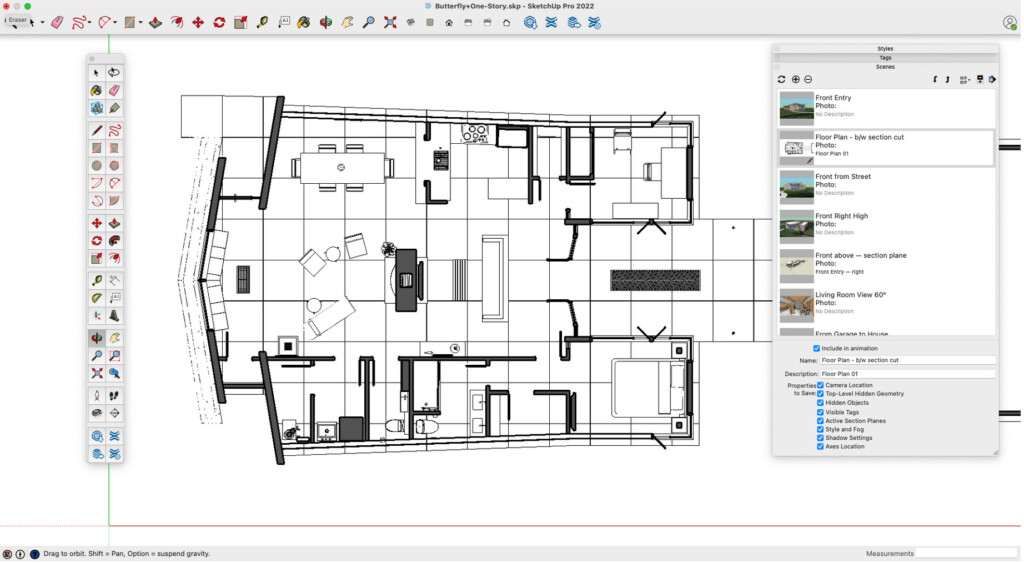
Best for: Intuitive 3D modelling, architecture and interior design concepts
SketchUp is one of the most popular 3D modelling tools on Mac, known for its speed and ease of use rather than precision CAD drafting.
It’s widely used by architects, interior designers, and hobbyists for concept design, space planning, and visualization.
Why We Recommend It
SketchUp is one of the easiest ways to create quick 3D models, making it ideal for early-stage design work where speed and simplicity matter more than technical precision.
Key Features
- Fast and intuitive 3D modelling tools
- Access to the 3D Warehouse (huge model library)
- Web-based version plus Mac desktop app (Pro)
- Tools for presentations and layout design
- Cloud storage and sharing
What Makes It Stand Out
SketchUp excels at rapid 3D visualization. You can quickly build models, experiment with layouts, and present ideas without the complexity of traditional CAD software.
However, it’s not a full CAD replacement. It lacks the advanced 2D drafting, annotation, and documentation tools required for engineering or construction, so it’s often used alongside tools like AutoCAD or BIM software.
Versions
- SketchUp Free – Web-based only, suitable for hobbyists and basic use
- SketchUp Pro – Includes Mac desktop app and advanced features for professional projects
You can read our full SketchUp review for a deeper breakdown of its strengths and limitations.
Pricing: Free (web-only, non-commercial use). SketchUp Pro with Mac desktop app is available via an annual subscription (approximately $30–35/month when billed annually).
Pros
- Extremely easy to learn
- Fast 3D modelling and visualization
- Huge library of pre-built models
- Available on Mac (web + desktop)
Cons
- Free version is browser-only
- Not suitable for precision CAD drafting
- Requires paid plan for professional features
5. FreeCAD (Best Free/Open Source)
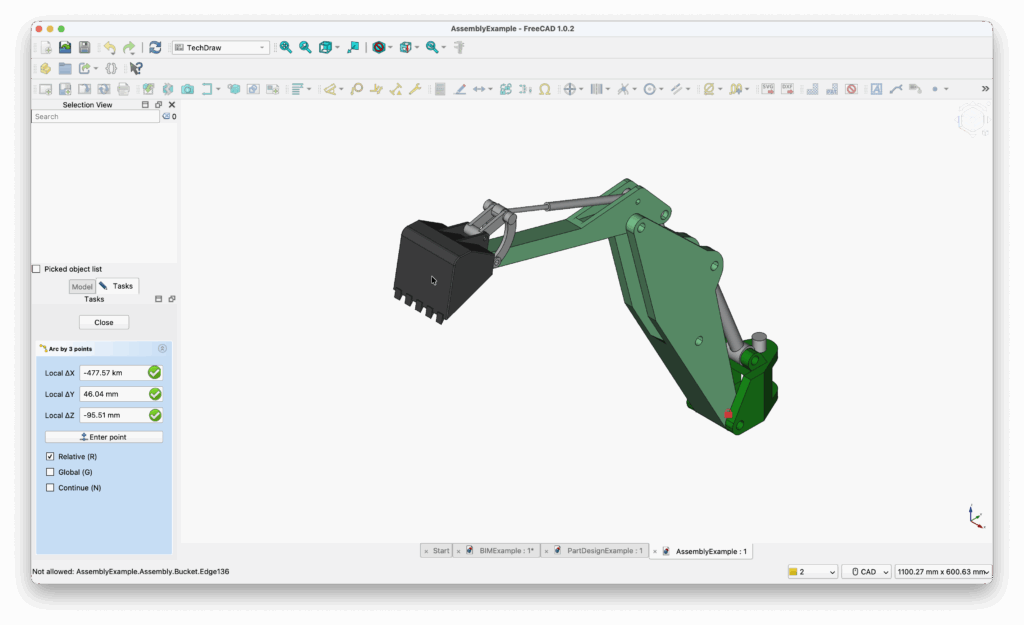
Best for: Free parametric 3D CAD and advanced users on a budget
FreeCAD is a powerful open-source 3D CAD application built around parametric modelling, making it ideal for engineering, product design, and technical projects.
It’s one of the most capable completely free CAD tools available for Mac, offering features typically found in paid professional software.
Why We Recommend It
FreeCAD is the best choice if you need advanced 3D CAD functionality for free, especially for parametric modelling and engineering-focused projects.
Key Features
- Parametric 3D modelling
- Modular workbench system (customizable tools)
- Support for multiple file formats (including STEP, IGES, STL)
- Technical drawing and simulation tools
- Extensive plugin and add-on library
What Makes It Stand Out
FreeCAD’s modular “workbench” system allows you to tailor the software to specific tasks such as modelling, drafting, or simulation. This makes it extremely flexible, but also contributes to a steeper learning curve compared to beginner-friendly tools.
While the interface feels less polished and not fully Mac-native, the level of functionality available for free is impressive.
Read our full FreeCAD review for more.
Pricing: Free and open-source.
Pros
- 100% free with no restrictions
- Powerful parametric modelling tools
- Highly customizable with plugins
- Supports many professional file formats
Cons
- Steep learning curve
- Interface feels dated and less Mac-like
- Community support can be inconsistent
6. Shapr3D (Best 3D App For Beginners)
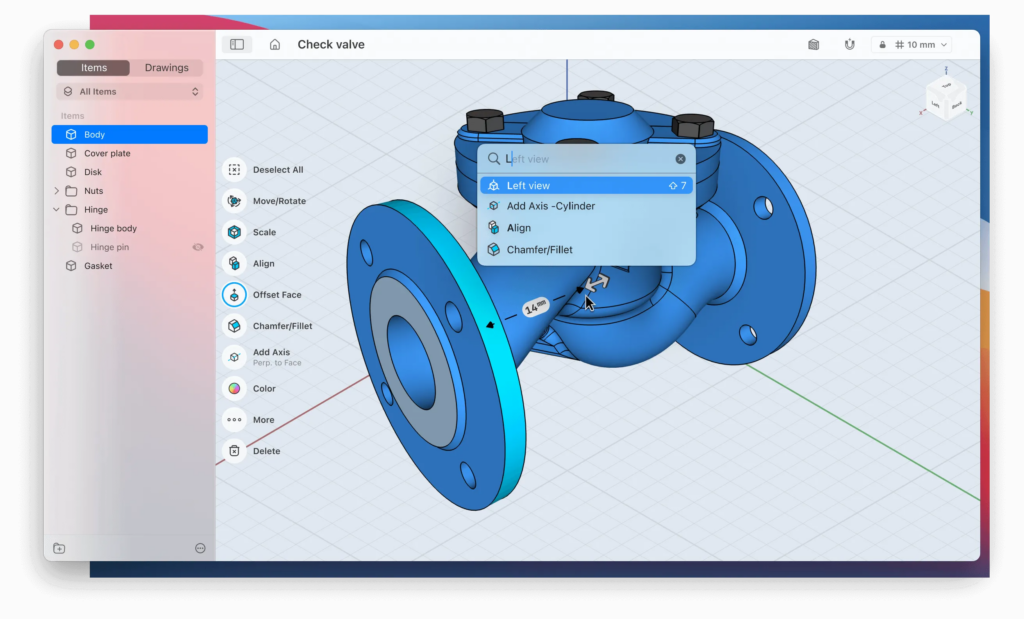
Best for: iPad and Mac users who want fast, intuitive 3D modelling
Shapr3D is a modern 3D CAD app designed for speed, simplicity, and cross-device working, making it ideal for designers and engineers who want to model on both Mac and iPad.
It’s especially popular with beginners thanks to its intuitive interface, which allows you to start creating 3D models in a very short time.
Why We Recommend It
Shapr3D is one of the best CAD tools for Apple users, offering a seamless transition between Mac, iPad, and other devices, with excellent support for touch and stylus input.
Key Features
- Intuitive 3D modelling interface
- Full support for Apple Pencil and drawing tablets
- Syncs across macOS, iPadOS, Windows, and tablets
- Fast, real-time modelling performance
- Cloud-based project syncing
What Makes It Stand Out
Shapr3D is built around touch-first design, making it one of the most natural CAD tools to use on an iPad with Apple Pencil. You can sketch ideas quickly on a tablet and continue refining them on a Mac.
It’s ideal for early-stage design and rapid prototyping, although many professionals use it alongside more advanced tools like Autodesk Fusion for final production work.
Pricing: Free for students or 2 designs, commercial plans start at $25/m
Pros
- Extremely easy to learn
- Excellent Apple Pencil and tablet support
- Seamless syncing across devices
- Fast and responsive interface
Cons
- Limited advanced CAD and BIM features
- Free plan is very restricted
- Not ideal for complex engineering
7. ARES Commander (Best AutoCAD Alternative)
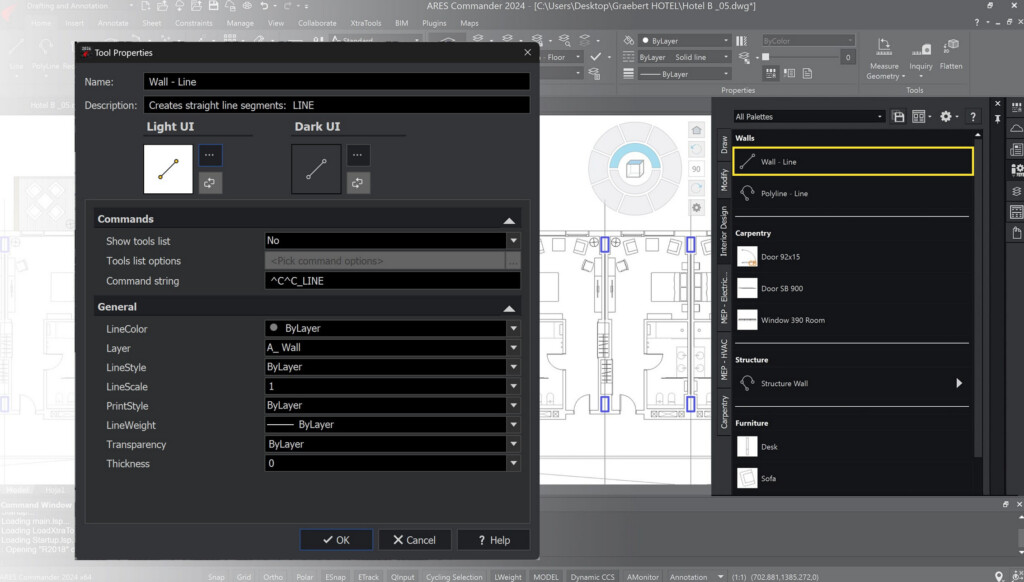
Best for: Affordable AutoCAD alternative with strong DWG compatibility
ARES Commander is a professional CAD platform that offers 2D and 3D design tools with full DWG compatibility, making it one of the best alternatives to AutoCAD on Mac.
It effectively replaces the now-discontinued CorelCAD, as both were built on the same ARES engine.
Why We Recommend It
ARES Commander is ideal if you want a lower-cost alternative to AutoCAD that still supports DWG files and offers flexible licensing options.
Key Features
- Full DWG file compatibility
- 2D drafting and basic 3D modelling
- Familiar ribbon-style interface
- Support for STL and 3D printing
- Cross-platform use (desktop, mobile, cloud)
What Makes It Stand Out
ARES Commander strikes a strong balance between professional CAD features and affordability, making it a popular choice for architects, engineers, and construction professionals who primarily work in 2D but occasionally need 3D capabilities.
Its flexible licensing (subscription, perpetual, and flex plans) also makes it more adaptable than many competitors.
Pricing: Free Trial / Starts at $350/year subscription
Pros
- Excellent DWG compatibility
- More affordable than AutoCAD
- Flexible licensing options
- Familiar interface
Cons
- Interface feels less Mac-native
- Limited advanced 3D features
- Fewer integrations than Autodesk
8. TurboCAD Mac Pro (Best One-Time Purchase)
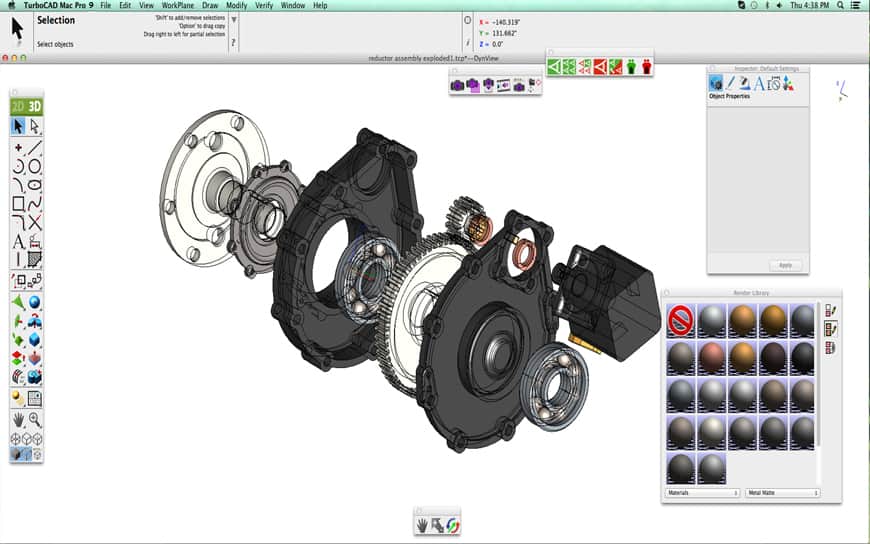
Best for: One-time purchase CAD with strong 2D and 3D tools
TurboCAD Mac Pro is a powerful CAD application that offers advanced drafting and modelling tools with a one-time purchase, making it a rare alternative to subscription-based CAD software.
Why We Recommend It
TurboCAD Mac Pro is a great option if you want professional CAD features without an ongoing subscription, especially for long-term cost savings.
Key Features
- Advanced 2D drafting and 3D modelling
- Customizable interface and tool palettes
- Redway rendering engine
- Tools for BOM, assemblies, and layouts
- Optional PowerPack for 3D printing and BIM features
What Makes It Stand Out
Unlike most modern CAD tools, TurboCAD Mac Pro uses a perpetual license, making it significantly cheaper over time compared to subscription-based tools like AutoCAD.
It’s capable of handling a wide range of projects, from simple designs to complex architectural plans.
Pricing: $799.99. No free trial.
Pros
- One-time purchase (no subscription)
- Strong 2D and 3D capabilities
- Highly customizable interface
- Good long-term value
Cons
- Interface can feel dated
- Smaller user community
- Some differences vs Windows version
- No free trial
9. VectorWorks (Best For Architecture & Landscape Design)
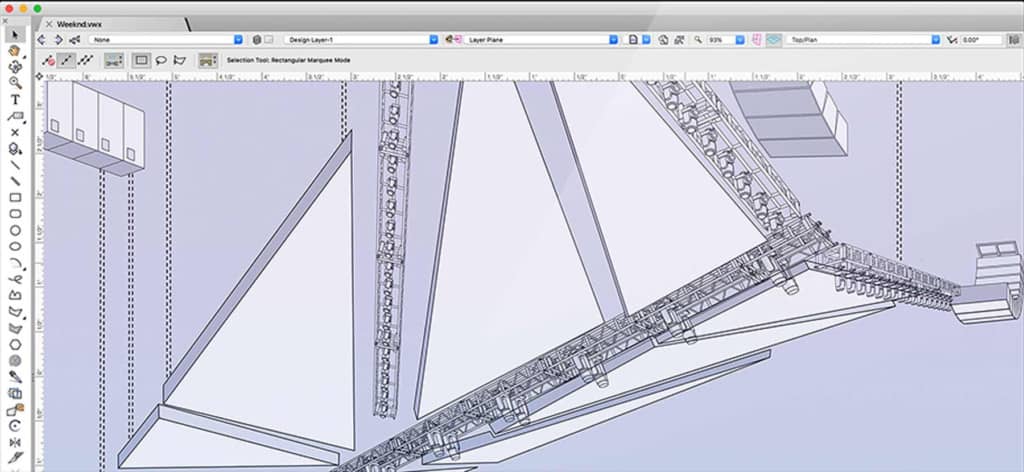
Best for: Architecture, BIM and professional design
Vectorworks is a powerful BIM and CAD platform used widely in architecture, landscape design, and construction.
It supports both 2D drafting and advanced 3D modelling, making it a strong alternative to other professional BIM tools on Mac.
Why We Recommend It
Vectorworks is one of the best options for Mac users who need full BIM capabilities combined with flexible design tools.
Key Features
- Integrated BIM and 3D modelling tools
- Clean WYSIWYG interface
- Support for Apple Silicon Macs
- Advanced rendering (including Enscape integration)
- Parametric design tools (Marionette)
What Makes It Stand Out
Vectorworks combines powerful BIM functionality with a relatively intuitive interface, making it more accessible than some competing architecture tools.
It’s also one of the most mature CAD platforms fully optimised for Apple Silicon Macs.
Pricing: Starting from $153/month. No free trial.
Pros
- Powerful BIM and modelling tools
- Native Apple Silicon support
- Flexible and visual interface
- Strong architecture and landscape tools
Cons
- Expensive
- Advanced features have a learning curve
- Some tools require add-ons
- No free trial
10. OnShape (Best Browser Based)
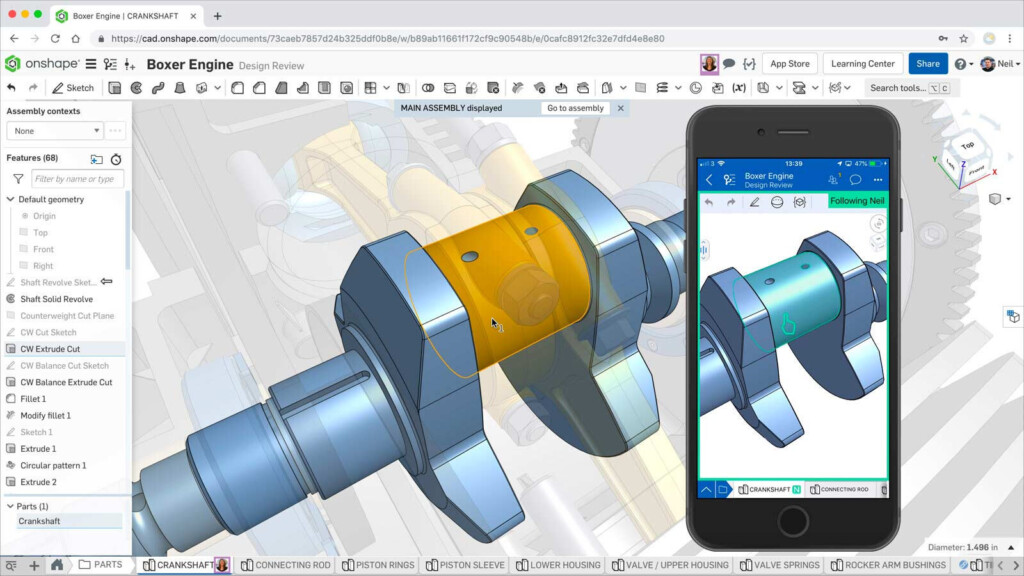
Best for: Cloud-based CAD and real-time collaboration
Onshape is a fully cloud-based CAD platform that runs entirely in a web browser, allowing teams to collaborate on designs in real time from any device.
It was created by the team behind SolidWorks and is designed as a modern, cloud-native alternative.
Why We Recommend It
Onshape is one of the best CAD tools for teams that need real-time collaboration, version control, and access from anywhere without installing software.
Key Features
- Fully browser-based CAD platform
- Real-time collaboration and editing
- Built-in version control and PDM
- Supports complex parts and assemblies
- Works across Mac, Windows, and mobile devices
What Makes It Stand Out
Onshape eliminates the need for installations and hardware limitations by running entirely in the cloud. Multiple users can work on the same design simultaneously, making it ideal for distributed teams.
Despite being browser-based, it’s capable of handling complex CAD projects and assemblies.
Pricing: Free / Pro Plans starting from $1,500/year with 6 month trial available.
Pros
- No installation required
- Excellent collaboration features
- Strong version control
- Works on any device
Cons
- Requires constant internet connection
- Free plan projects are public
- No native Mac desktop app
Best Free CAD Software For Mac
There are now several excellent free CAD applications available for Mac, ranging from lightweight 2D drafting tools to advanced parametric 3D modelling platforms.
While free CAD software usually lacks some enterprise-level features, many tools are now powerful enough for hobbyists, students, makers and even professional projects.
Below is a selection of just a few but for more, check out our guide to the best free CAD software for Mac.
| Software | 2D/3D | Best For | Limitations |
|---|---|---|---|
| FreeCAD | 2D & 3D | Engineering and parametric modelling | Steeper learning curve |
| LibreCAD | 2D | Technical drafting | 2D only |
| TinkerCAD | 3D | Beginners and education | Very basic modelling |
| SketchUp Free | 3D | Architectural concepts | Browser-only |
| Fusion Personal | 3D | Hobby engineering and CAM | Non-commercial use only |
FreeCAD
FreeCAD remains the most capable fully free CAD application for Mac.
It’s especially good for:
- Parametric modelling
- Engineering projects
- 3D printing
- Technical work
LibreCAD
LibreCAD is one of the best free 2D CAD tools available for macOS.
It’s lightweight, easy to run on older Macs and ideal for:
- Technical drawings
- Floor plans
- Schematics
- Simple drafting
TinkerCAD
Tinkercad is a beginner-friendly browser-based CAD platform owned by Autodesk.
It’s aimed primarily at:
- Students
- Education
- Makers
- Basic 3D printing projects
SketchUp Free
SketchUp offers a free browser-based version that’s excellent for simple architectural and interior design projects.
It’s one of the easiest ways to learn 3D modelling on a Mac.
Fusion Personal
Autodesk Fusion offers a free personal-use version for hobbyists and non-commercial users.
This makes it one of the most powerful free CAD CAM tools available for Mac.
Best 2D CAD Software For Mac
Not every CAD project requires complex 3D modelling.
For floor plans, schematics, technical drawings and drafting work, 2D CAD software is often faster, simpler and more affordable.
The best 2D CAD software for Mac includes both professional drafting tools and free lightweight applications.
Below is a selection of the best ones but for more options, check out our guide to the best 2D CAD software for Mac.
| Software | Best For |
|---|---|
| AutoCAD LT | Professional drafting and DWG formats |
| LibreCAD | Free 2D drafting |
| QCAD | Lightweight technical drawings |
| TurboCAD | Advanced drafting and one-time purchase |
AutoCAD LT
AutoCAD LT is still the professional standard for 2D drafting on Mac.
It provides:
- Industry-standard DWG support
- Precise drafting tools
- Annotation and documentation tools
- Strong collaboration support
without the cost of full 3D AutoCAD.
LibreCAD
LibreCAD is the best free 2D CAD tool for Mac users who only need technical drafting features.
It performs particularly well on older MacBooks and lower-powered systems.
QCAD
QCAD is a lightweight and beginner-friendly drafting platform ideal for:
- DIY projects
- Technical diagrams
- Schematics
- Simple floor plans
TurboCAD Mac Pro
TurboCAD Mac Pro includes strong 2D drafting tools alongside more advanced 3D functionality.
It’s also one of the few professional CAD applications still available as a one-time purchase.
Best CAD Software For MacBook Pro & MacBook Air
Modern MacBook Pro and MacBook Air models are now powerful enough to handle surprisingly demanding CAD suites thanks to Apple Silicon chips such as the M1-M5 processors.
The best CAD software for MacBook depends largely on the type of design work you do. Lightweight 2D drafting apps can run comfortably on a MacBook Air, while advanced 3D modelling, rendering and BIM projects benefit from the extra GPU power and cooling of a MacBook Pro.
What To Look For In CAD Software For MacBook
When choosing CAD software for a MacBook, there are a few important factors to consider:
Apple Silicon Optimization
Native Apple Silicon support dramatically improves:
- 3D rendering performance
- Battery life
- Thermal efficiency
- Real-time viewport smoothness
Most major CAD apps are now optimized for Apple Silicon Macs, although some older CAD software still relies on Rosetta translation.
RAM Requirements
For smooth CAD performance we recommend:
- 8GB RAM minimum for basic 2D drafting
- 16GB RAM for most CAD work
- 32GB+ RAM for BIM, rendering and large assemblies
Modern MacBooks cannot upgrade RAM after purchase, so it’s worth buying more memory upfront if you work with complex CAD projects.
GPU Performance
Unlike older Intel Macs, Apple Silicon chips combine CPU and GPU architecture together, which greatly improves CAD performance on portable Macs.
For demanding 3D work, the MacBook Pro models with Pro or Max chips perform significantly better than MacBook Air models, especially for:
- Real-time rendering
- Large assemblies
- BIM projects
- 3D visualization
| Software | Best For |
|---|---|
| Fusion | Engineering and 3D product design |
| Shapr3D | iPad + Mac portability |
| AutoCAD | Professional drafting and DWG compatibility |
| SketchUp | Lightweight architectural modelling |
| FreeCAD | Free engineering and parametric modelling |
Best Lightweight CAD Software For MacBook Air
If portability and battery life are priorities, these CAD apps work especially well on MacBook Air:
- Shapr3D
- SketchUp
- SmartDraw
- Onshape
- LibreCAD
Cloud-based CAD tools like Onshape are also ideal for MacBooks because much of the processing happens remotely rather than on the laptop itself.
For heavier professional projects involving rendering, BIM or complex assemblies, a MacBook Pro with at least 16GB RAM is strongly recommended.
Best SolidWorks Alternatives For Mac
One of the biggest frustrations for Mac users is that SolidWorks still doesn’t run natively on macOS.
Although it’s possible to run SolidWorks on a Mac using virtualization software such as Parallels Desktop, the experience is rarely ideal for demanding engineering projects.
Why SolidWorks Still Doesn’t Work Properly On Mac
SolidWorks was designed primarily for Windows and still relies heavily on Microsoft technologies and GPU optimizations that are not fully compatible with macOS.
While virtualization on Apple Silicon Macs has improved dramatically, there are still several limitations including:
- Reduced graphics performance
- Compatibility issues with large assemblies
- Limited GPU acceleration
- Increased RAM requirements
- Occasional instability with advanced simulations
For this reason, most Mac users are now better choosing a native CAD alternative instead.
Best SolidWorks Alternatives For Mac
Many of the CAD apps we reviewed for this article are suitable as alternatives to SolidWorks but here is a selection of some of the most popular.
| Software | Best For |
|---|---|
| Fusion | Professional engineering and manufacturing |
| Onshape | Cloud collaboration and browser-based CAD |
| Shapr3D | Fast prototyping and Apple Pencil work |
| FreeCAD | Free parametric engineering CAD |
Autodesk Fusion
Autodesk Fusion is one of the closest alternatives to SolidWorks on Mac for engineering and manufacturing projects.
It combines:
- Parametric modelling
- CAM tools
- Simulation
- Rendering
- Cloud collaboration
into one platform that runs natively on Apple Silicon Macs.
Onshape
Onshape was created by the original SolidWorks founders and is one of the best browser-based CAD platforms available.
It’s especially good for:
- Remote teams
- Version control
- Collaborative engineering
- MacBook users
because everything runs entirely in the browser.
Shapr3D
Shapr3D is ideal for designers who want a simpler and more modern CAD experience on Mac and iPad.
It’s not as engineering-heavy as SolidWorks, but it’s excellent for:
- Concept modelling
- Industrial design
- Rapid prototyping
- Portable working
FreeCAD
FreeCAD is the best completely free SolidWorks-style alternative for Mac.
Although the interface is less polished, it offers surprisingly powerful parametric modelling features for engineering and technical projects.
Best AutoCAD Alternatives For Mac
Although AutoCAD for Mac remains the industry standard for CAD drafting, many Mac users look for alternatives because of the high subscription pricing.
Fortunately, there are now several excellent AutoCAD alternatives available on macOS that support DWG formats and technical drafting.
Best AutoCAD Alternatives Compared
Most of the apps we reviewed here are excellent alternatives to AutoCAD although each caters for different needs.
Here’s a selection of some of the best alternatives to AutoCAD for Mac.
| Software | Best For |
|---|---|
| ARES Commander | Closest AutoCAD-style experience |
| LibreCAD | Free technical drafting |
| QCAD | Lightweight 2D CAD |
| Vectorworks | Architecture and BIM |
ARES Commander
ARES Commander is one of the closest alternatives to AutoCAD available on Mac.
It offers:
- Strong DWG compatibility
- Familiar ribbon interface
- 2D drafting tools
- Cross-platform access
at a significantly lower cost than Autodesk.
LibreCAD
LibreCAD is ideal if you simply need free technical drafting without enterprise-level features.
QCAD
QCAD is a good lightweight alternative for smaller drafting projects and beginners.
Vectorworks
Vectorworks is a more architecture-focused alternative that combines CAD drafting with BIM and advanced design.
If you work in architecture or construction, it may be a better long-term choice than traditional drafting software.
Can You Run Windows CAD Software on a Mac?
Yes – and in some cases, it’s still necessary.
The most reliable way to run Windows-only CAD tools on a Mac is by using a virtual machine like Parallels Desktop.
This allows you to run apps such as:
Performance on Apple Silicon Macs is now very good, although native Mac CAD apps are still preferable for stability and efficiency.
For a full breakdown, see our guide to the best ways to run Windows on a Mac.
Choosing the Right Monitor for CAD on Mac
CAD work benefits hugely from the right display.
Look for:
- 4K or 5K resolution for sharp detail
- Large screens (27-inch or more)
- Accurate color reproduction (especially for design work)
See our full guide to the best monitors for CAD on Mac.
Mac CAD Software Buying Guide
Choosing the right CAD software depends on what you design, your experience level, and how you plan to work.
Here’s what matters most in 2026:
1. Purpose: Industry vs General Use
Different tools are built for different needs:
- Architecture & BIM → Vectorworks, Archicad
- Engineering & product design → Autodesk Fusion
- General drafting → AutoCAD
- Simple layouts → SmartDraw
Choosing the right category matters more than choosing the “best” software overall.
2. 2D vs 3D CAD
- 2D CAD → floor plans, schematics, technical drawings
- 3D CAD → modelling, rendering, product design
3D tools are more powerful, but require:
- better hardware
- more learning time
3. Free vs Paid CAD Software
- Free tools are ideal for learning and hobby use
- Paid tools unlock:
- parametric modelling
- advanced rendering
- BIM projects
4. Do You Need BIM?
If you work in architecture or construction, BIM is essential.
Top options include:
- Archicad
- Vectorworks
Lower-cost CAD tools typically don’t include BIM features.
5. Cloud vs Desktop CAD
- Desktop apps → better performance, offline access
- Cloud CAD → collaboration, cross-device access
For example:
- Onshape = best for collaboration
- Desktop CAD = best for heavy modelling
6. Apple Silicon Optimization
In 2026, most major CAD tools are now fully optimized for Apple Silicon (M1–M5), delivering:
- faster rendering
- smoother 3D navigation
- better battery life on MacBooks
7. File Compatibility
Make sure your CAD software supports:
Key Trends in Mac CAD Software For 2026
- Apple Silicon is now standard across most CAD apps
- Cloud CAD is growing rapidly (Onshape, Fusion, Shapr3D)
- AI-assisted design tools are emerging
- Mac + iPad are more integrated than ever
- VR/AR design tools are evolving with devices like Apple Vision Pro